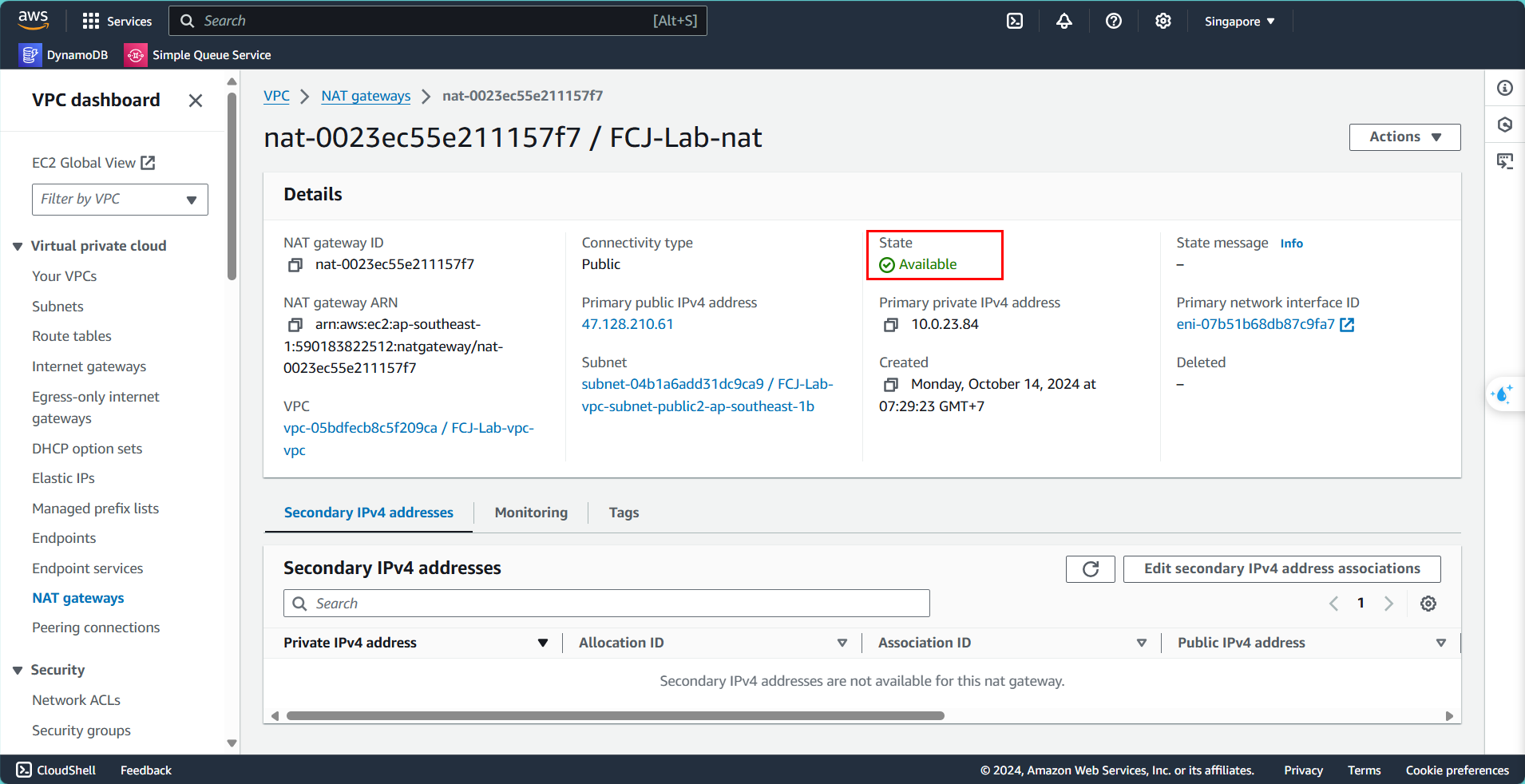
Cấu hình NAT gateway
Tạo NAT Gateway
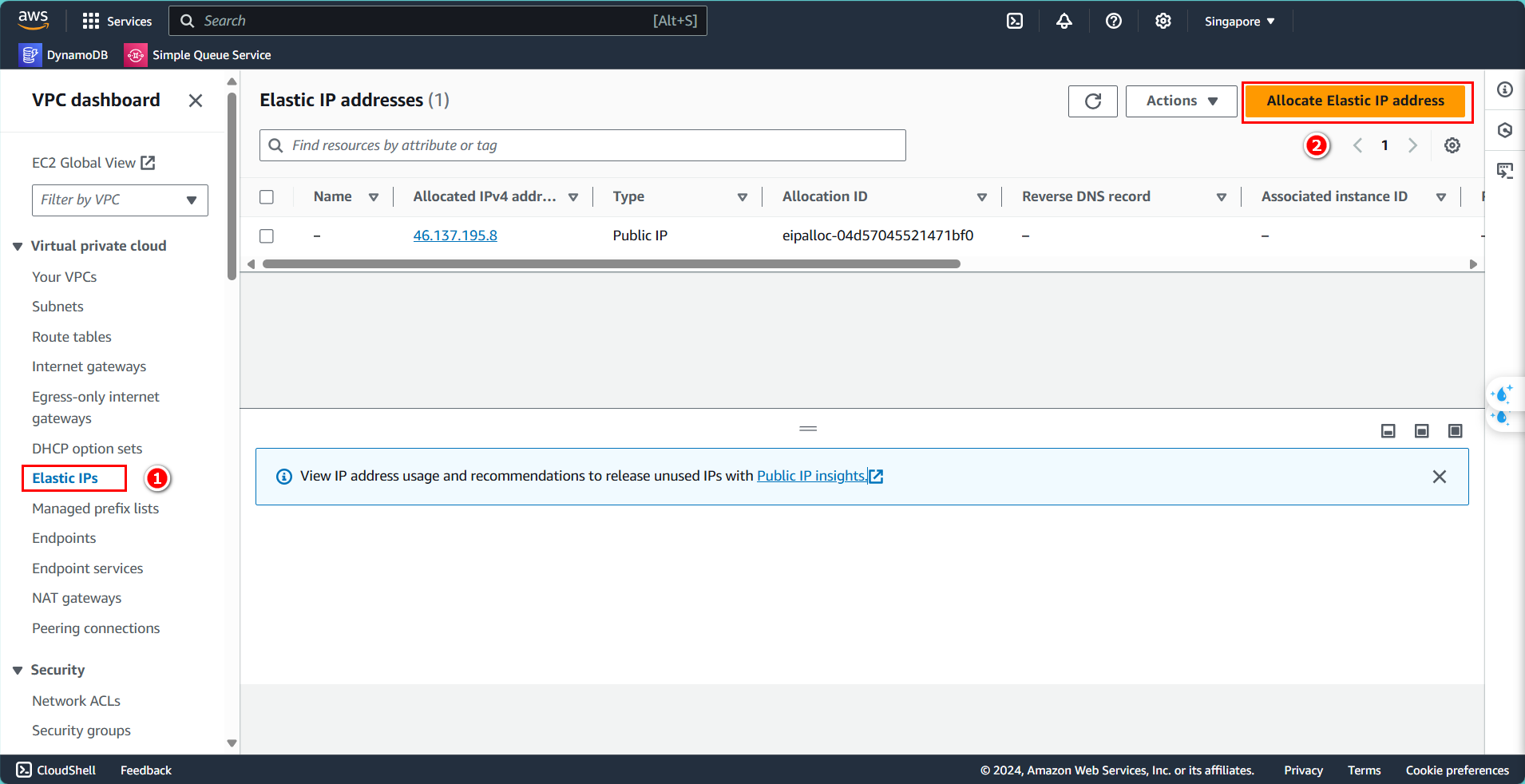
Trước tiên, cần tạo Elastic IP để gán cho NAT Gateway. Từ bảng chọn bên trái:
- Chọn Elastic IPs
- Nhấn Allocate Elastic IP address
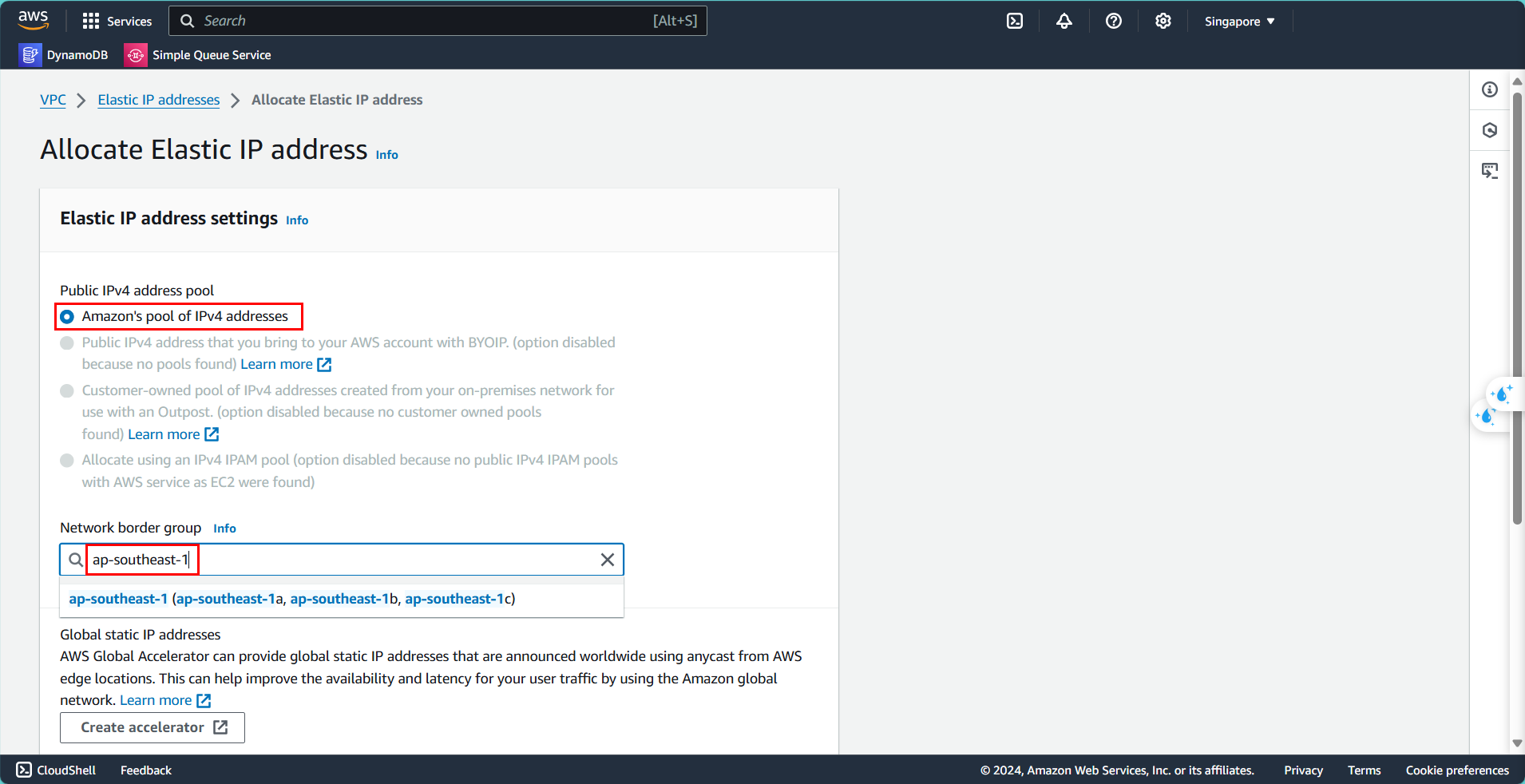
Cấu hình Elastic IP:
- Public IPv4 address pool: Amazon’s pool of IPv4 address
- Network border group: ap-southeast-1 (nếu bạn dùng cùng region)
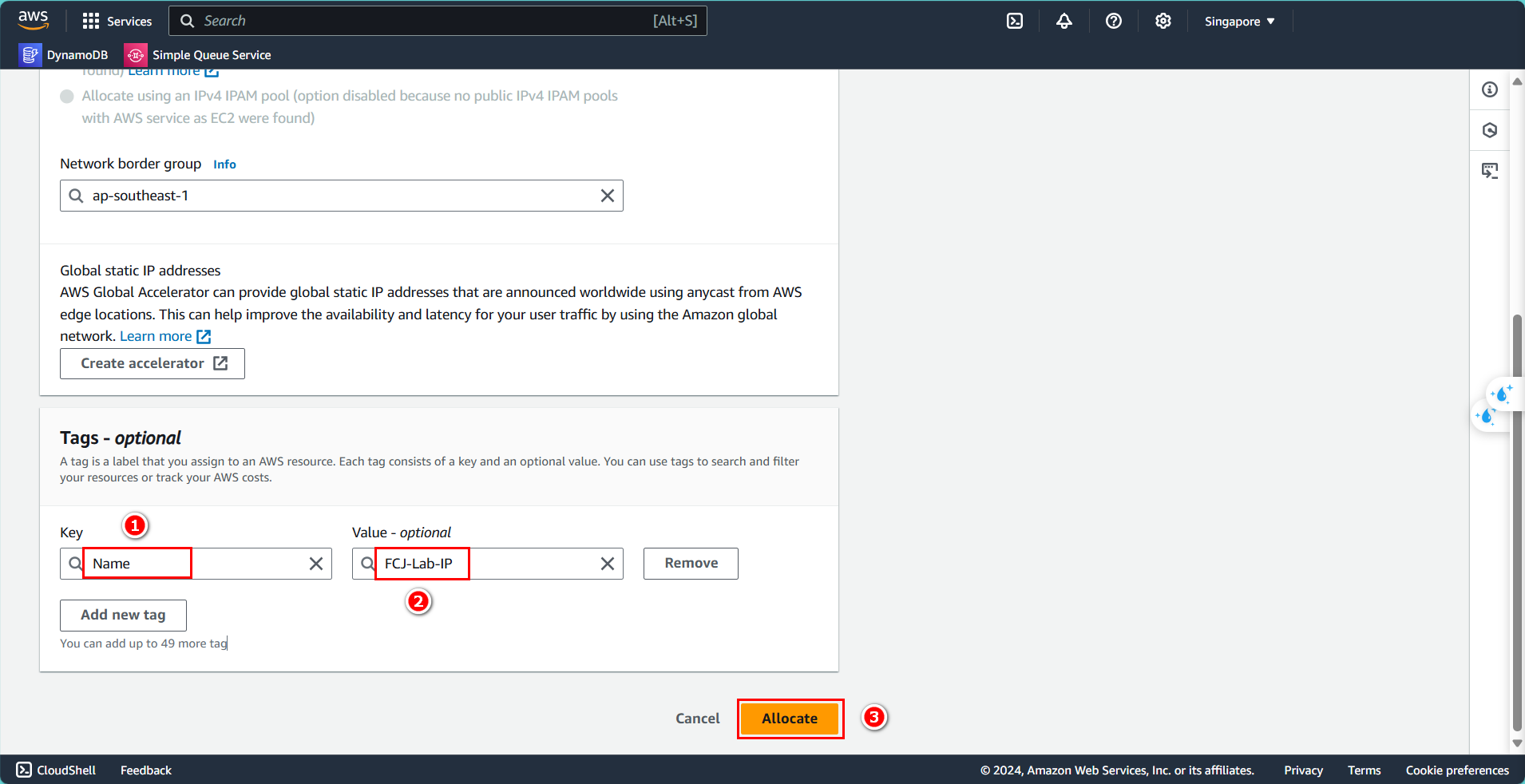
Trong phần tags (tùy chọn):
- Key:
Name - Value:
FCJ-Lab-IP - Nhấn Allocate
Tiếp theo, tạo NAT Gateway:
- Chọn NAT gateways
- Nhấn Create NAT gateway
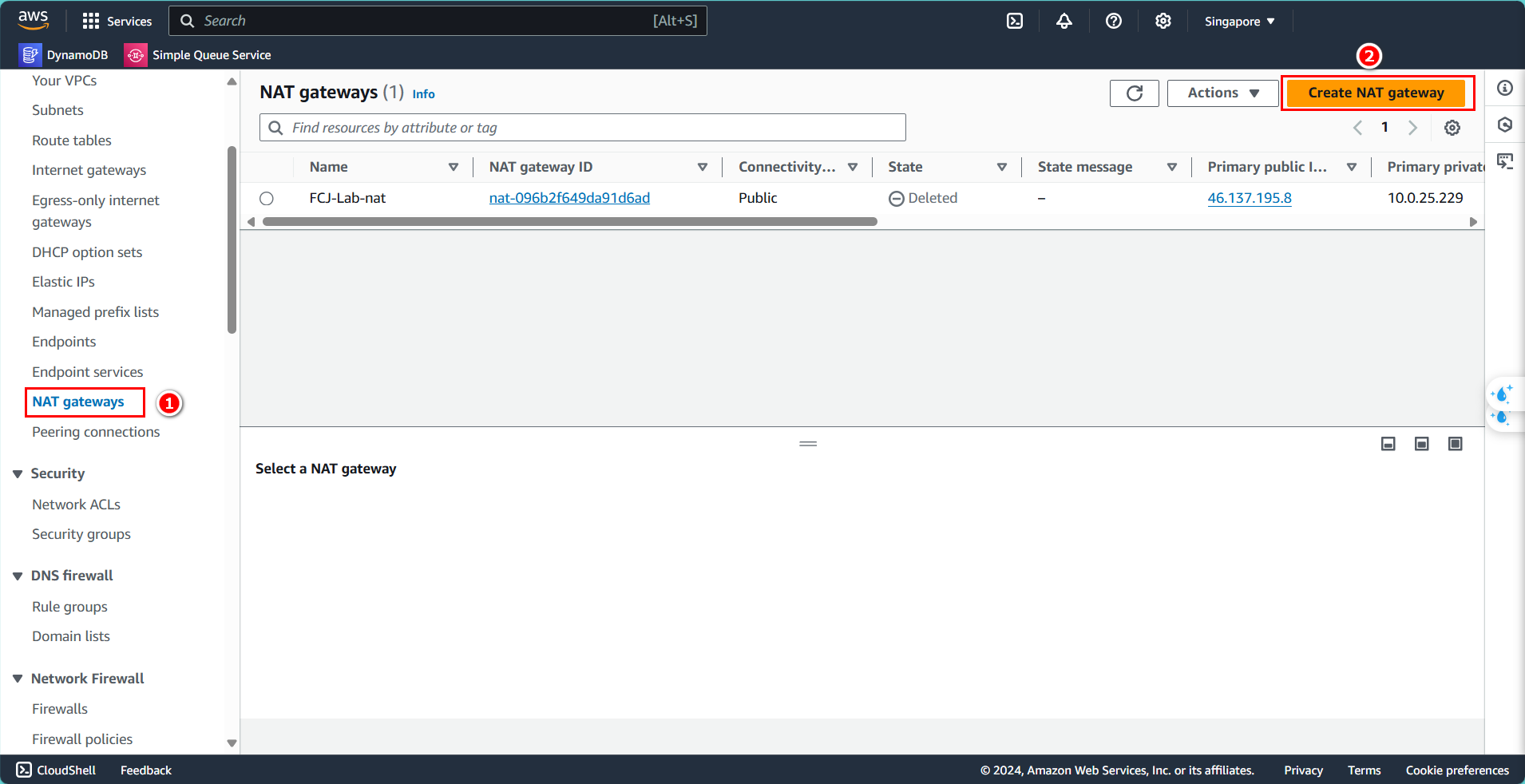
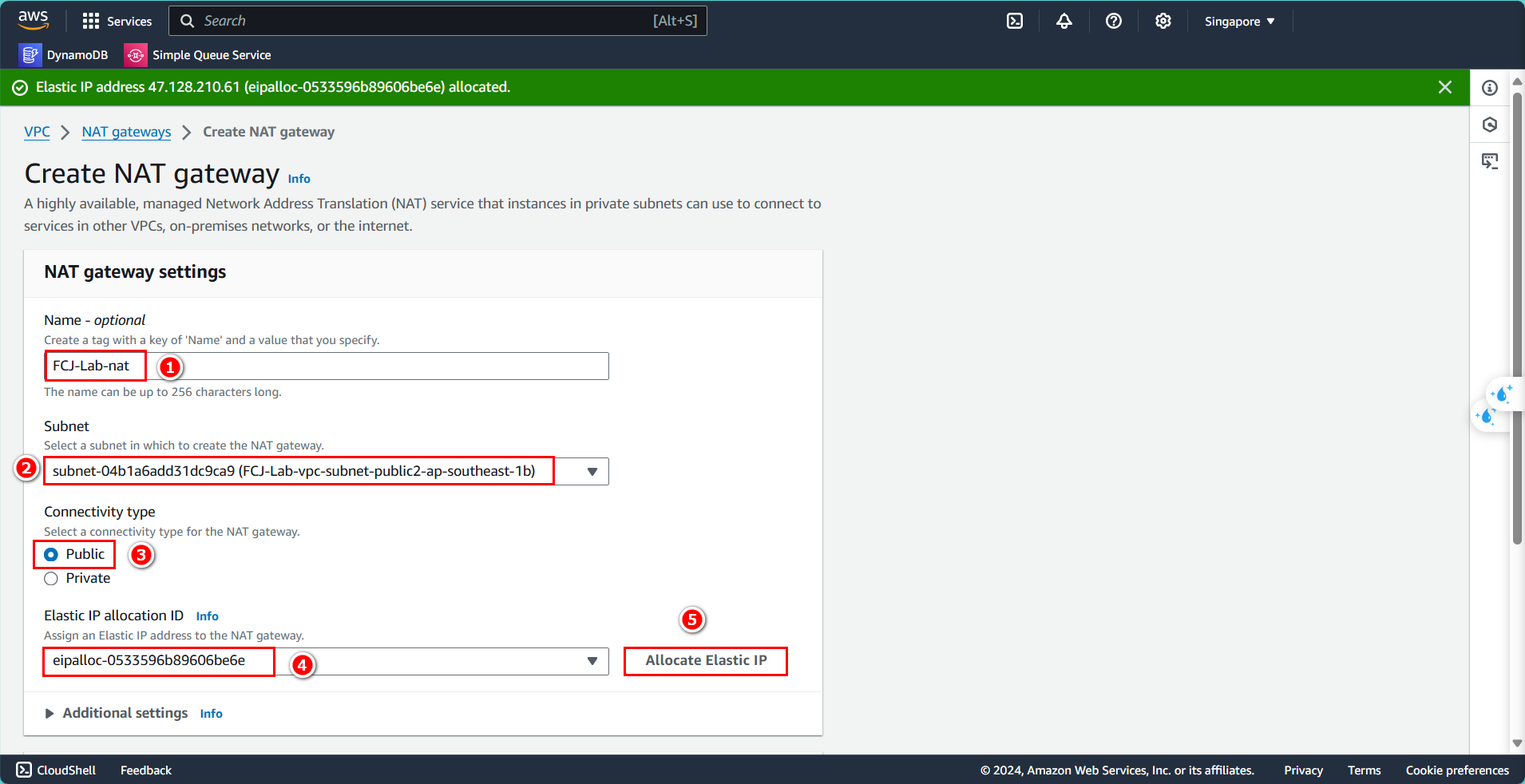
Cấu hình NAT Gateway:
- Name:
FCJ-Lab-nat - Chọn Subnet public đã tạo
- Connectivity type: Public
- Gắn Elastic IP vừa tạo
- Nhấn Create NAT gateway
Sau khi tạo, chờ trạng thái Available.