Deploy Rolling with Frontend
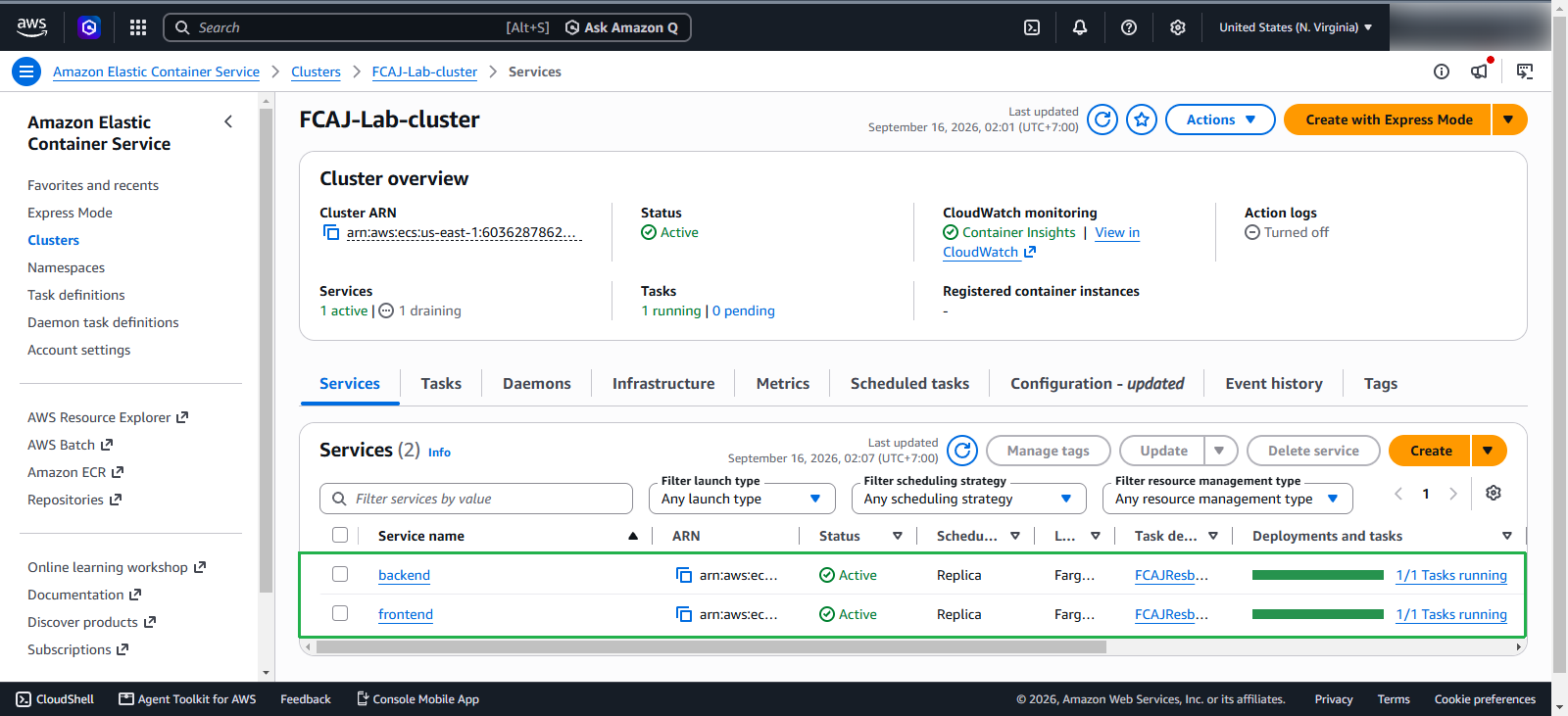
After creating the Backend service, we will now proceed to create the Frontend service.
Create Frontend Service
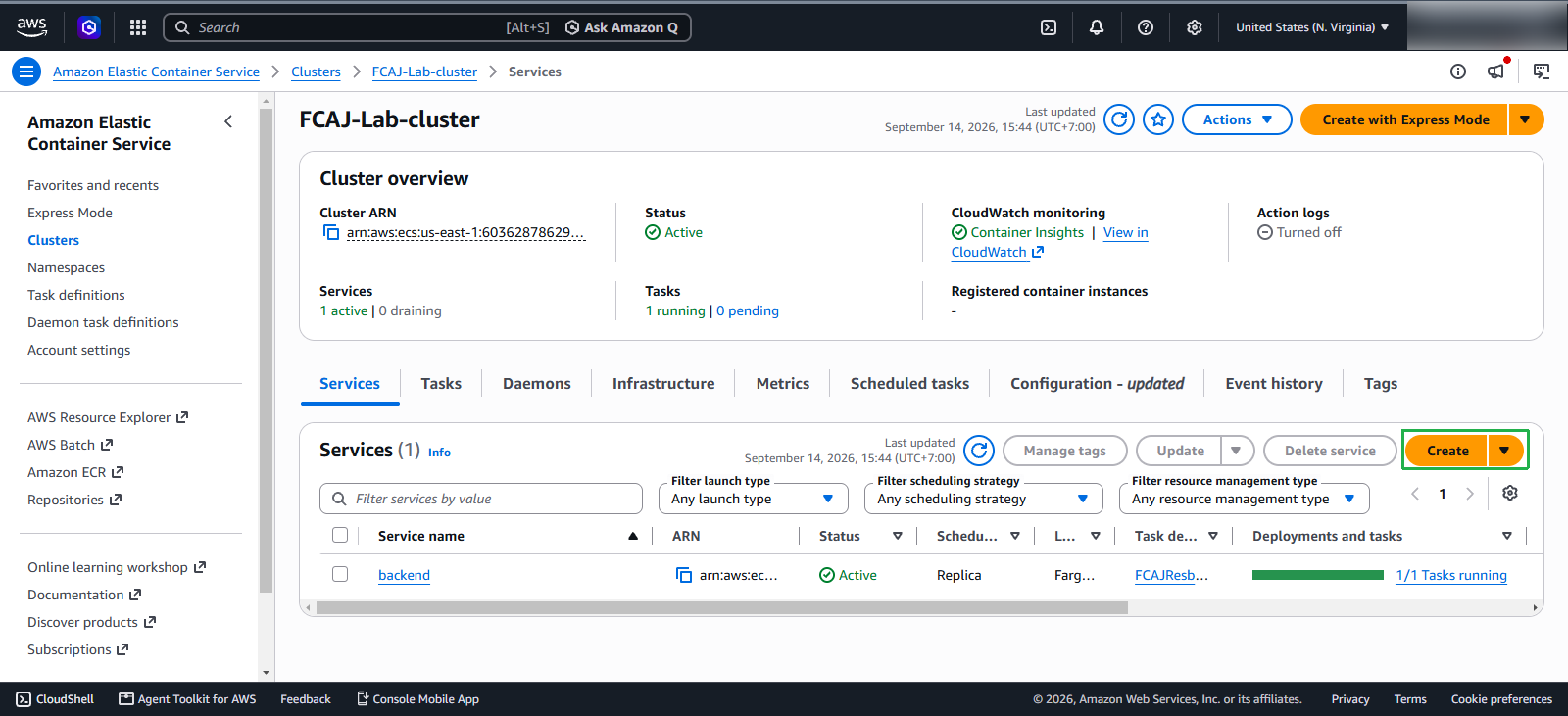
Next, in the cluster console page, click Create to add the Frontend service.
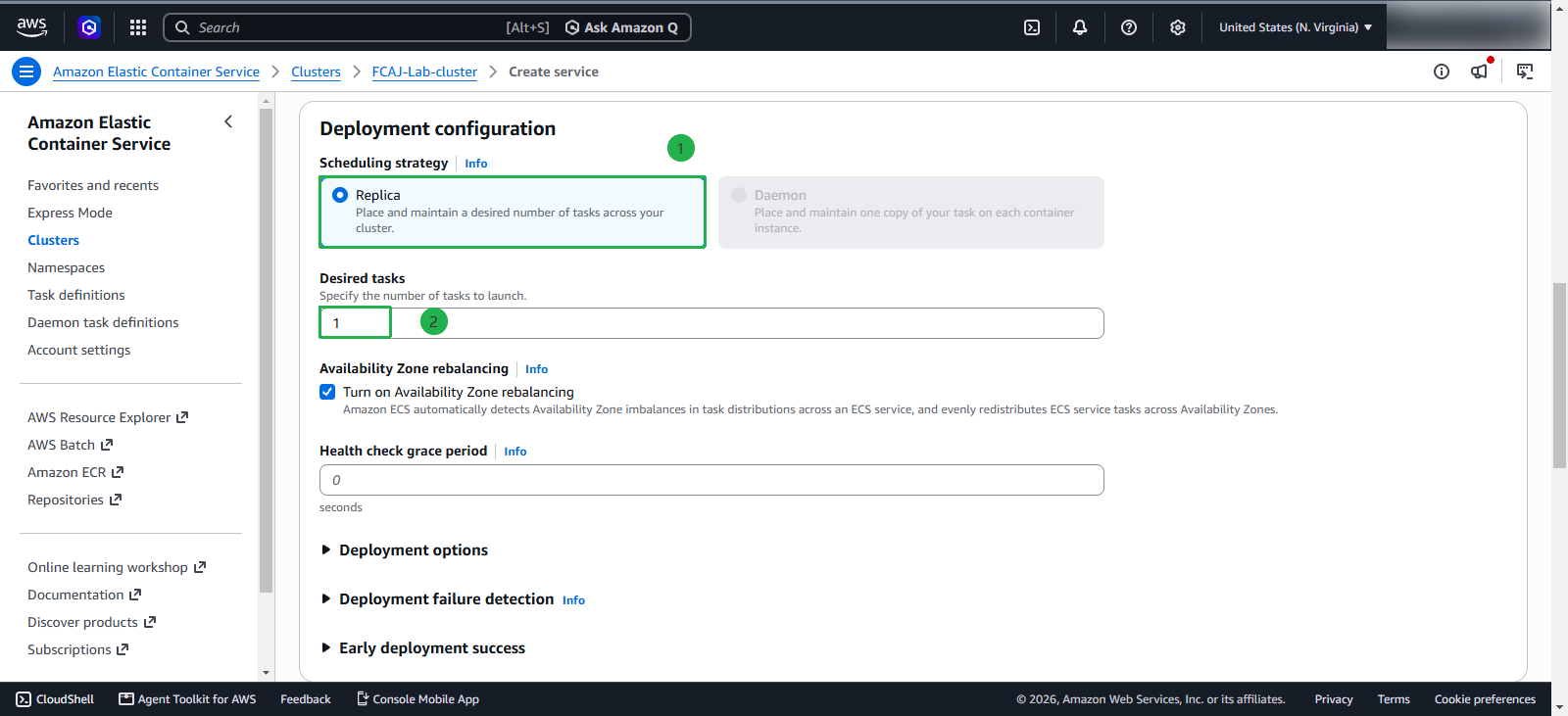
Deployment configuration
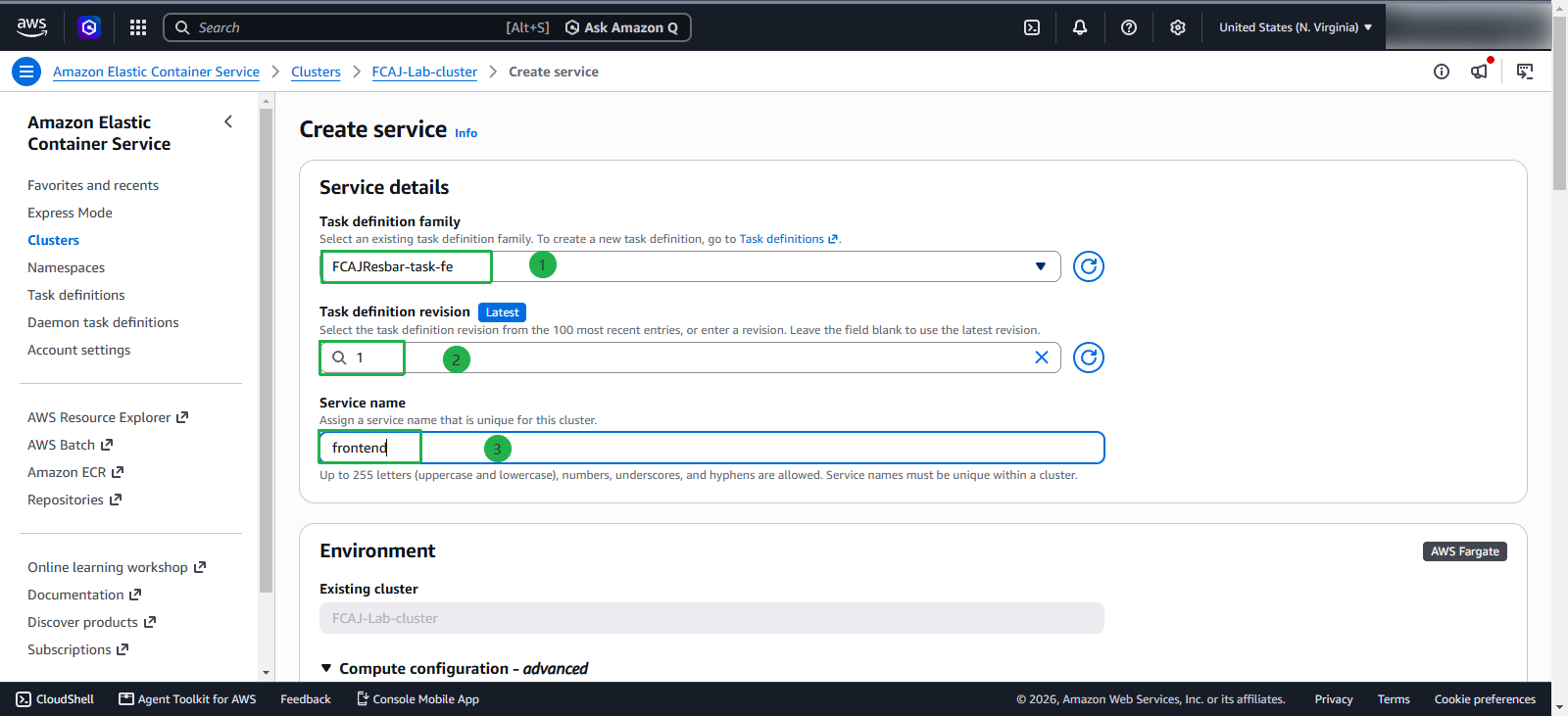
In this section, we will configure the deployment:
- Application type: select Service
- Family: select
FCAJResbar-task-fe, choose the Revision labeled LATEST. - Name:
frontend - Service type and Desired tasks leave as default
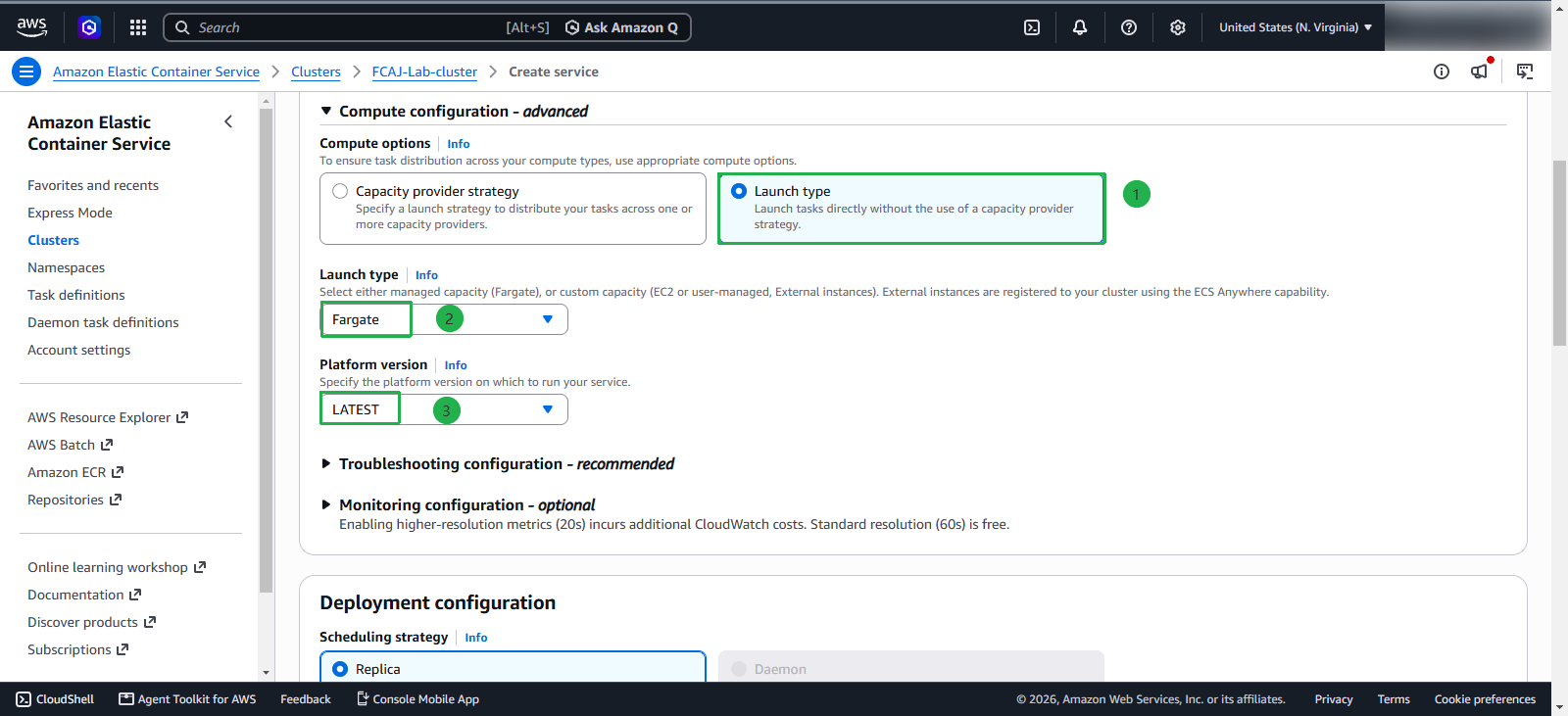
Next, configure compute for the service:
- Launch type: Select Fargate - use serverless containers, AWS manages the infrastructure
- Platform version: Select LATEST
- Service type: Replica - tasks will be distributed evenly across the cluster
- Desired tasks: 1 - the number of tasks desired to run simultaneously
Networking
Now, we will let this Service know which network and subnet it should be placed in.
- VPC: select the VPC that we created earlier
- Subnet: choose private subnets FCAJ-Lab-subnet-private3 and FCAJ-Lab-subnet-private4
- Select Use existing security group
- Security group: select FCAJ-Lab-sg-private.
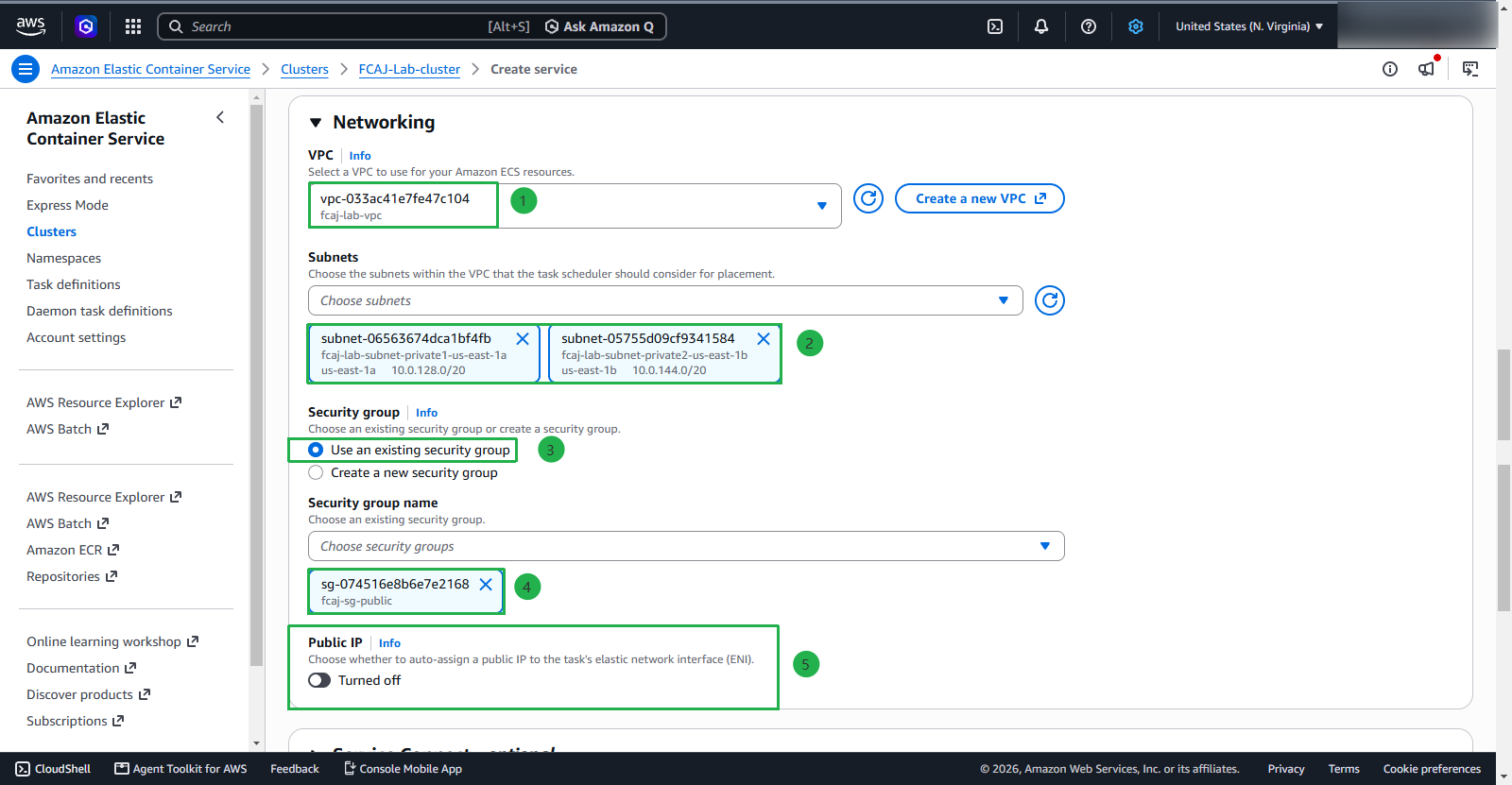
Similarly, Public IP should be disabled because the traffic is routed to the Service through the Load Balancer.
Load balancing
In reality, we do not need to configure Load balancing for the backend service, as for testing, I will need to use a private network or VPN. However, in this tutorial, I will configure Load balancing, opening 2 listeners for production and testing so that developers/testers can use them for feature testing.
First, configure some information:
- Load balancing type: select Application Load Balancer
- Container: frontend 80:80 (the port here will be the host and container port)
- Select Use an existing load balancer
- Select FCAJ-Lab-alb load balancer
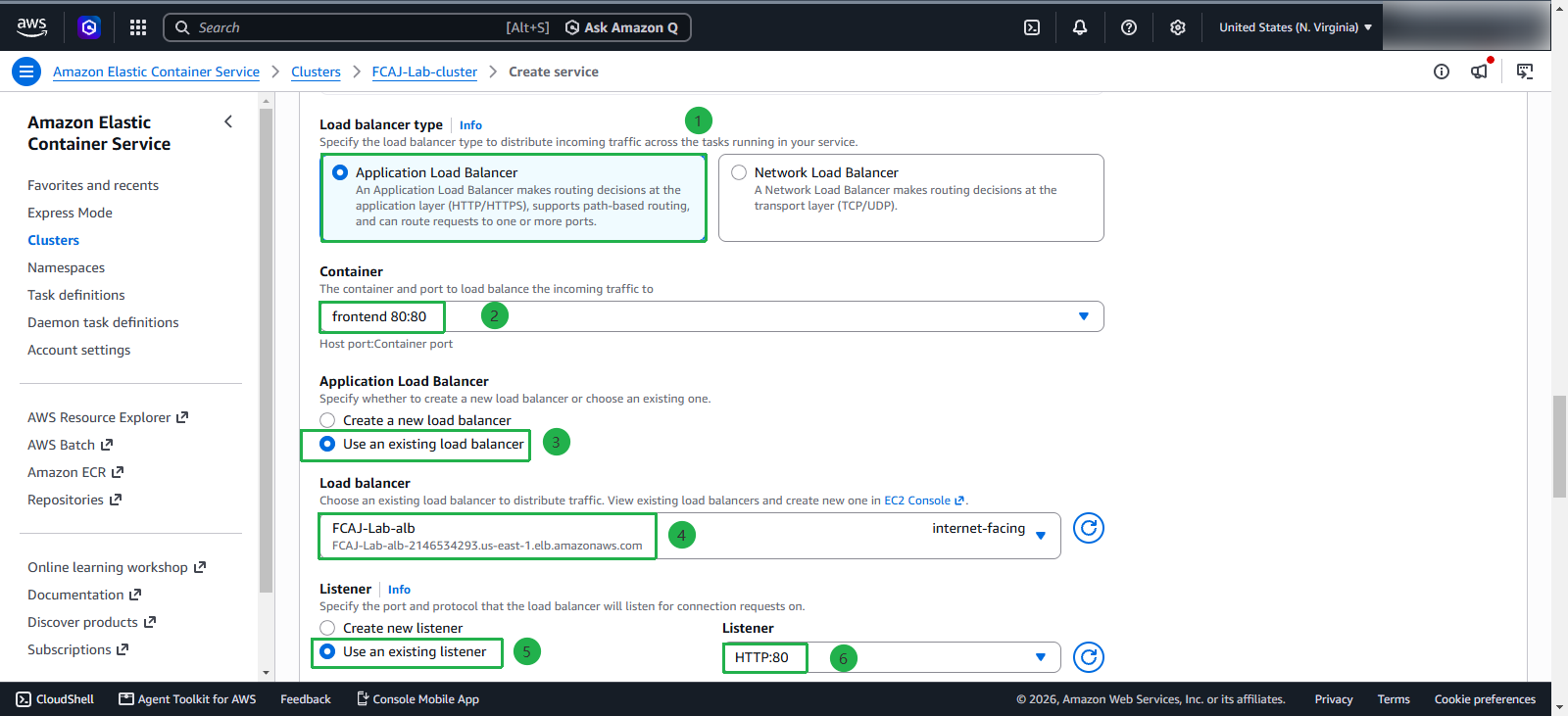
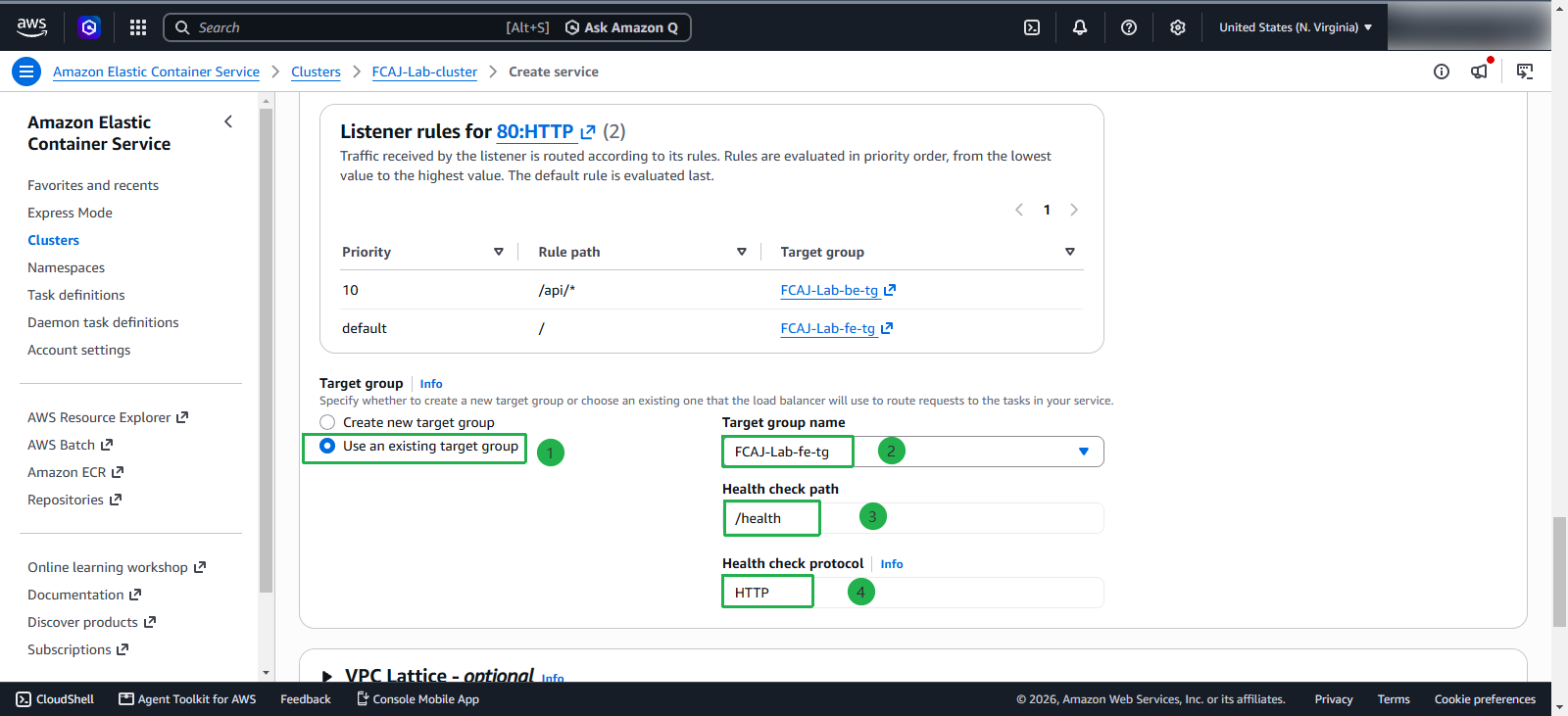
In the listener section, we will use the listener created earlier
- Select Use an existing listener, select HTTP:80
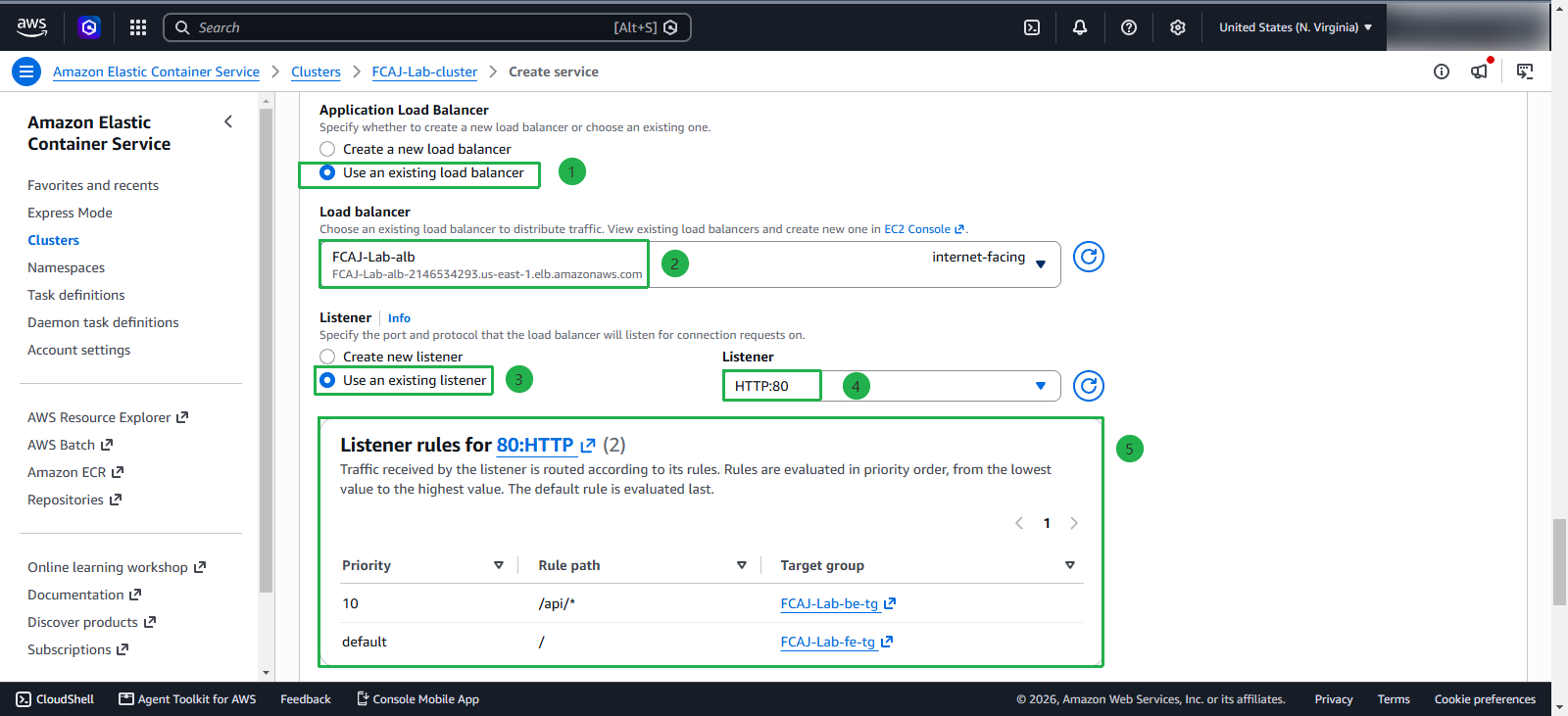
For the target group, select the target group that we created:
- Select Use an existing target group, select FCAJ-Lab-fe-tg
Click Create to create the service
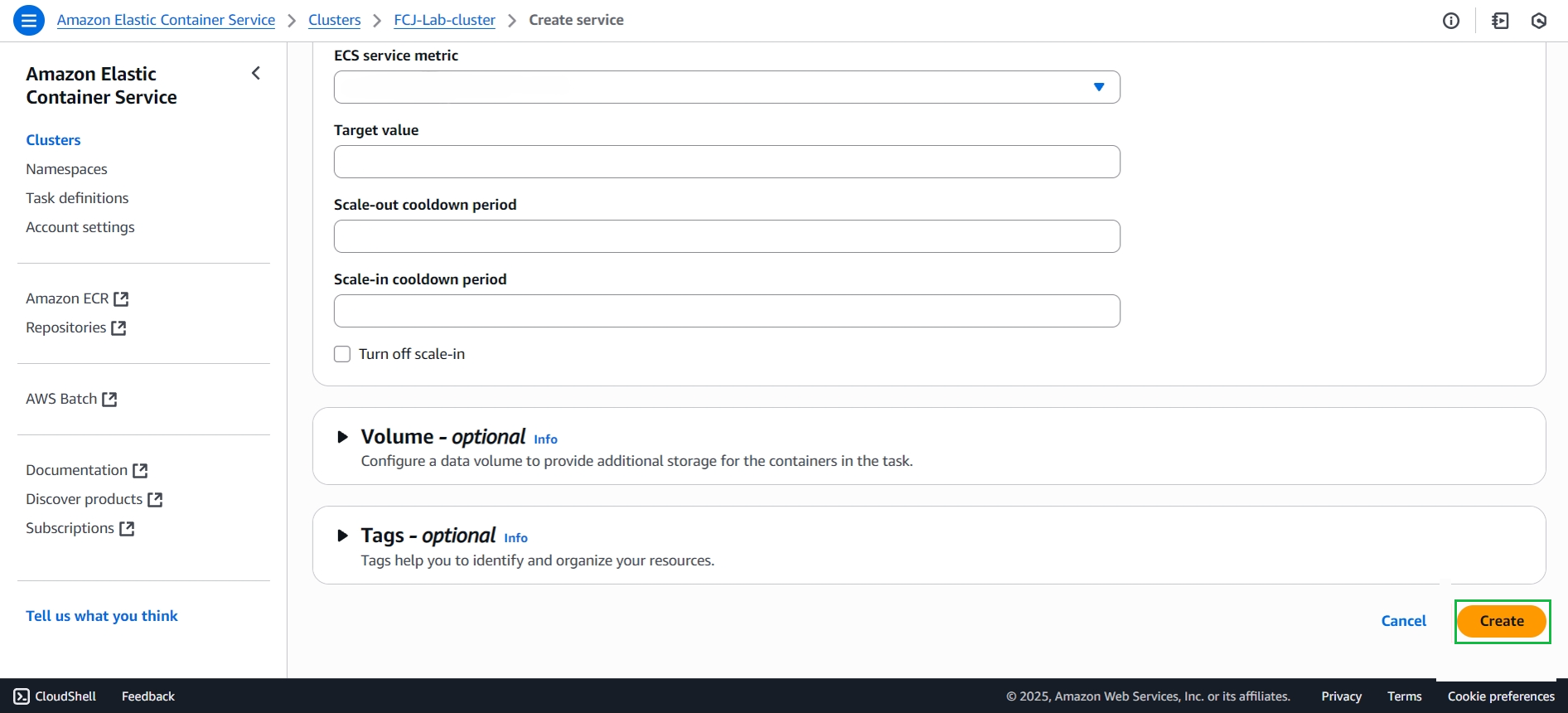
Wait a moment, and the service will be created.