Rolling Deployment and Service Scaling with Backend
Create backend service
Return to the ECS console
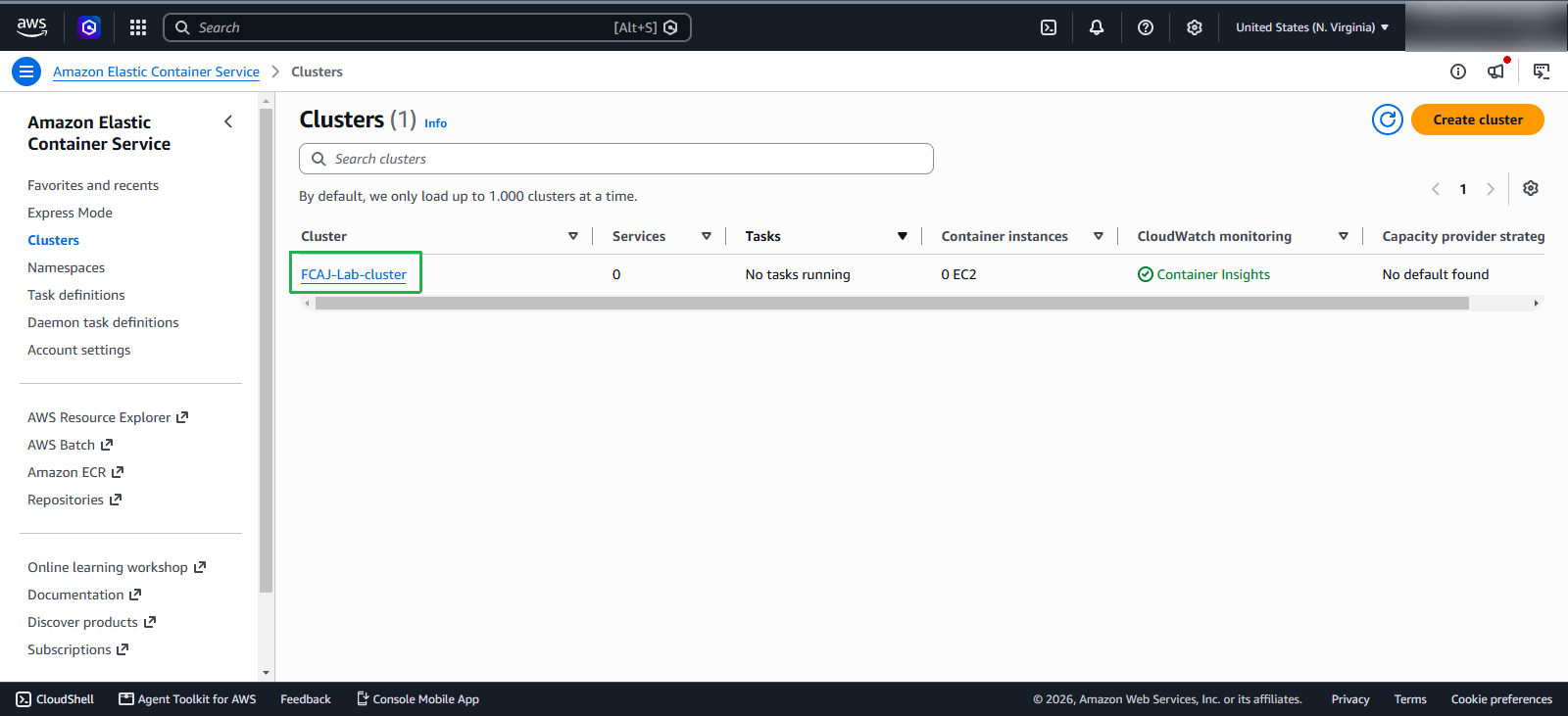
- Select Cluster
- Choose the cluster FCAJ-Lab-cluster that we created in the previous section
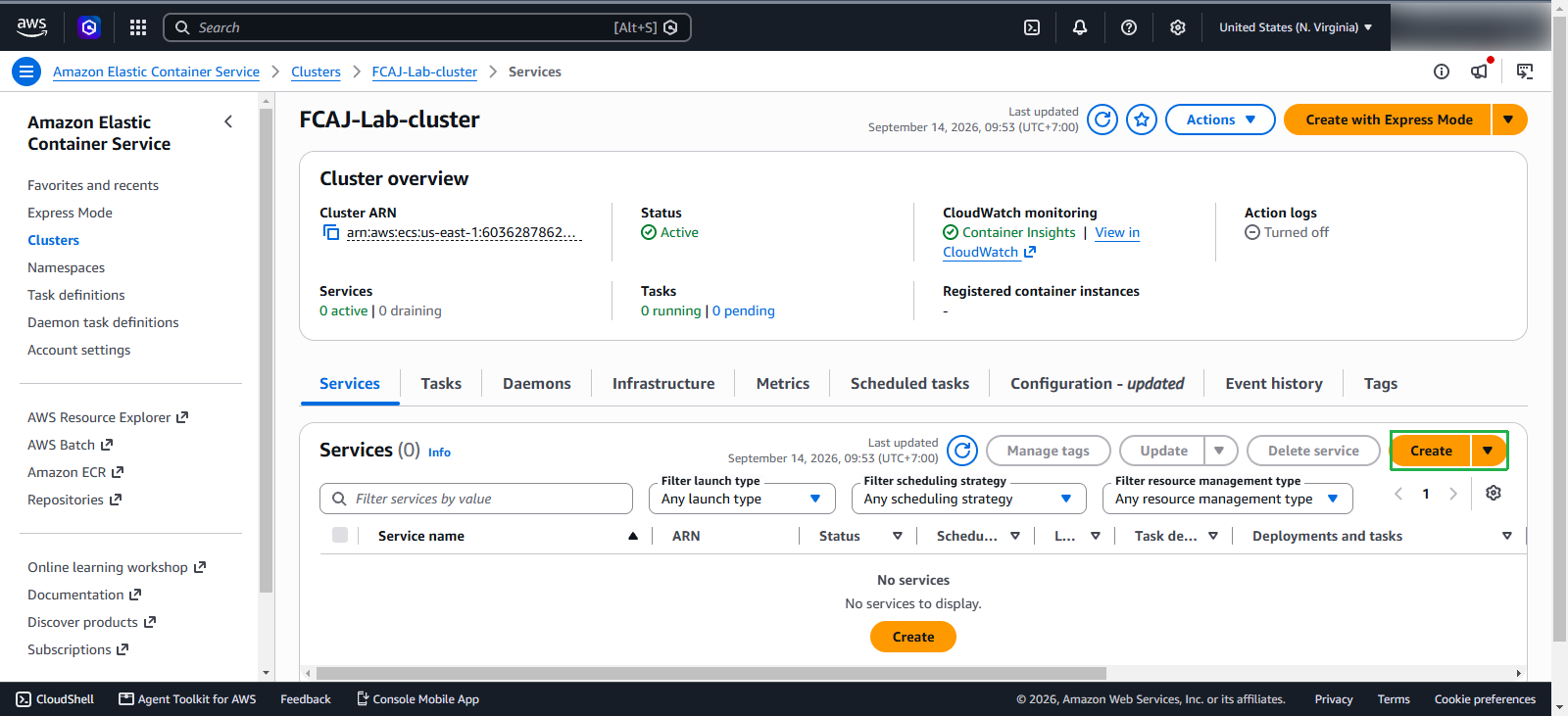
Scroll down to the bottom, in the Services section, click Create
Deployment configuration
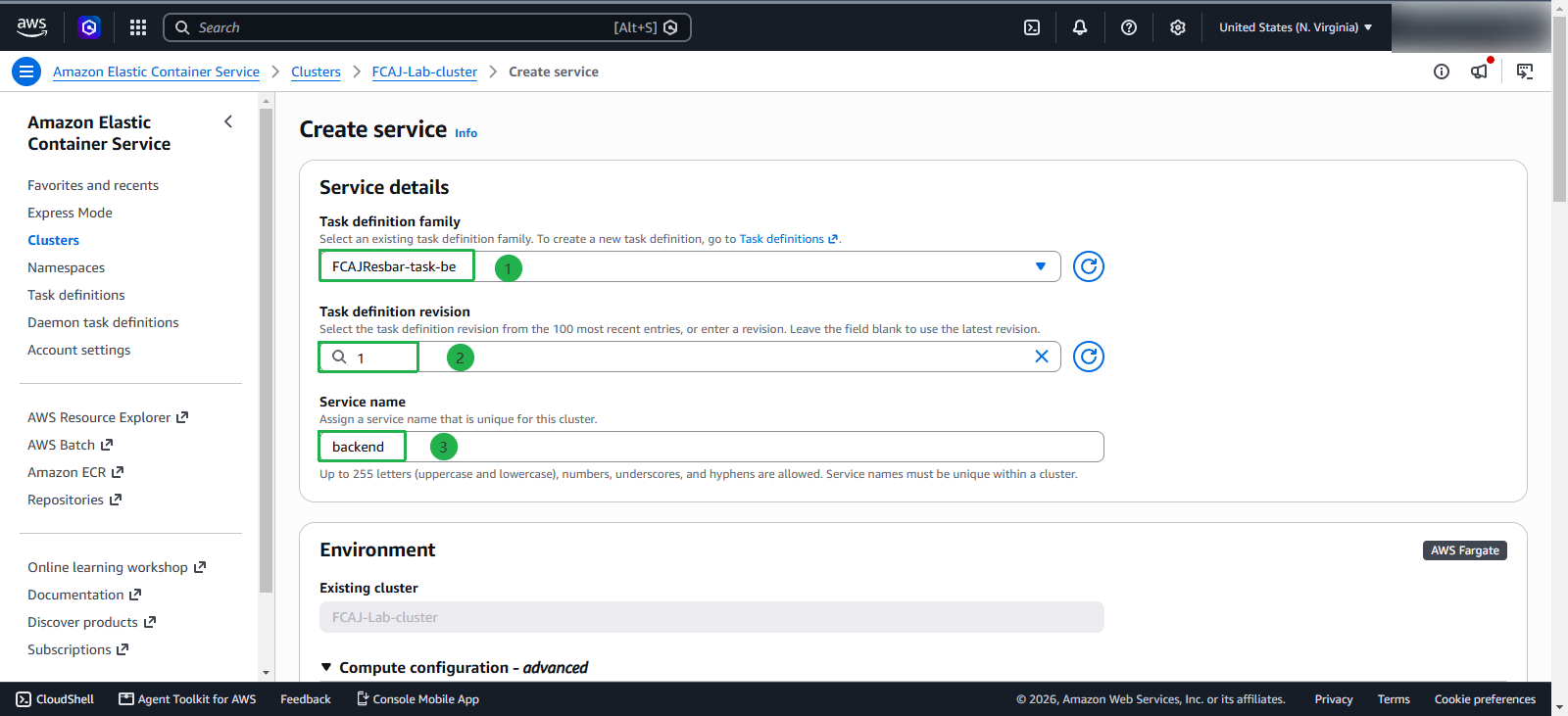
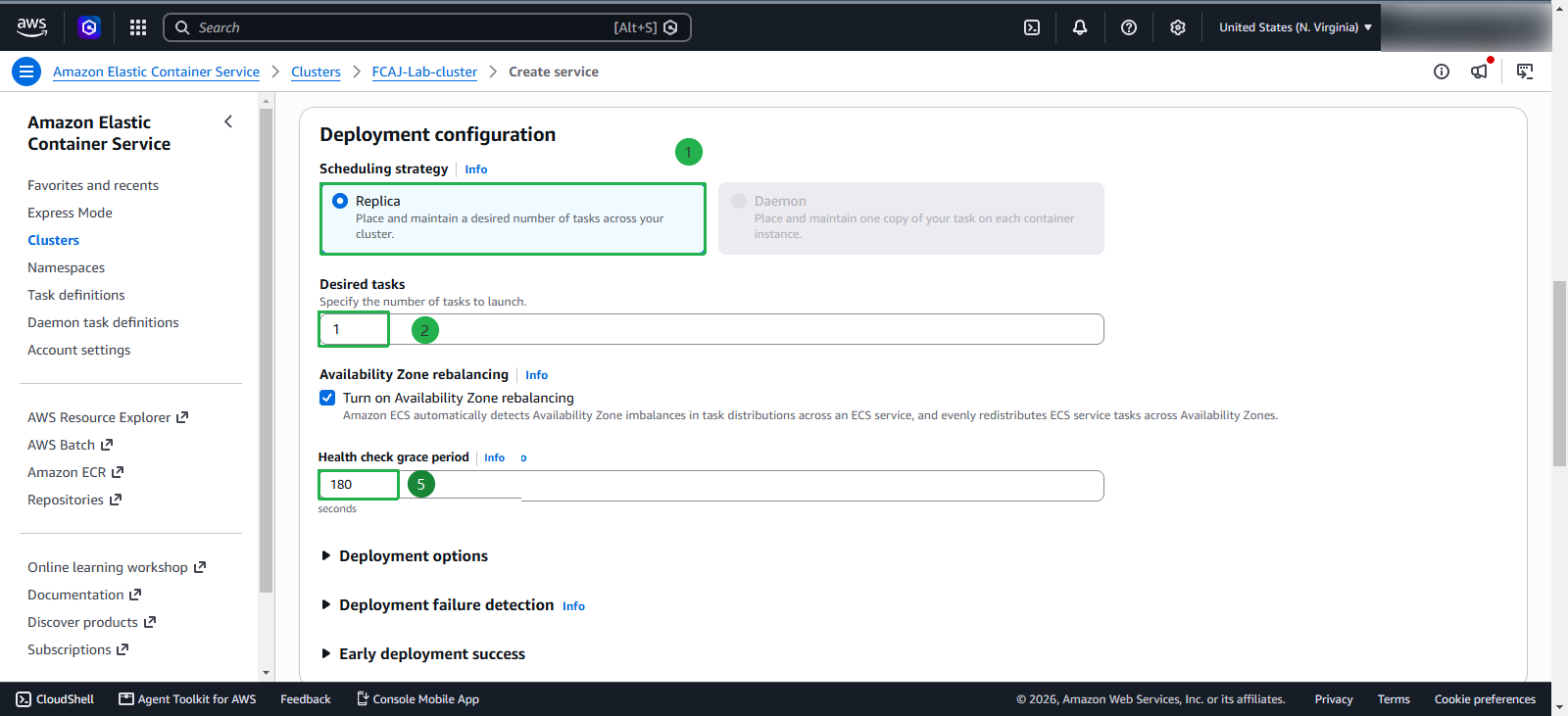
In the Deployment configuration section, we will configure deployment parameters for the backend service:
- Application type: Select Service - this is a long-running application, not a one-time task
- Family: Select
FCAJResbar-task-be- the task definition created in the previous step - Revision: Choose the version labeled LATEST to use the newest version
- Service name: Set the name as
backend - Service type: Keep the default as Replica - tasks will be distributed evenly across the cluster
- Desired tasks: Keep the default as 1 - the number of tasks desired to run simultaneously
Compute configuration
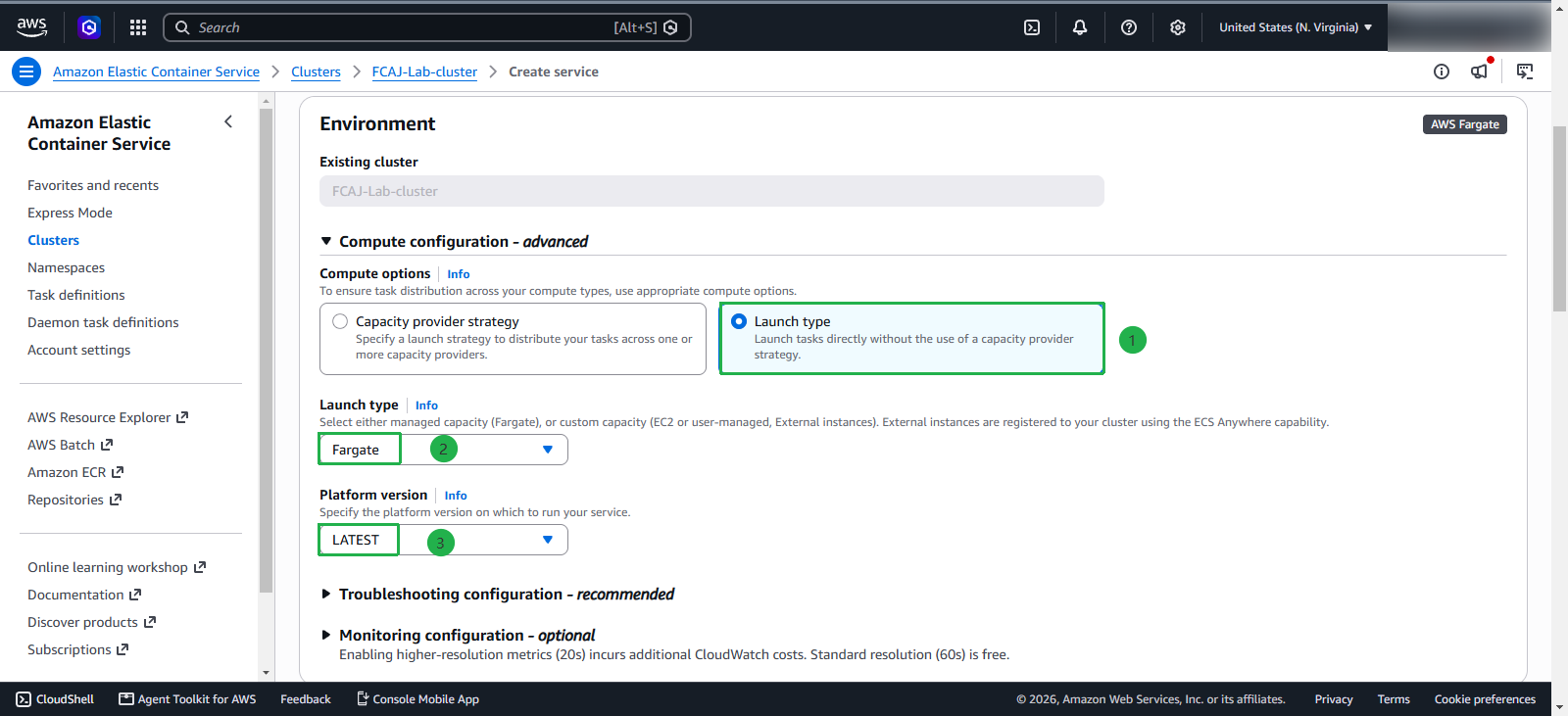
Next, configure compute for the service:
- Launch type: Select Fargate - use serverless containers, AWS manages the infrastructure
- Platform version: Select LATEST
Deployment options
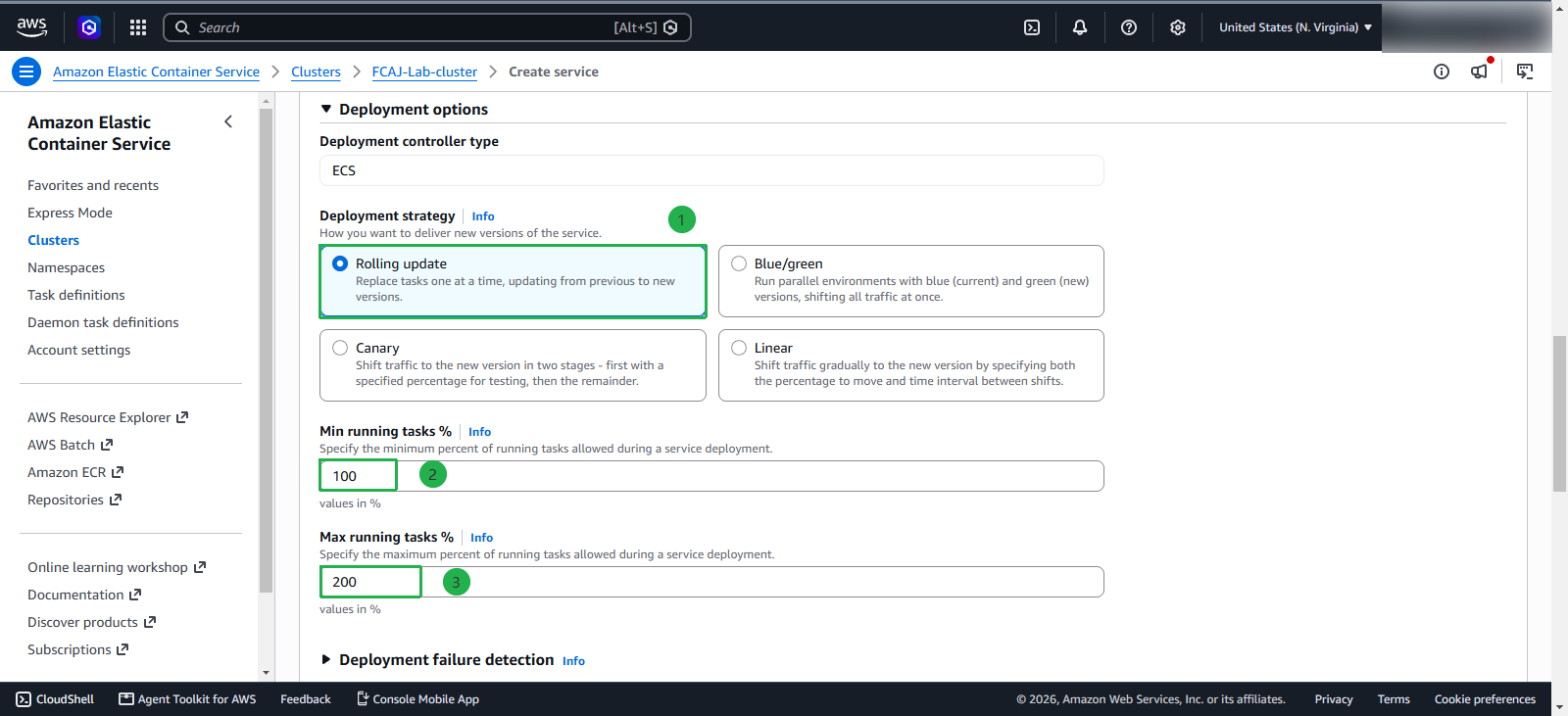
Configure the deployment strategy:
Deployment type: Select Rolling update - Amazon ECS replaces the current running version of your application with a new version. The service scheduler uses the minimum and maximum healthy percentage parameters to determine the deployment strategy. Rolling deployments are simpler to set up but provide less control over the deployment process and traffic routing.
Blue/green deployment: Provisions an entirely separate environment running alongside the current one—Blue (current) and Green (new). Traffic is routed to the new environment only after the green tasks pass health checks. Usually managed via AWS CodeDeploy and Application Load Balancer, it provides near-instant rollbacks if issues arise.
Linear deployment: Shifts traffic to the new version in fixed increments over specific time intervals (e.g., 10% every 5 minutes until reaching 100%). This provides a predictable, step-by-step ramp-up while allowing performance observation under increasing load.
Canary deployment - Routes a small percentage of incoming production traffic (e.g., 10%) to the new version for a set duration while monitoring metrics and error rates. Once verified stable, the remaining traffic (90%) shifts over, minimizing blast radius for critical releases.
Min running tasks: Keep 100% - ensure at least 100% of desired tasks are running during deployment
Max running tasks: Keep 200% - allow up to 200% of tasks during deployment, enabling zero-downtime deployment
Networking
Now, we will let this Service know which network and subnet it should be placed in.
- VPC: select the VPC that we created earlier
- Subnet: choose the private subnets FCAJ-Lab-subnet-private3 and FCAJ-Lab-subnet-private4
- Select Use existing security group
- Security group: select FCAJ-Lab-sg-private.
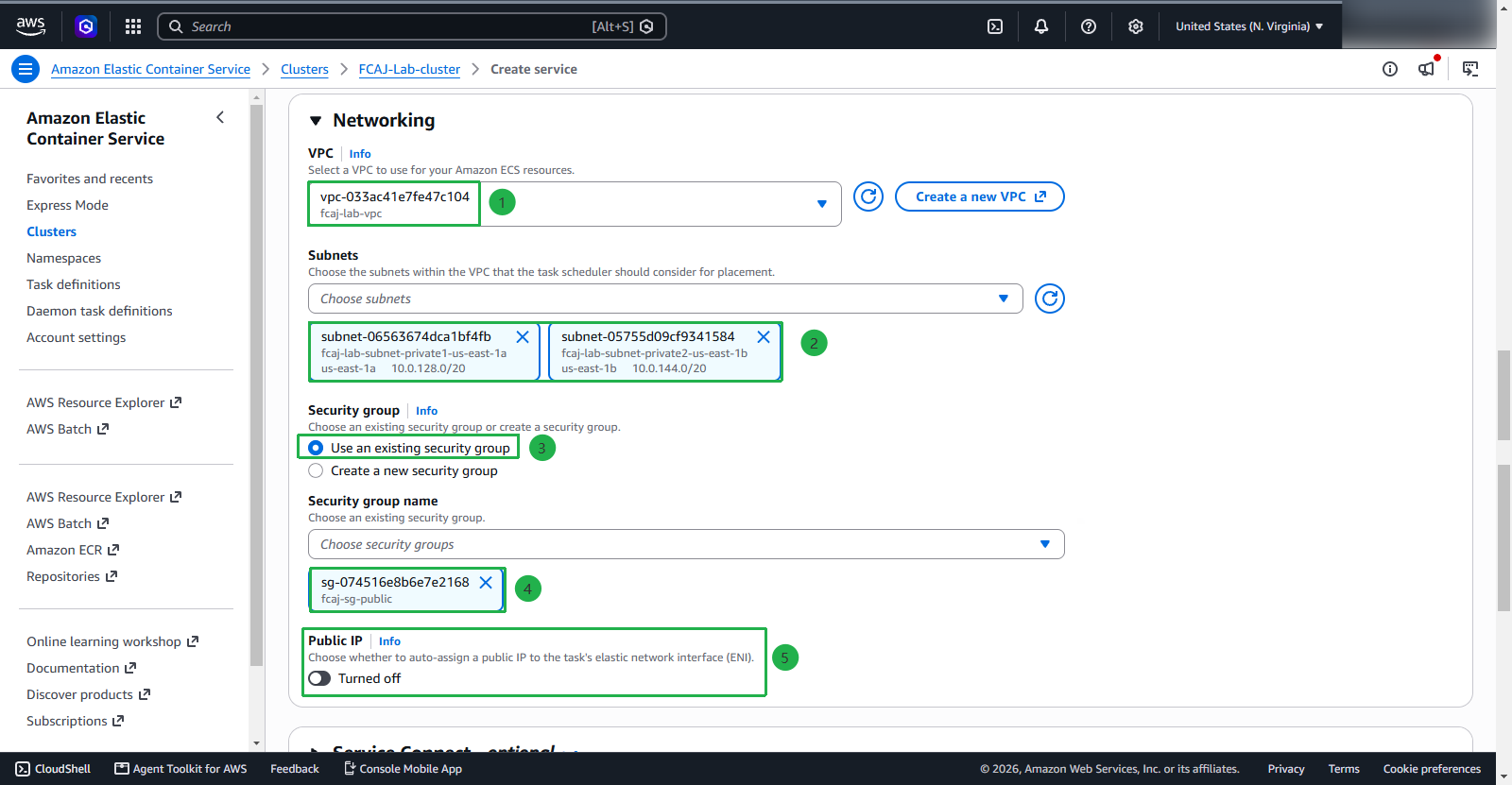
Public IP should be disabled because the traffic is routed to the Service through the Load Balancer.
Service discovery
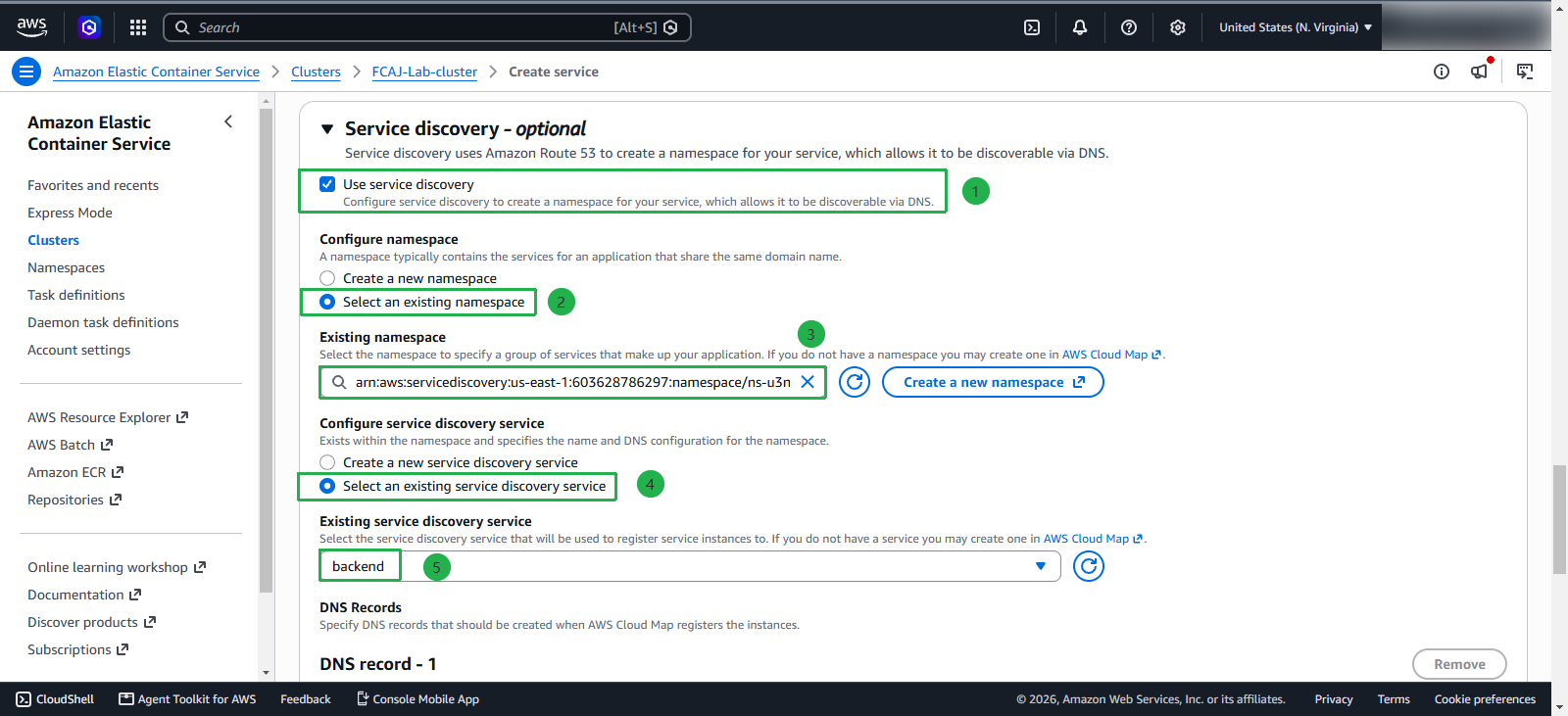
This section is important; to allow the Frontend Service and Backend Service to communicate, we must configure Service discovery for the Backend Service with the namespace and service created in section 4 earlier.
- Select Use service discovery
- Select Select an existing namespace, Select namespace FCAJResbar.internal that we created earlier
- Select Select an existing service discovery service, Select service backend
- Leave the remaining configurations as default
Load balancing
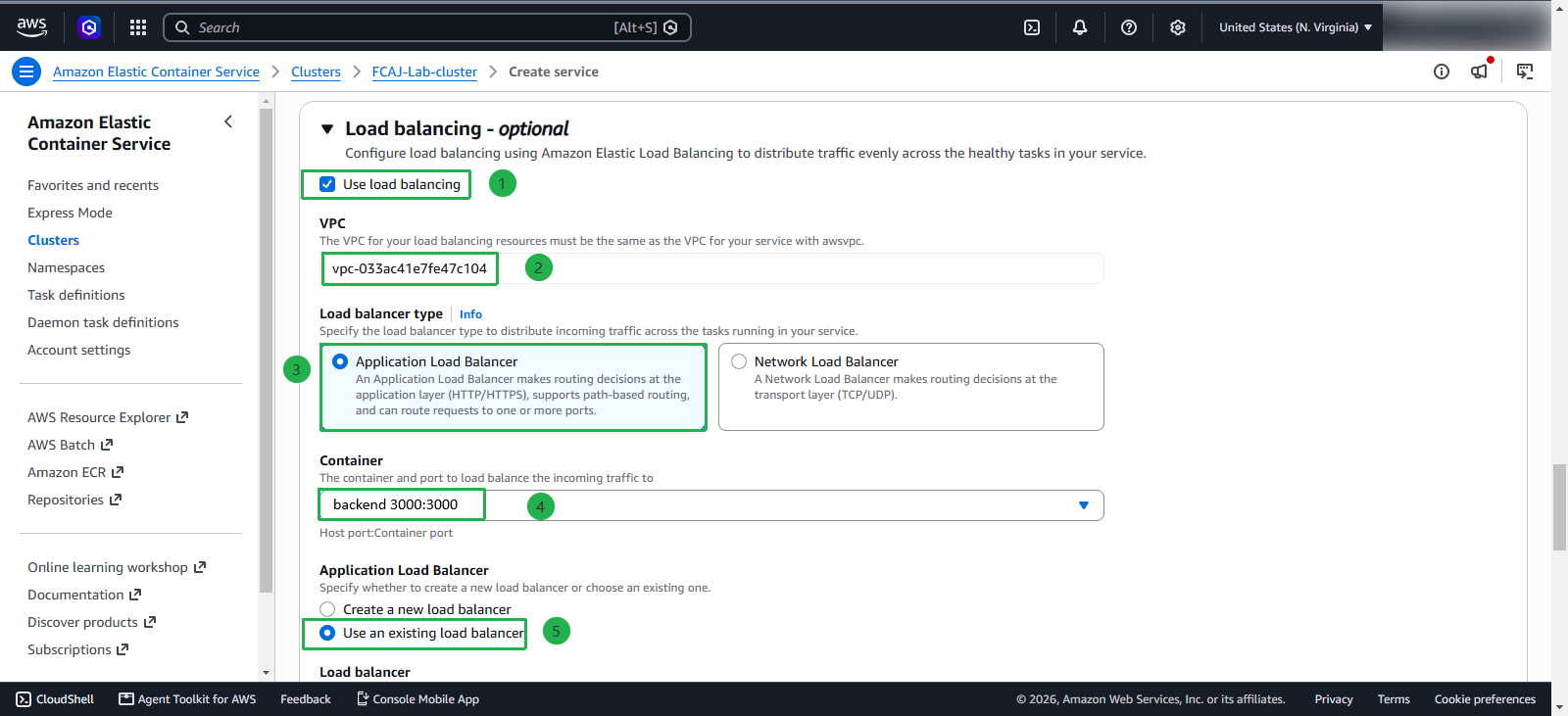
In reality, we do not need to configure Load balancing for the backend service, as for testing, I will need to use a private network or VPN. However, in this tutorial, I will configure Load balancing, opening 2 listeners for production and testing so that developers/testers can use them for feature testing.
First, configure some information:
- Load balancing type: select Application Load Balancer
- Container: backend 3000:3000 (the port here will be the host and container port)
- Select Use an existing load balancer
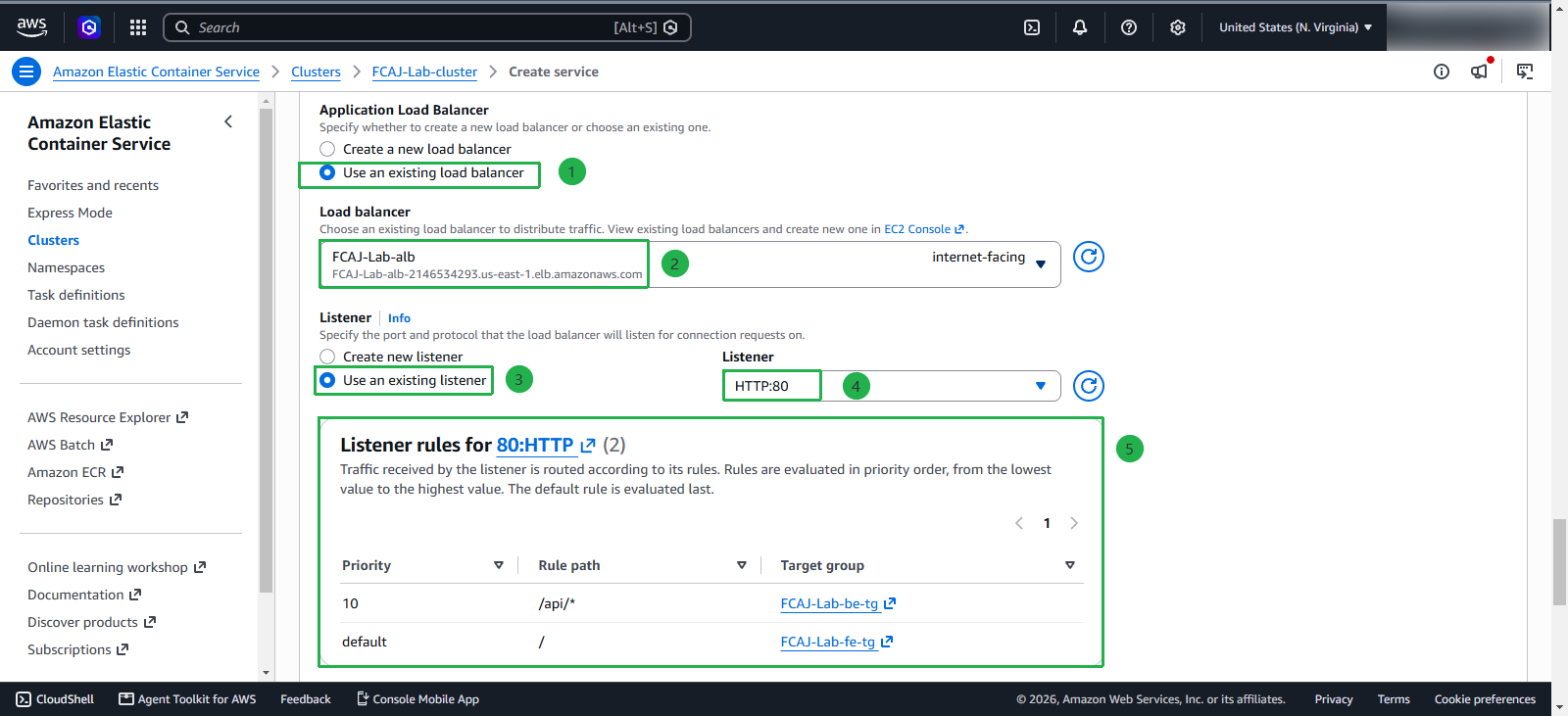
- Select FCAJ-Lab-alb load balancer
In the listener section, we will select Use an existing listener, select HTTP:80
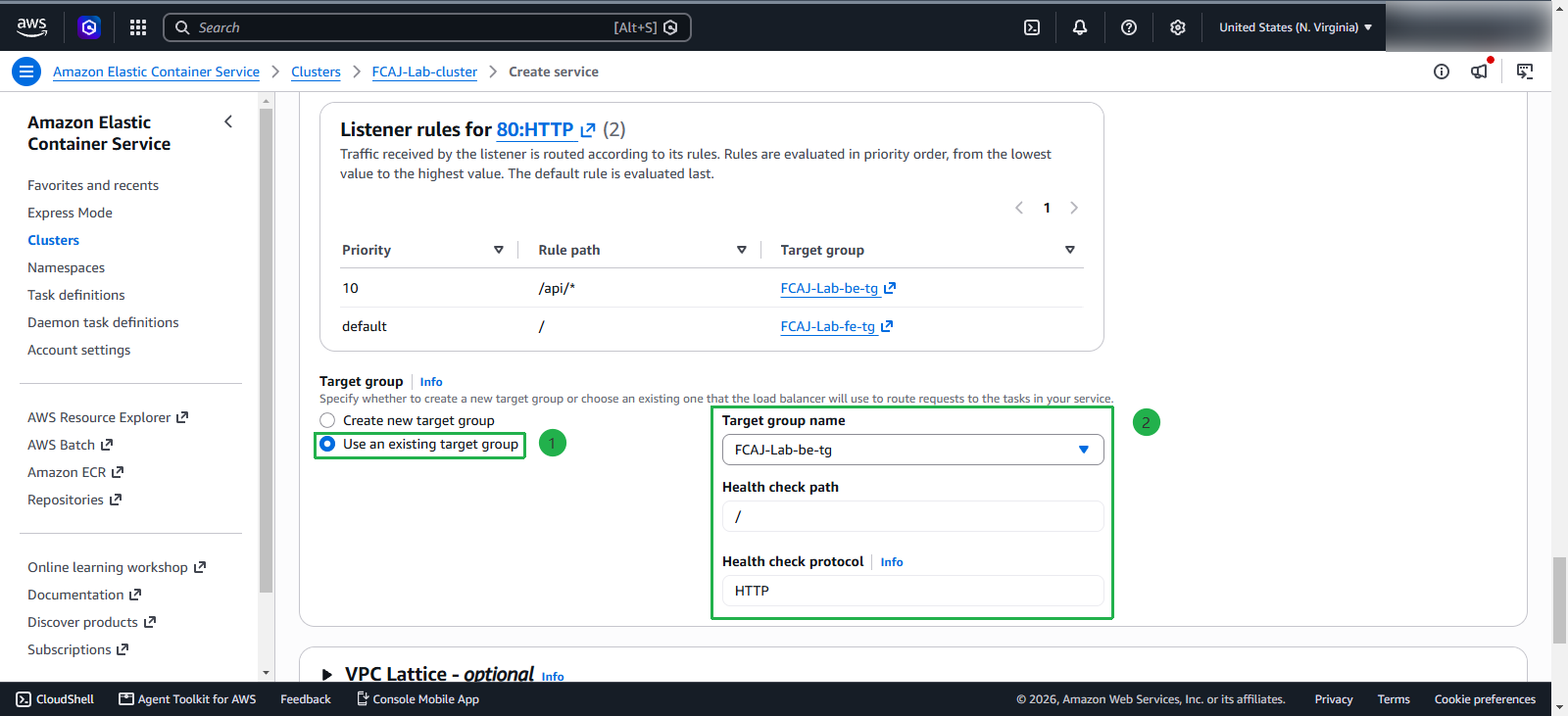
Select Use an existing target group, select FCAJ-Lab-be-tg
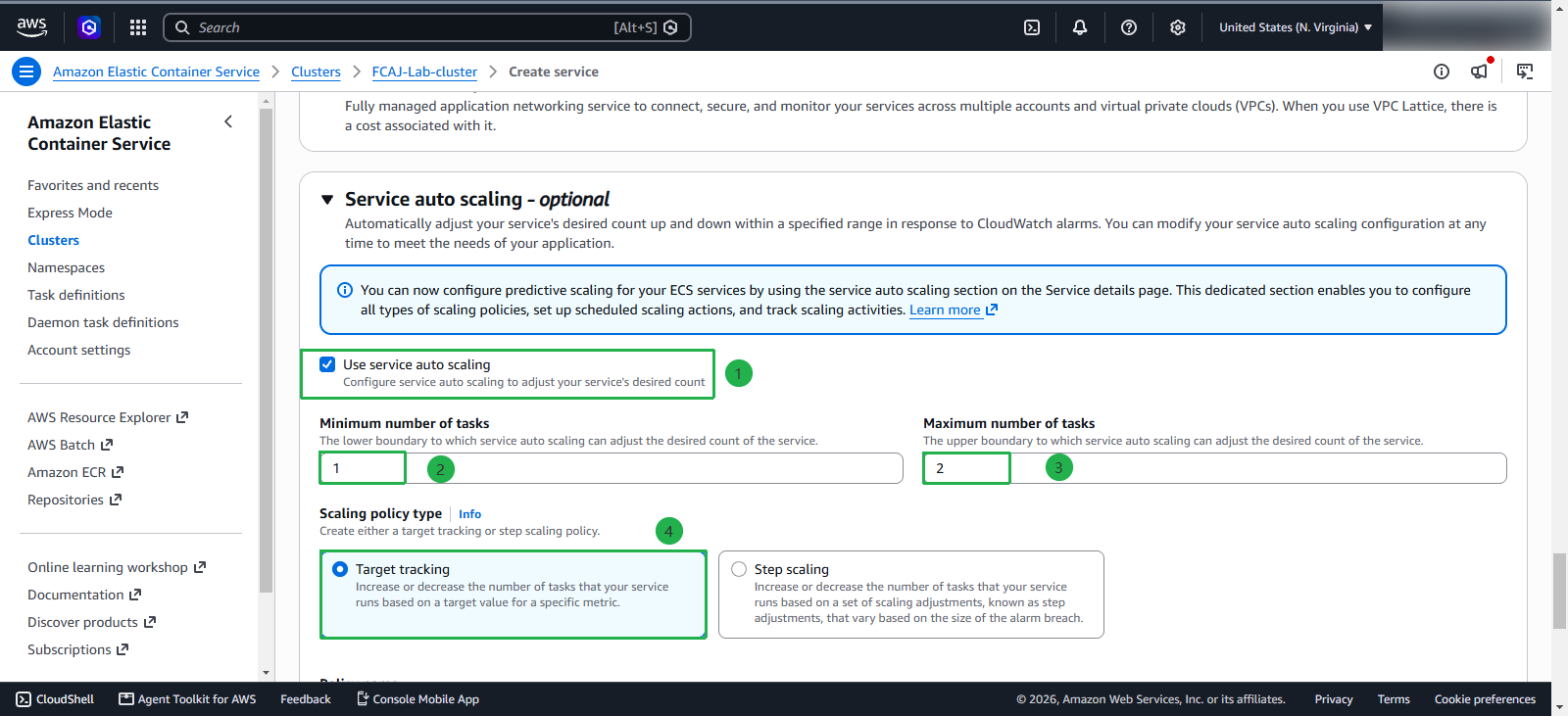
Service auto scaling
Now, I will configure scaling for the container
- Minimun: 1
- Maximun: 2
- Scaling policy type: Target tracking
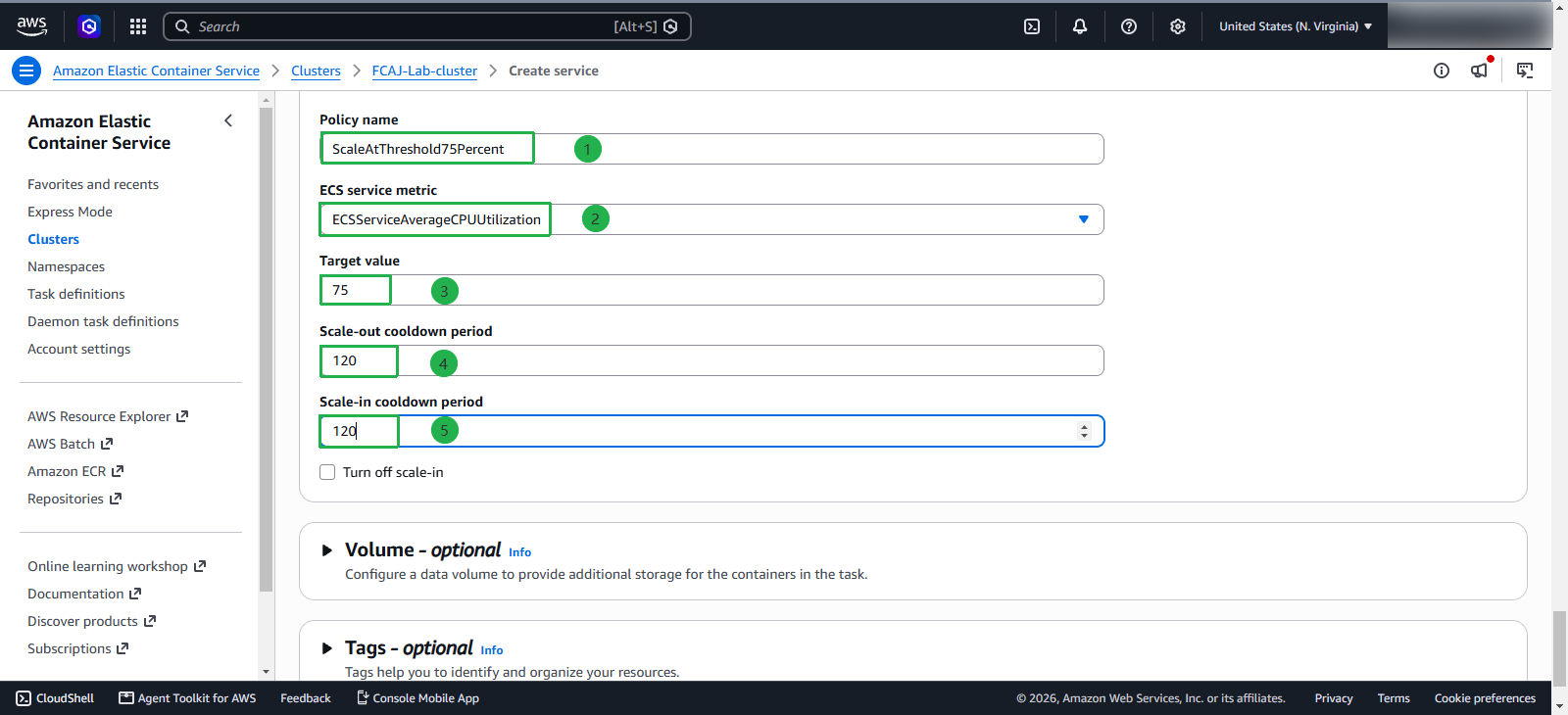
Configure the scaling policy
- Name:
ScaleAtThreshold75Percent - ECS service metric: ECSServiceAverageCPUUtilization
- Target value: 75
- Scale-out cooldown period: 120
- Scale-in cooldown period: 120
- Click Create to create it
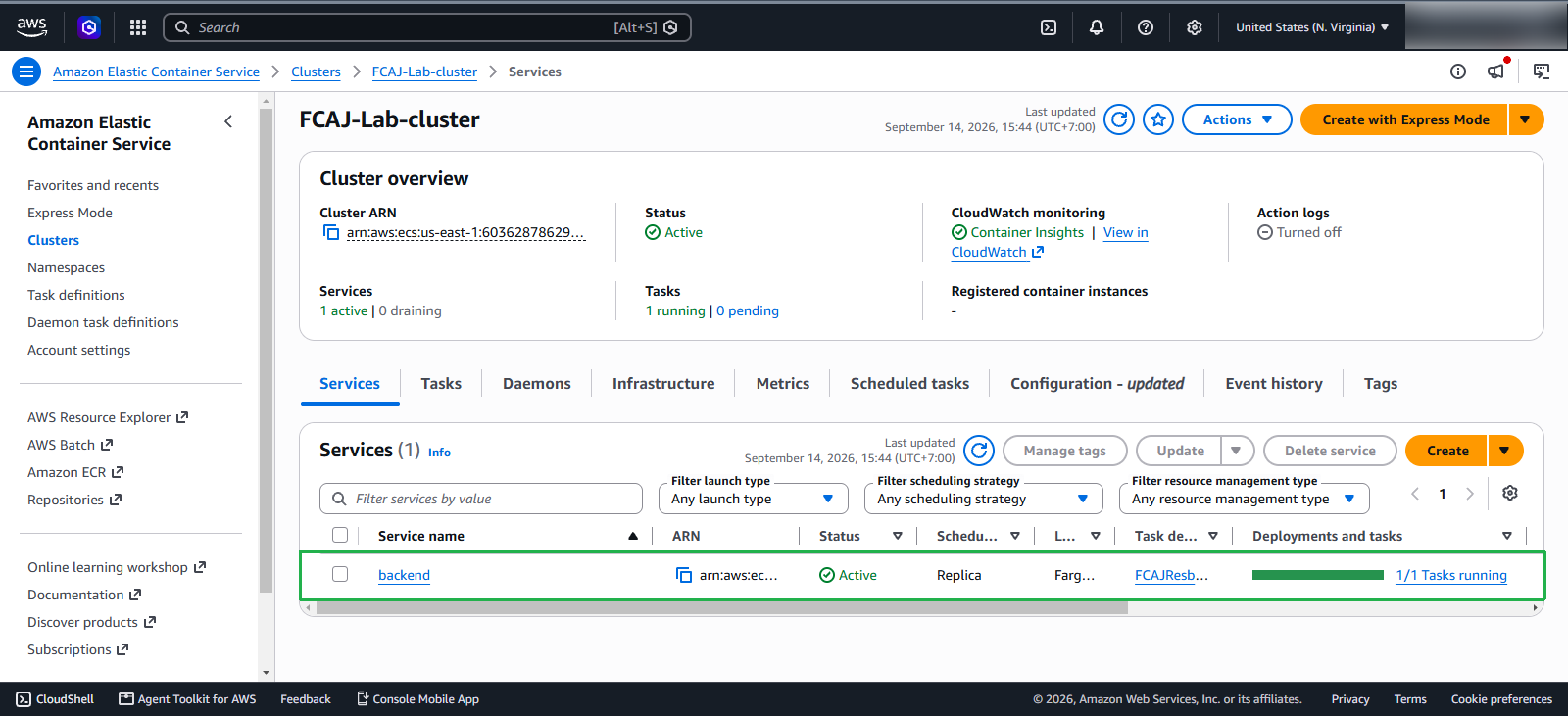
Wait a moment, and the service will be created.