Clean Up Resources
Delete Elastic Container Service
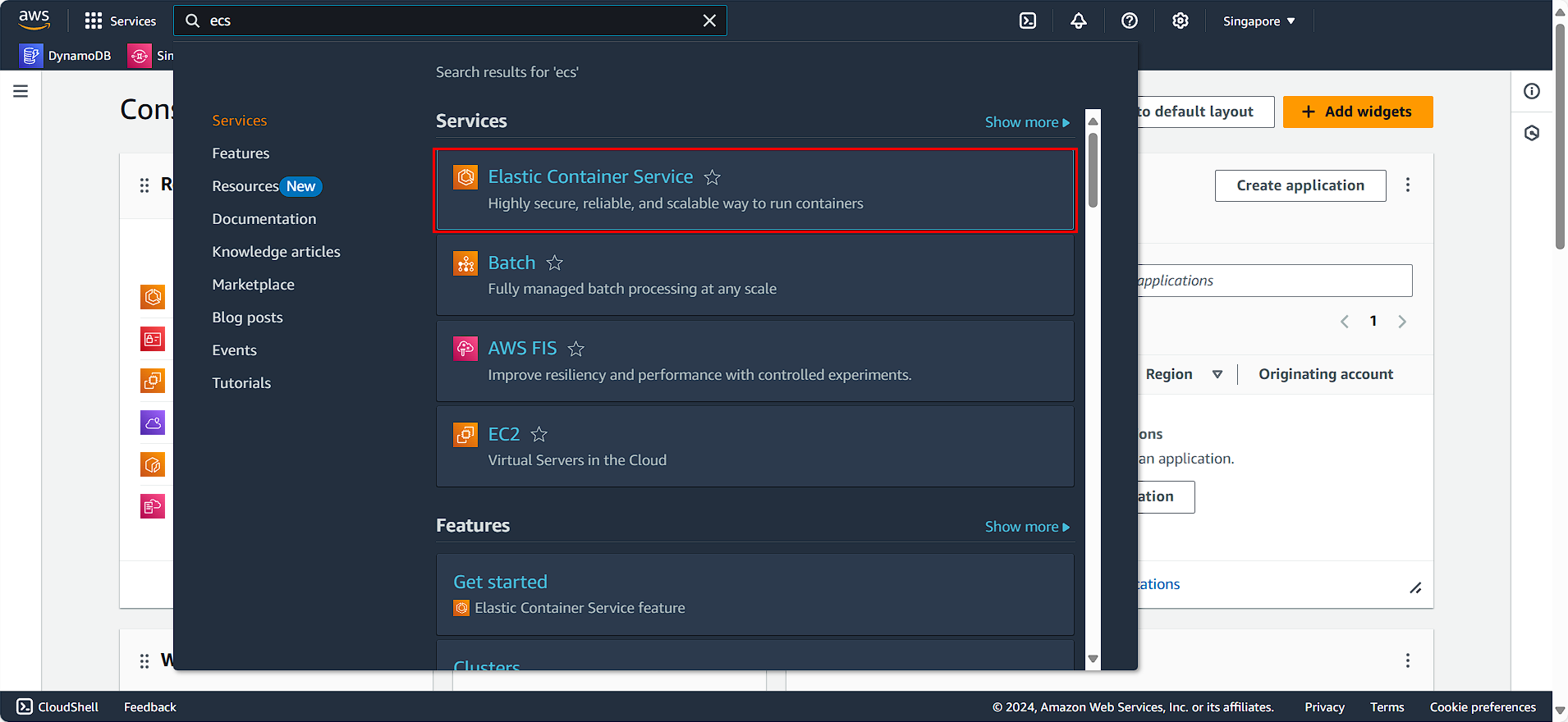
- Search for and select Elastic Container Service.
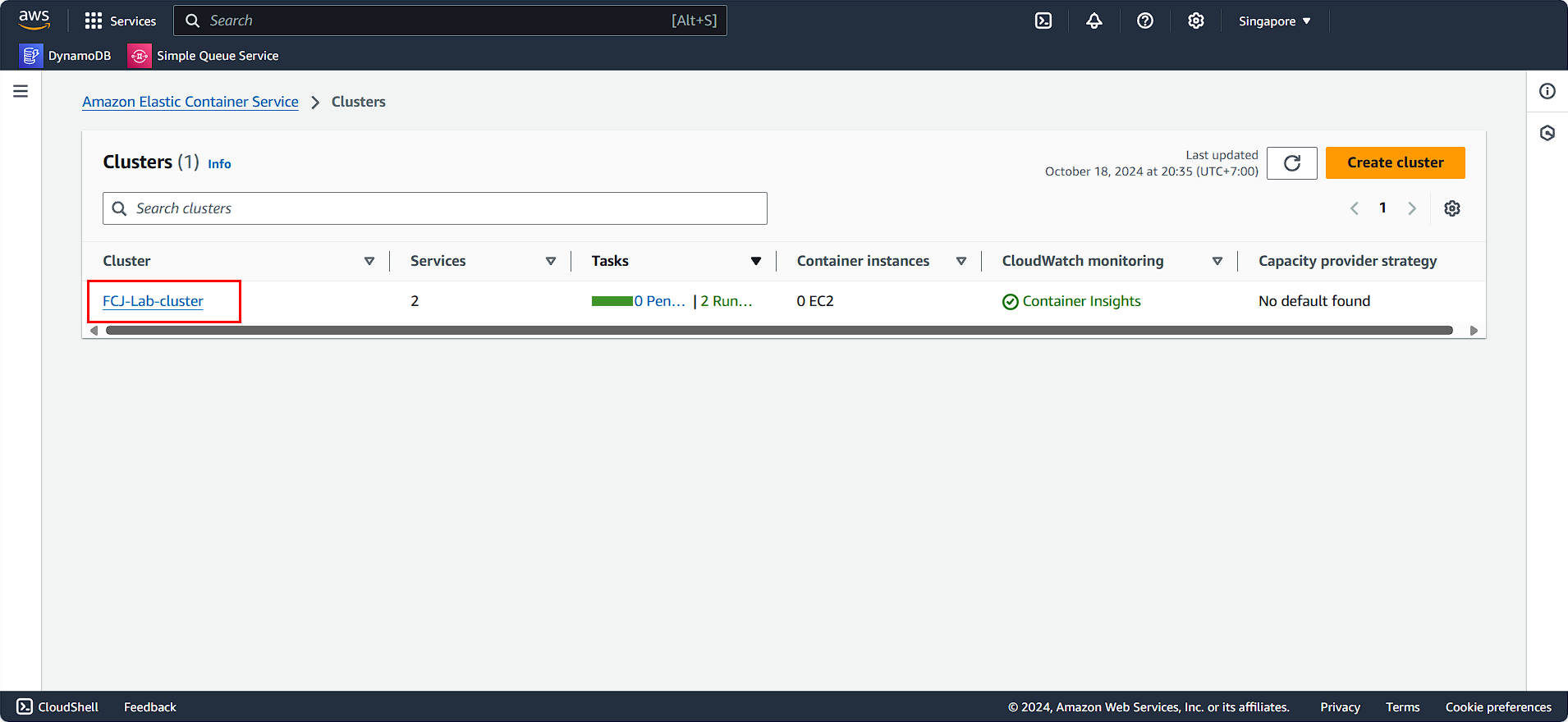
- Choose FCAJ-Lab-cluster.
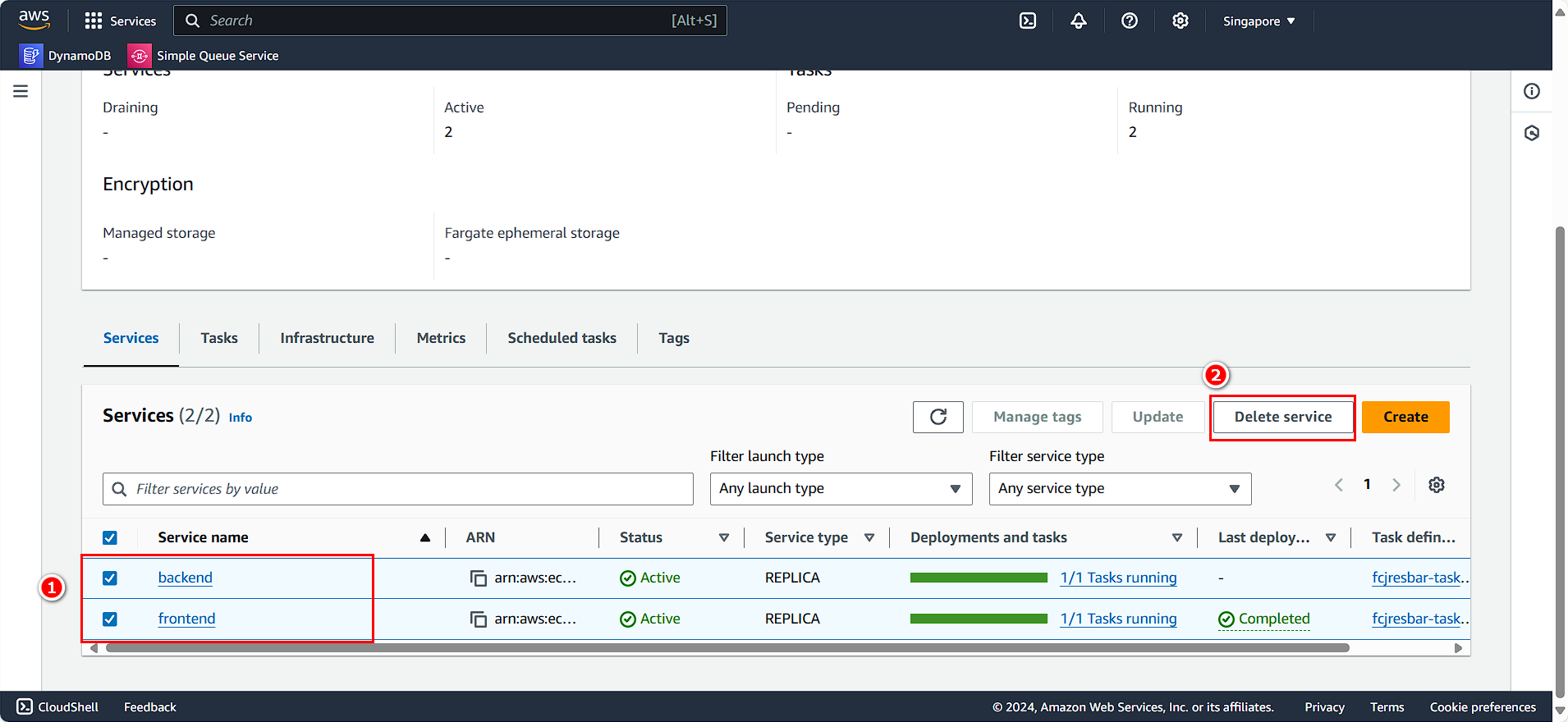
In the Services section:
- Select the two running services.
- Click Delete service.
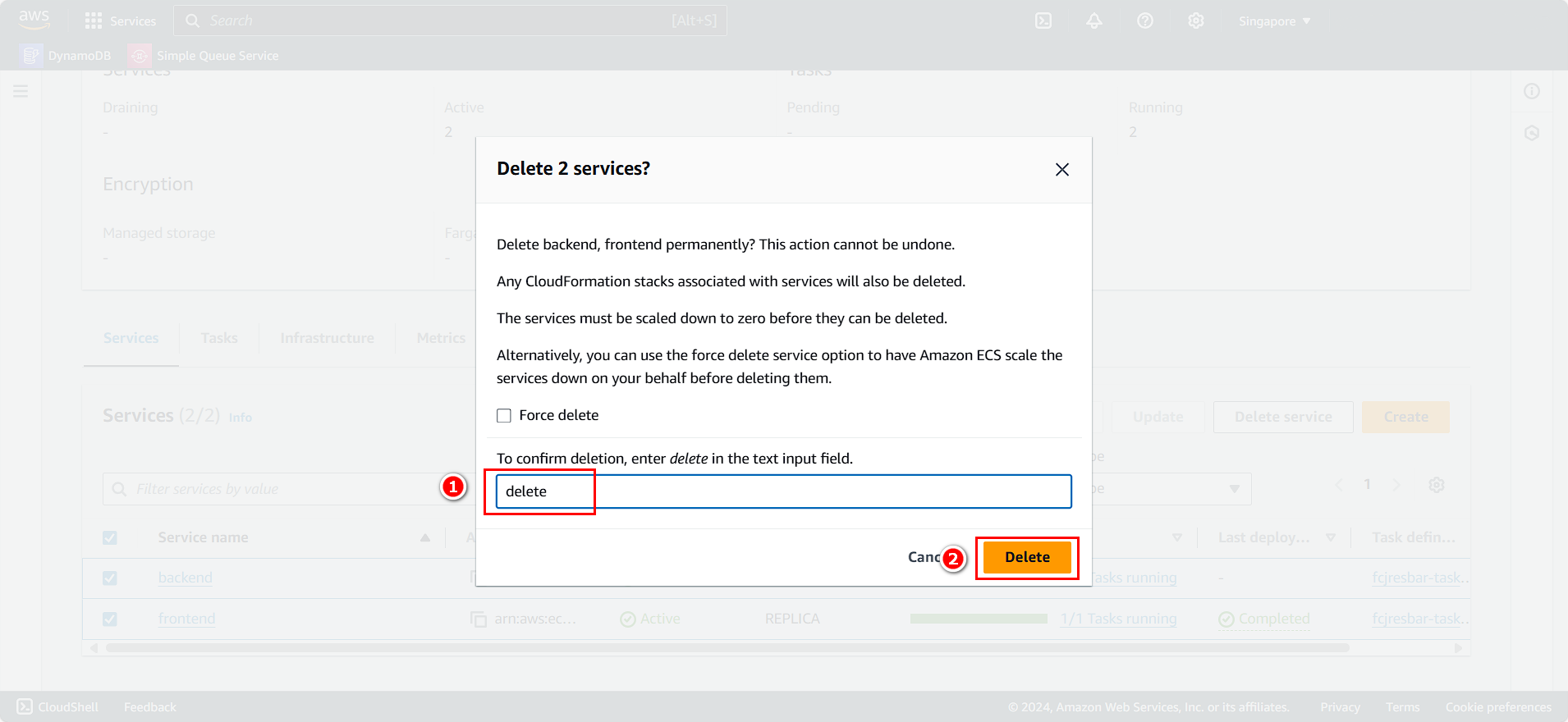
- Enter
delete. - Click Delete.
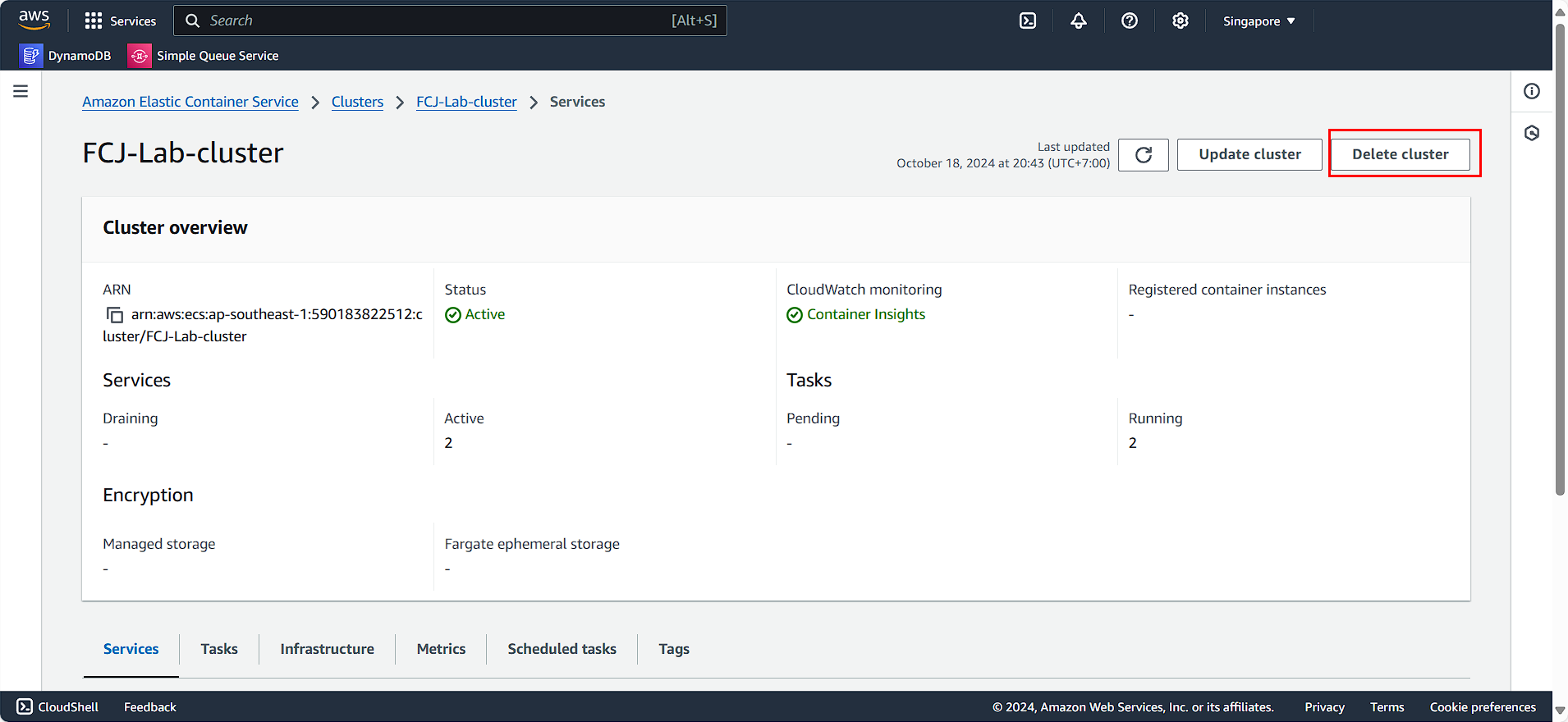
After cleaning up the running services, we will proceed to delete the Cluster:
- Click Delete cluster.
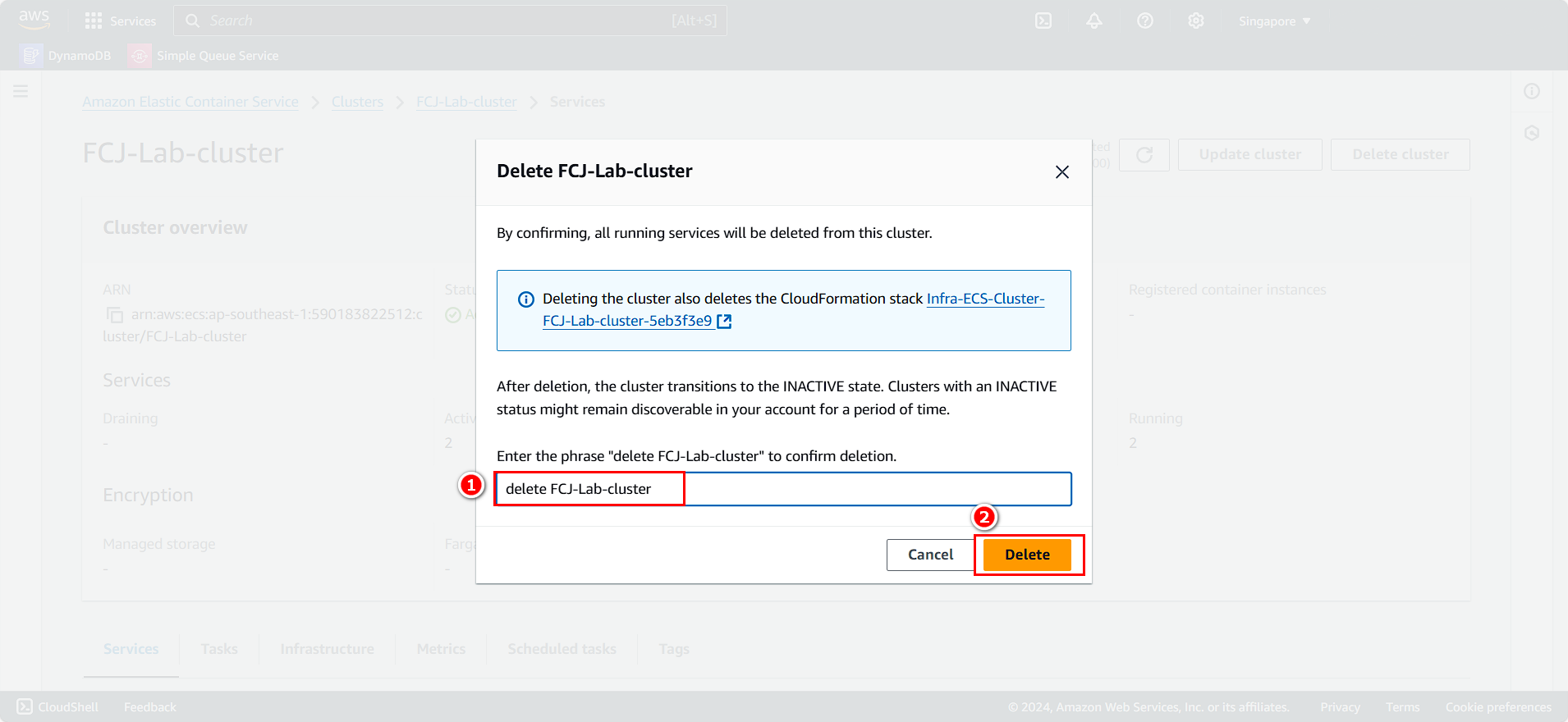
- Enter
delete FCAJ-Lab-cluster. - Click Delete.
Next, we will clean up the task definitions:
- Select Task definitions.
- Choose the task you want to delete.
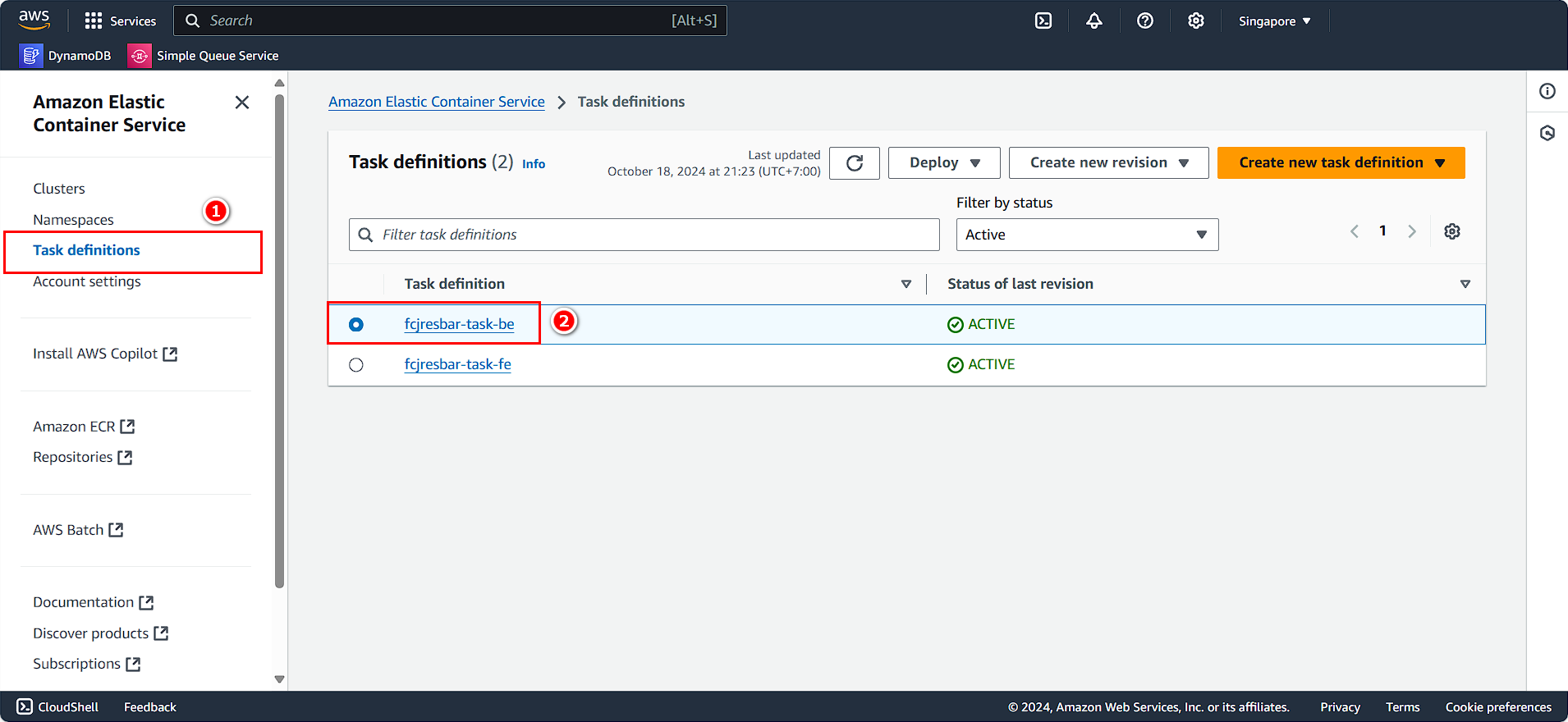
- Continue following the instructions:
- Select the task definition.
- Click Action.
- Choose Deregister.
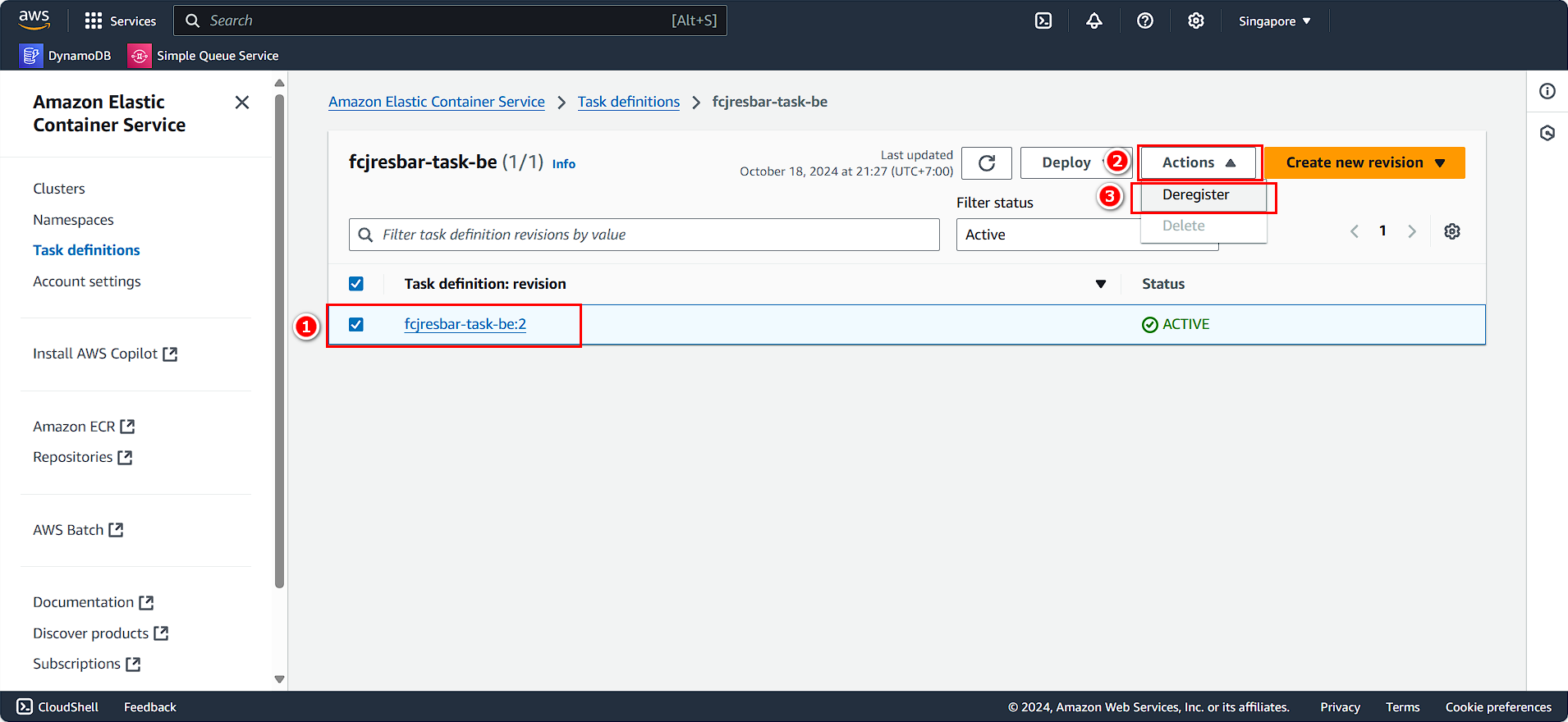
Repeat the process to delete the remaining task.
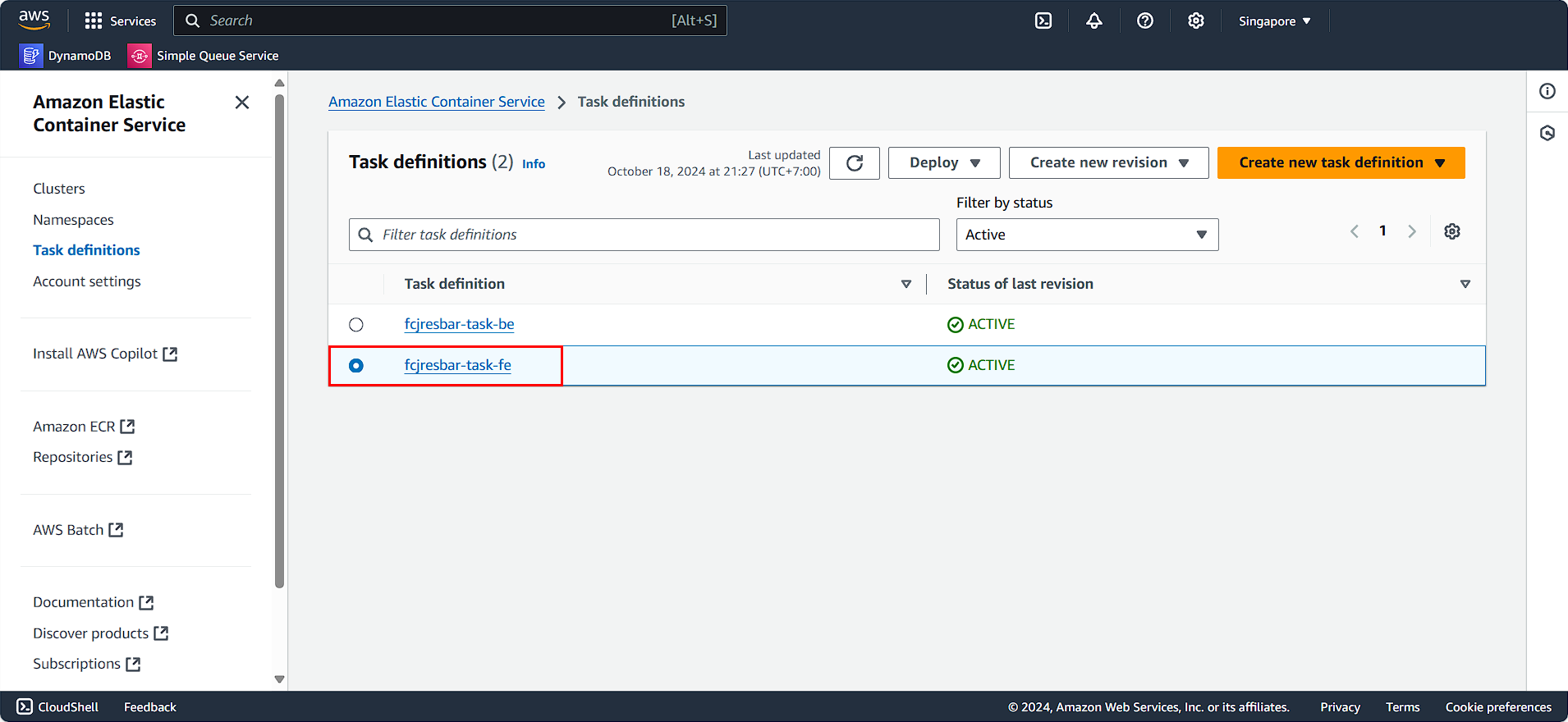
- Follow the instructions.
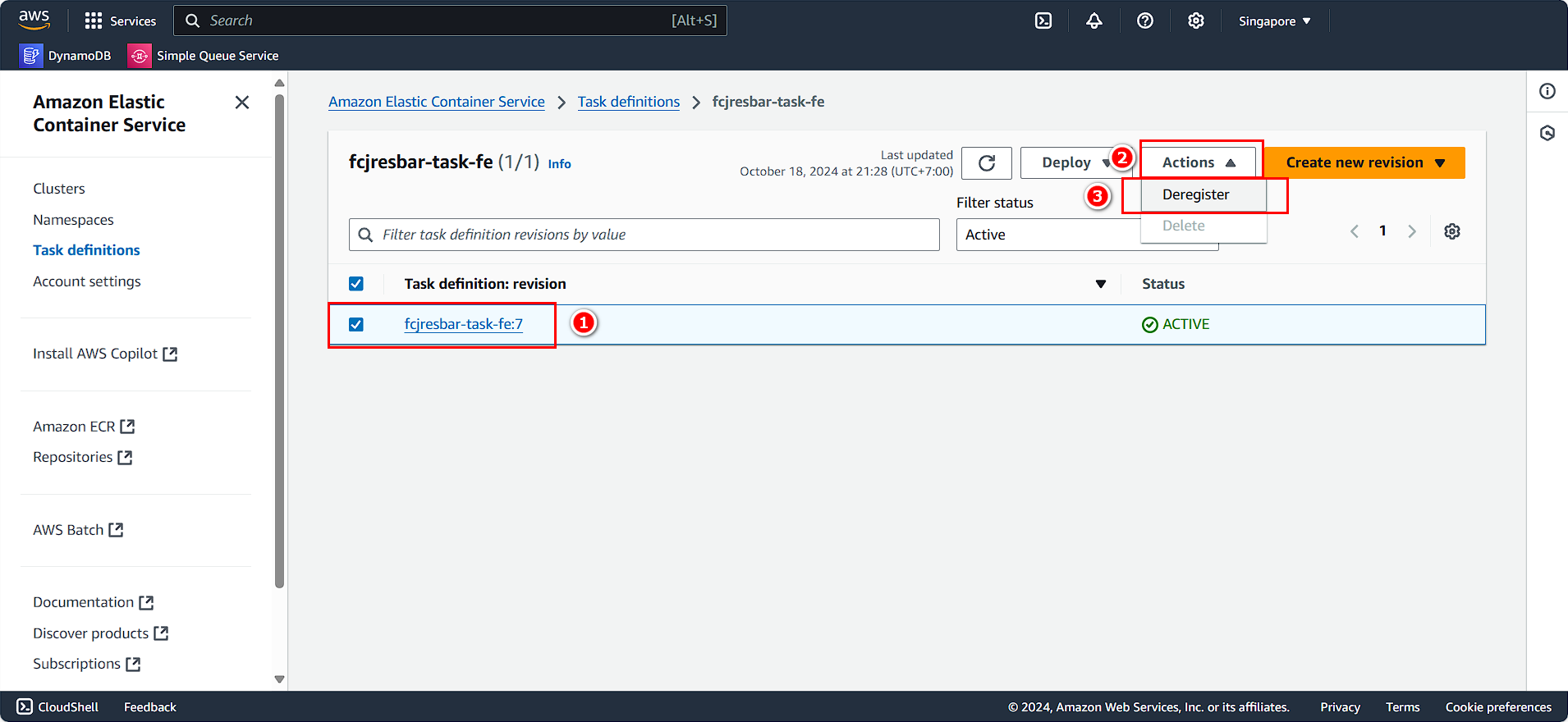
You have successfully deleted the ECS and its services.
Clean Up Elastic Container Registry
On the AWS Console interface:
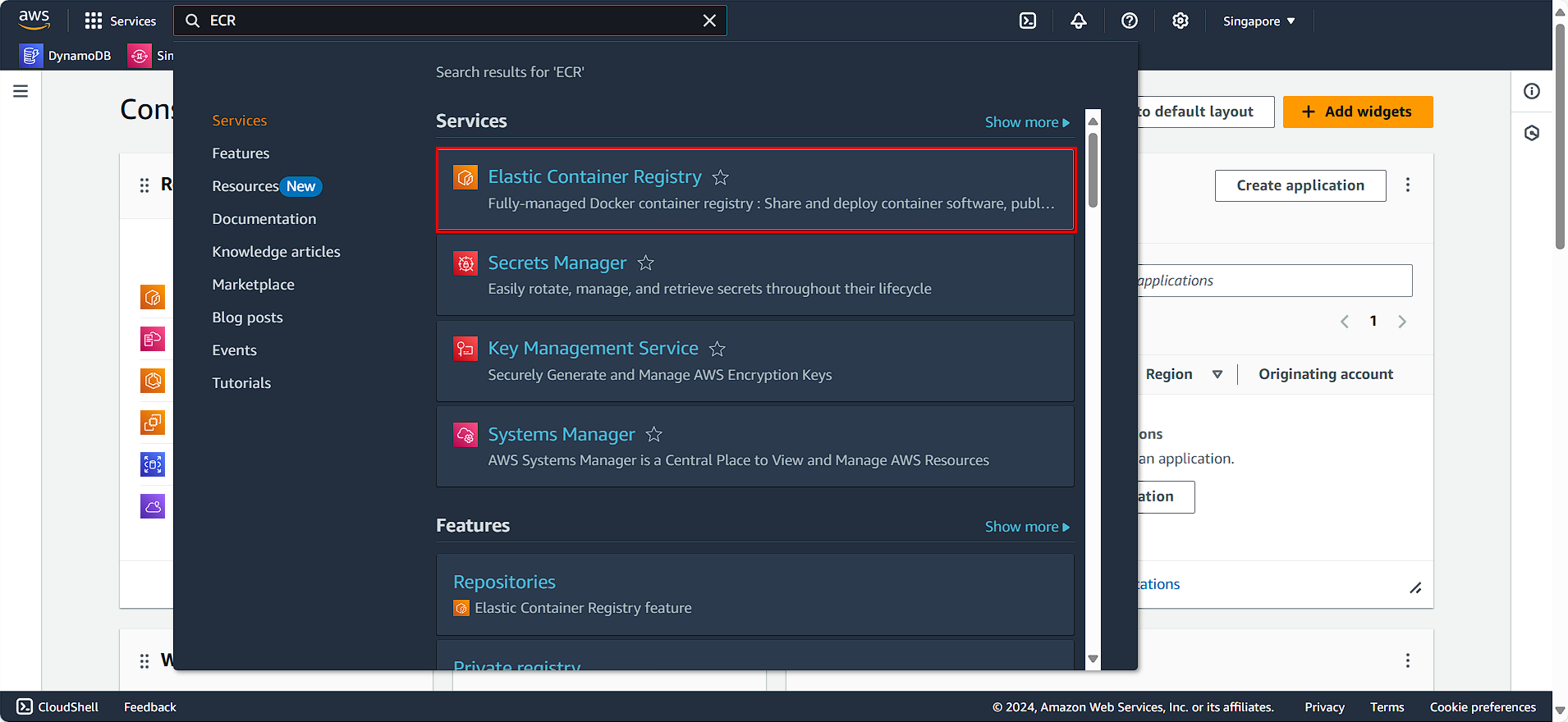
- Search for and select Elastic Container Registry.
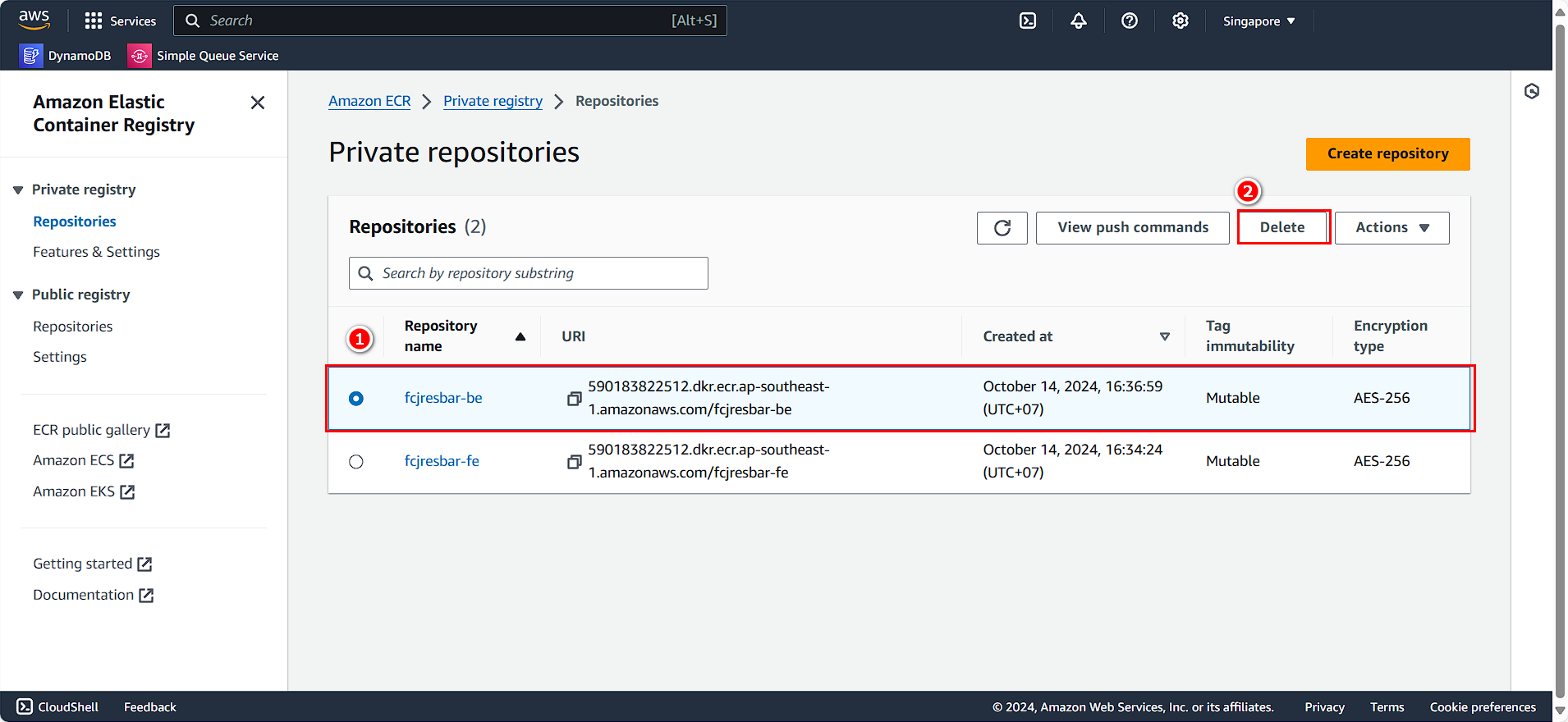
You will see the two repositories we created earlier:
- Select aws-fcaj-container-app-frontend.
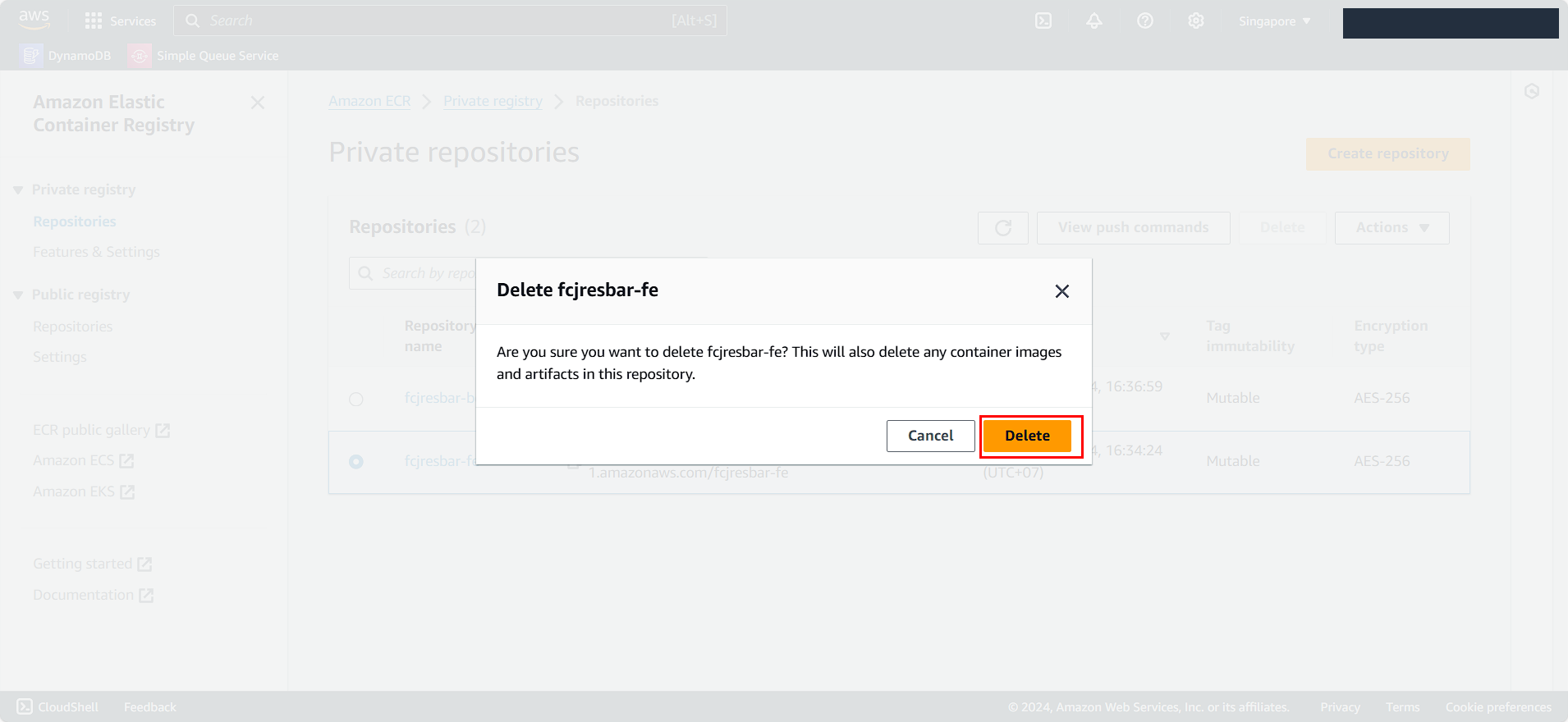
- Click Delete.
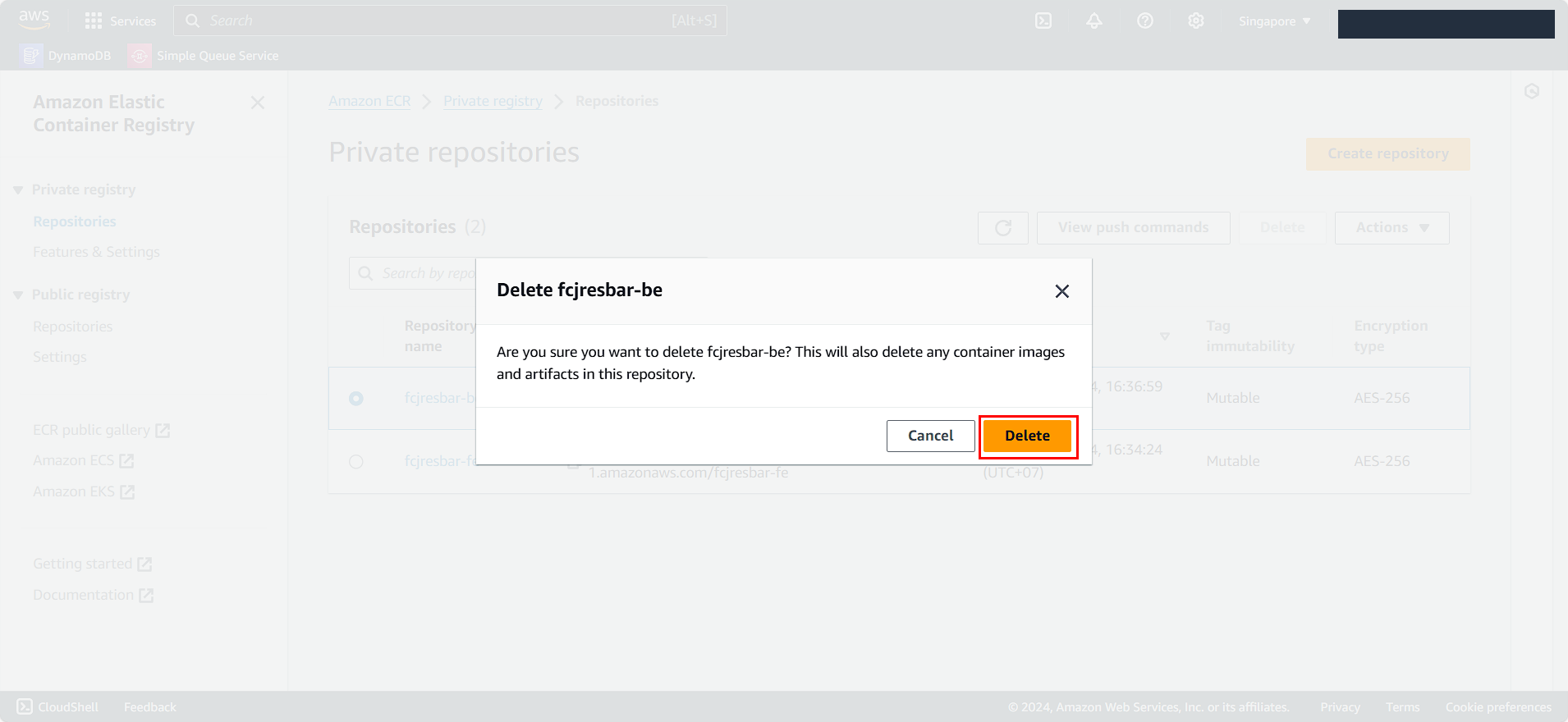
- Confirm the Delete action.
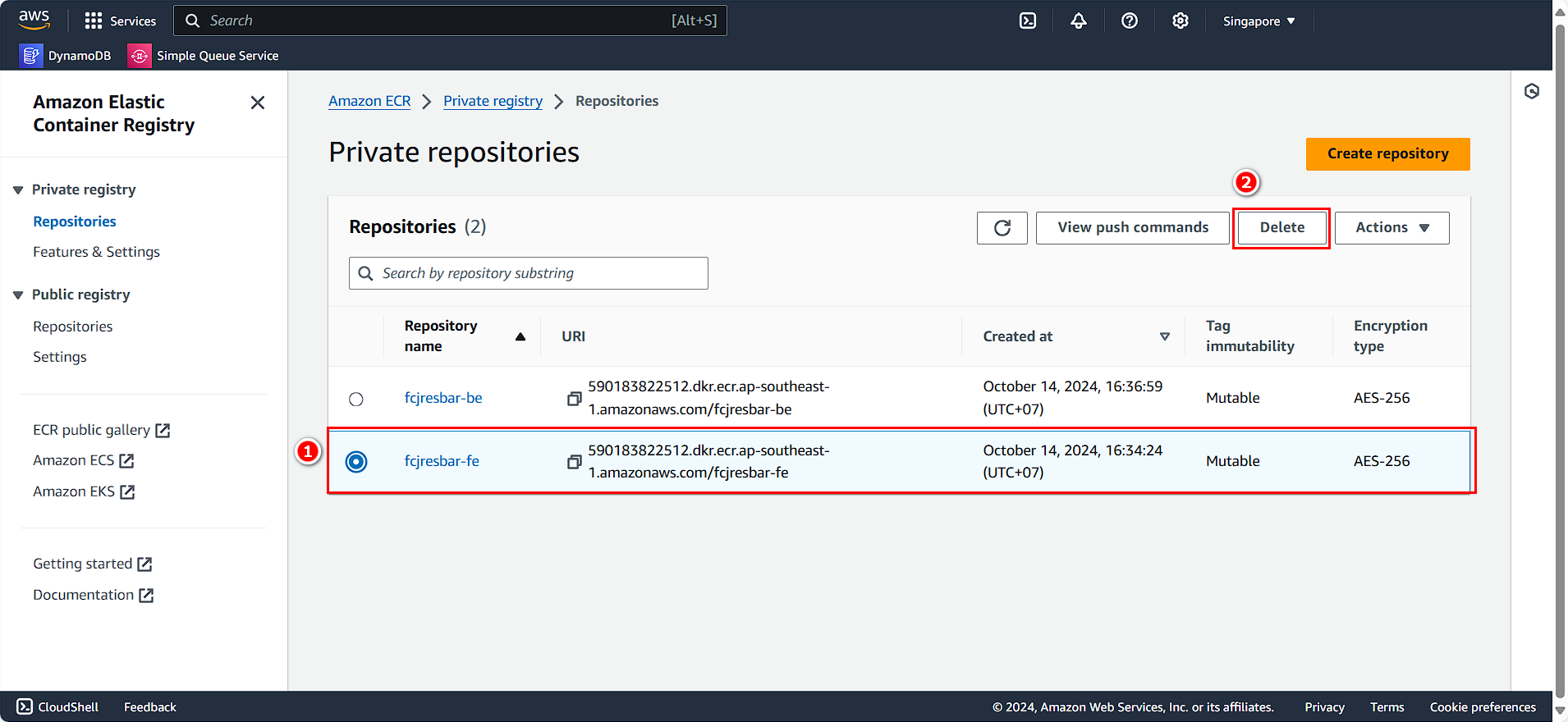
Similarly, perform the same for the other repository:
- Select aws-fcaj-container-app-backend.
- Click Delete.
- Confirm the Delete action.
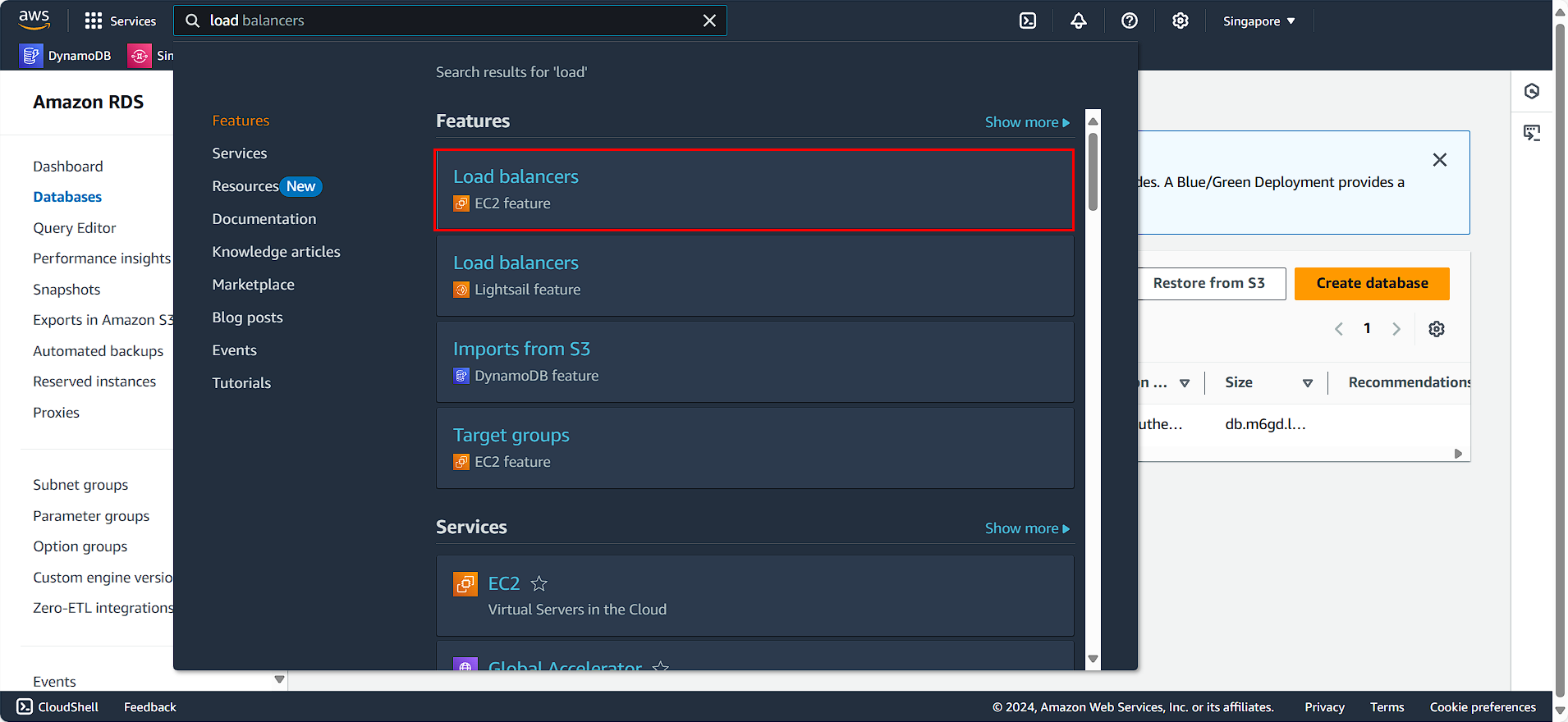
Delete Load Balancer
- Search for and select Load Balancer.
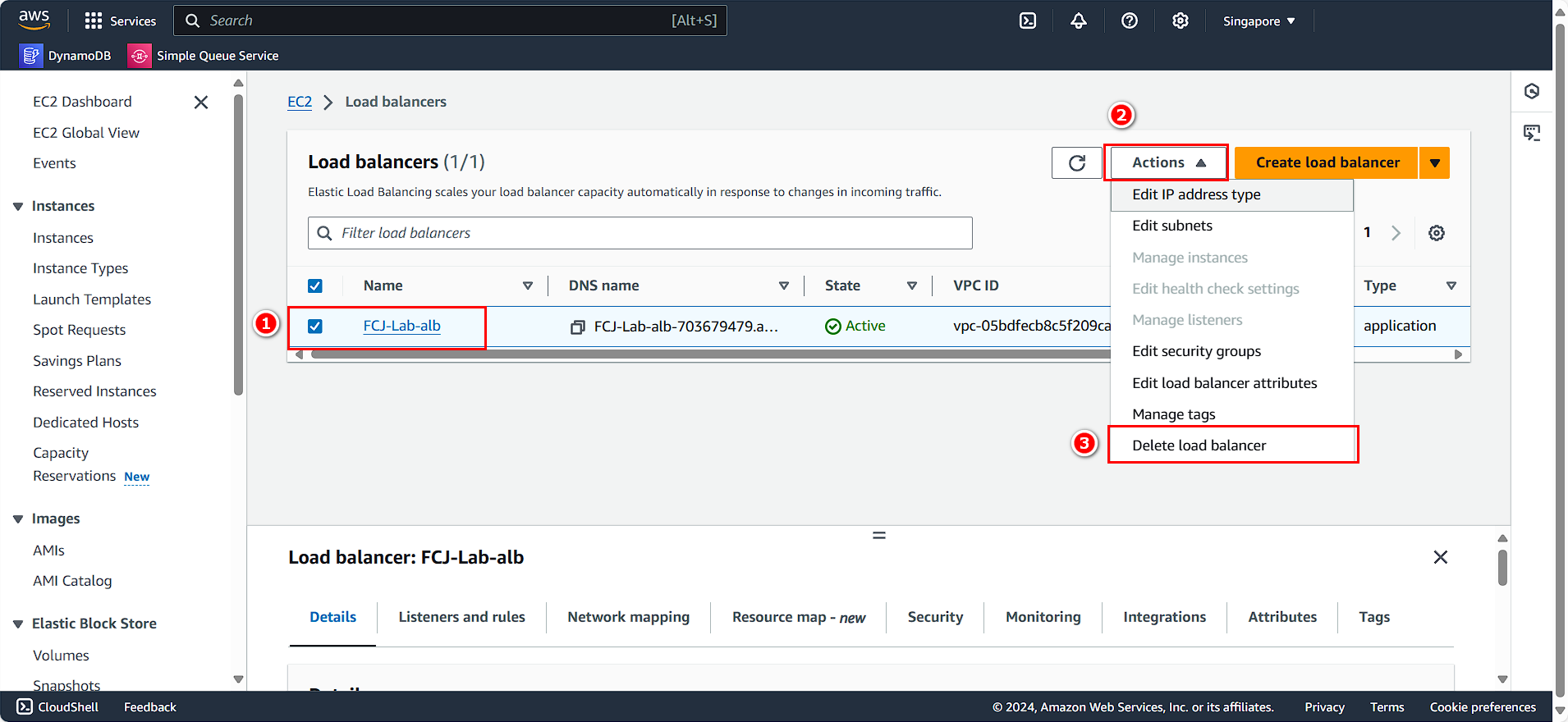
- Choose the Load Balancer you created.
- Click Action.
- Select Delete load balancer.
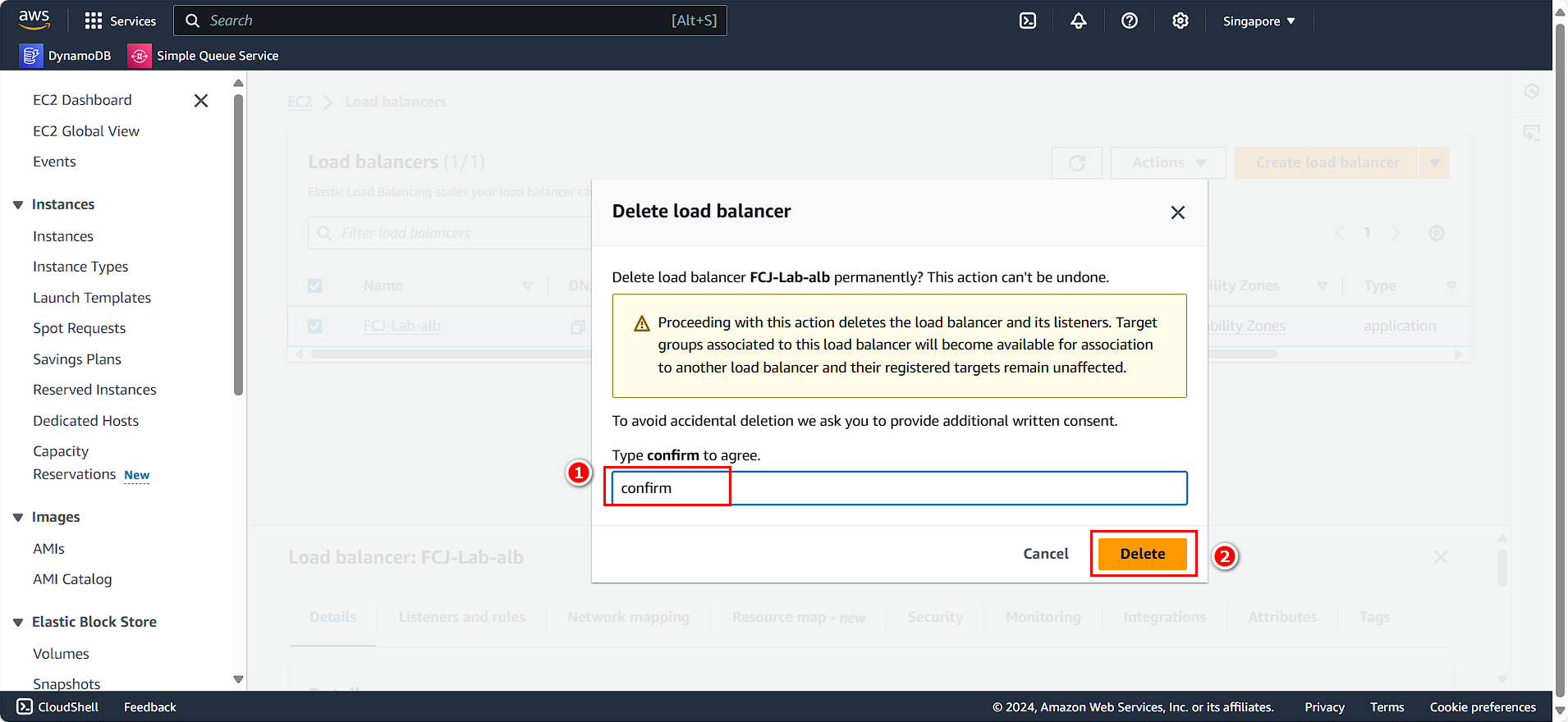
- Enter
confirm. - Click Delete.
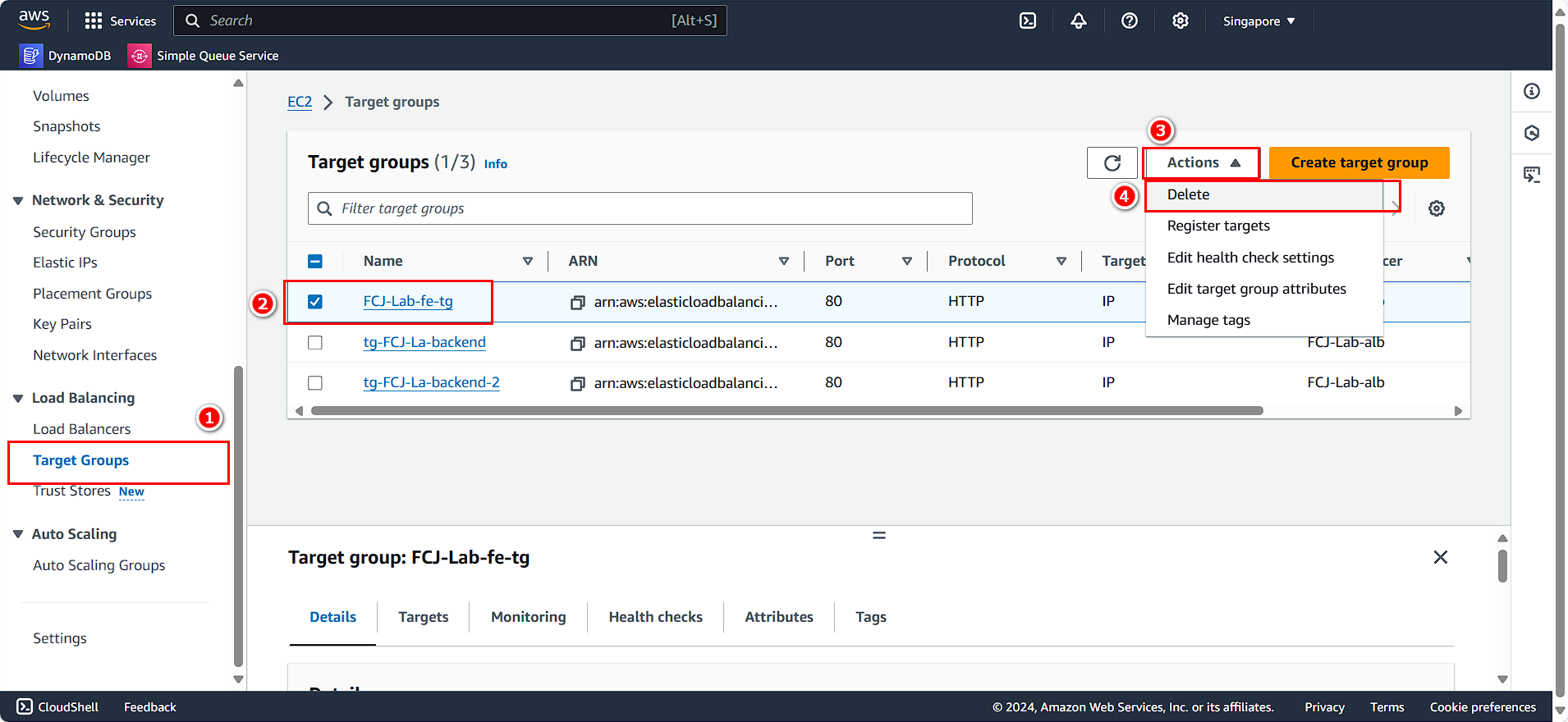
Clean Up Target Groups
In the left panel:
- Select Target Groups.
- Choose the Frontend and Backend target groups you created.
- Click Action.
- Select Delete.
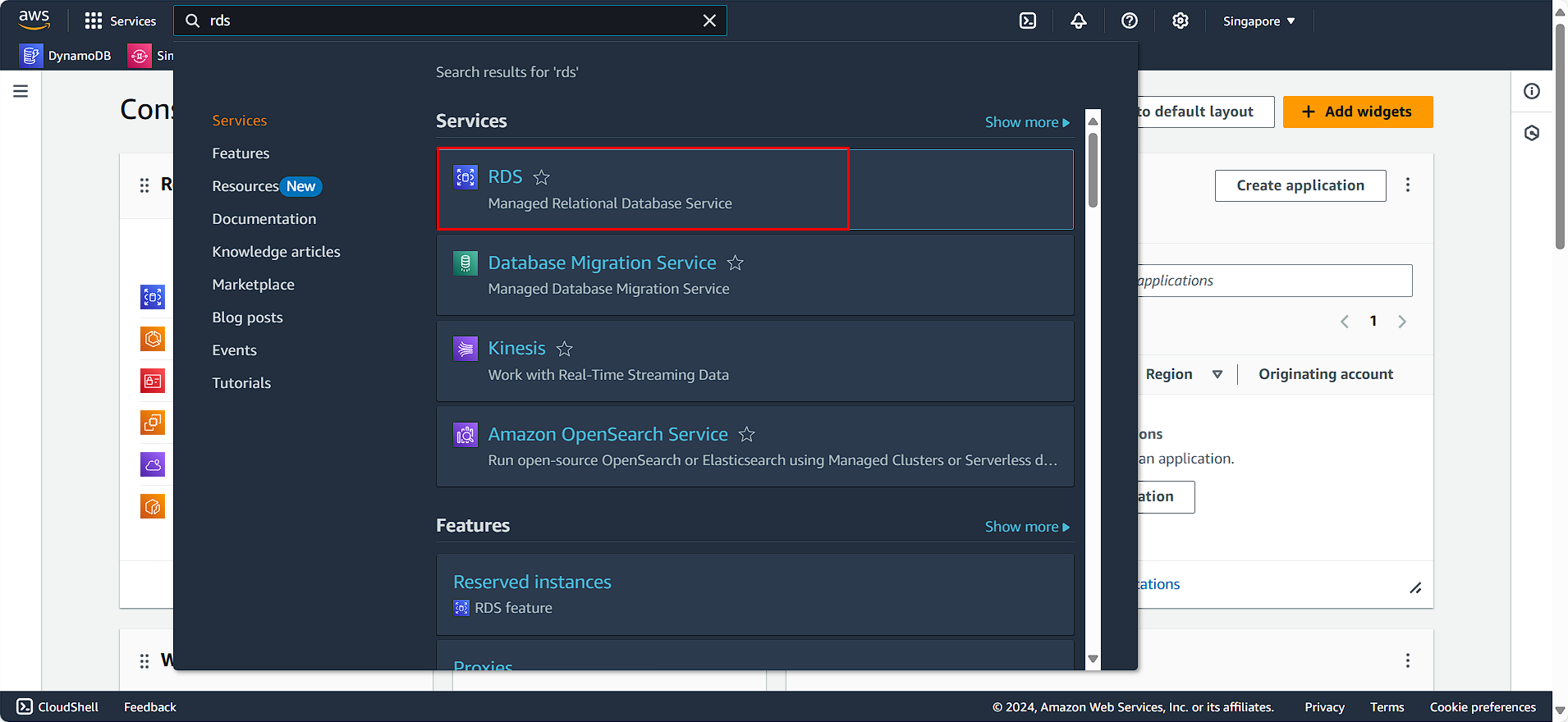
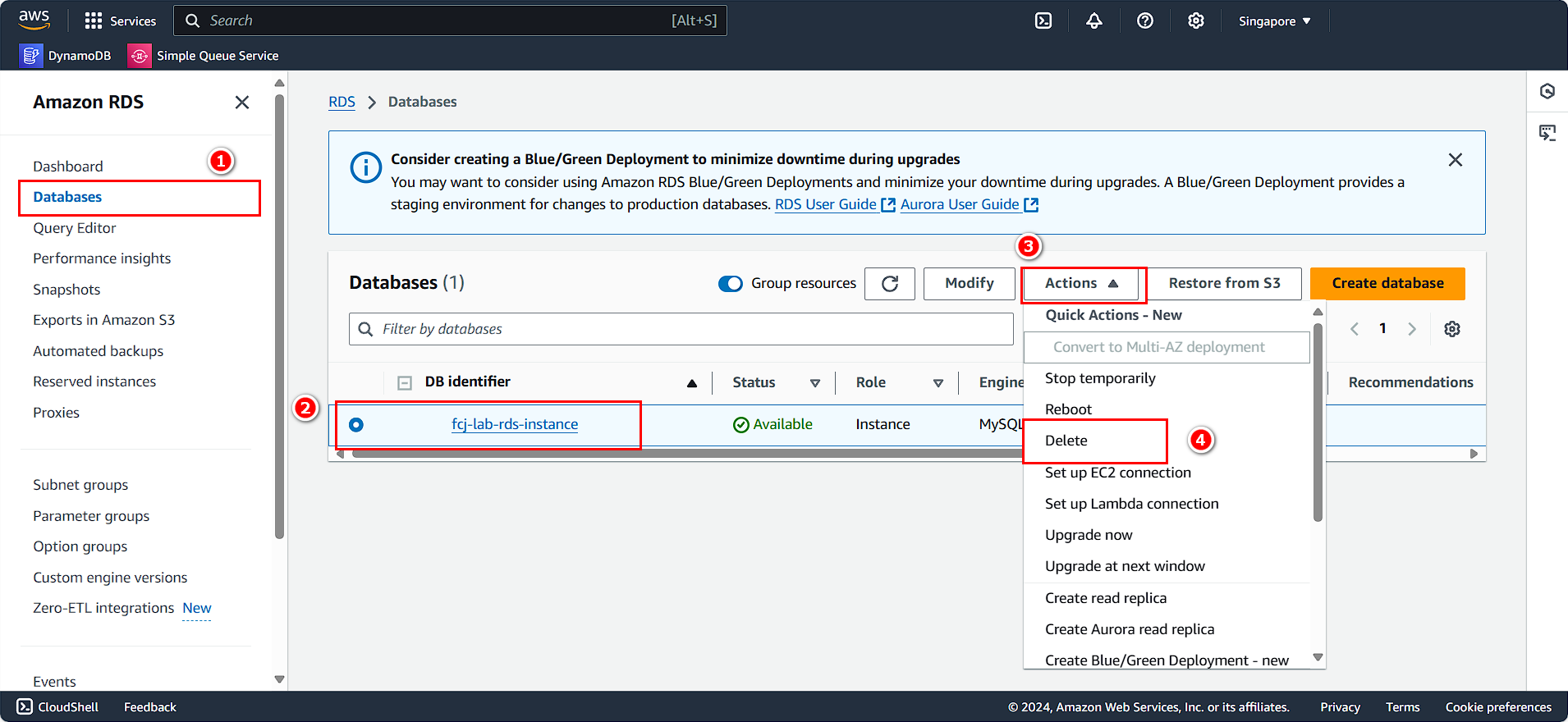
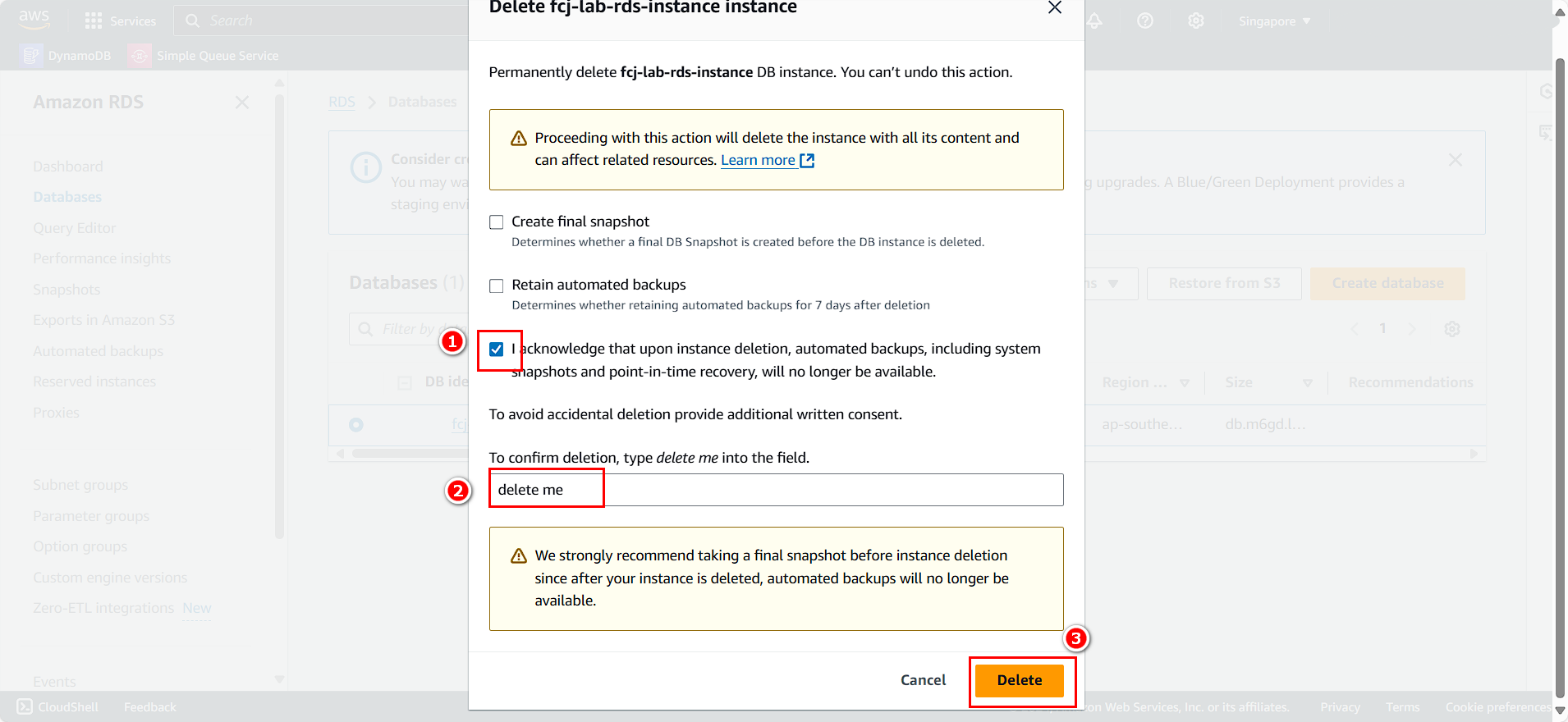
Clean Up RDS
On the AWS Console interface:
- Search for and select RDS.
- Select Databases.
- Choose the RDS instance you created.
- Click Action.
- Select Delete.
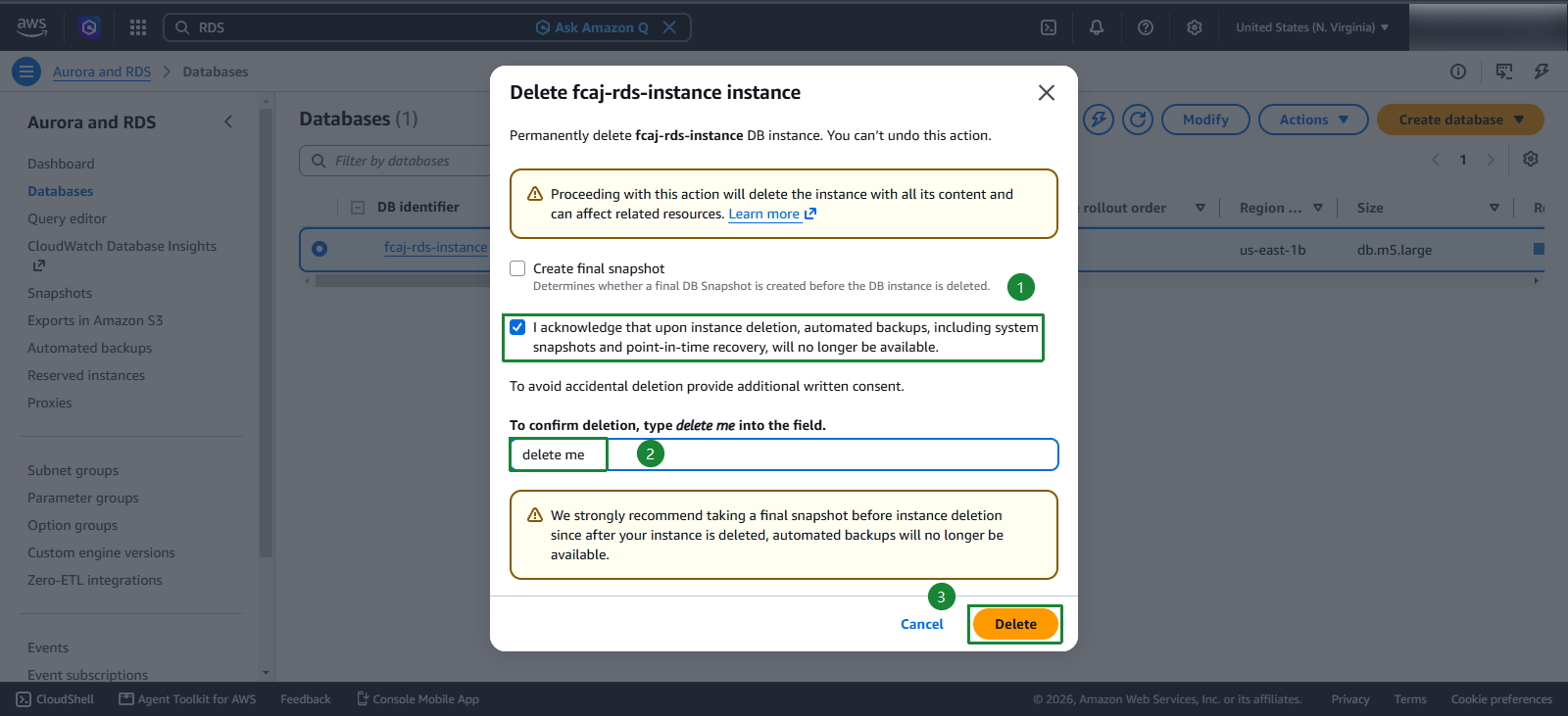
- Select I acknowledge that upon instance deletion, automated backups, including system snapshots and point-in-time recovery, will no longer be available.
- Enter
delete me. - Click Delete.
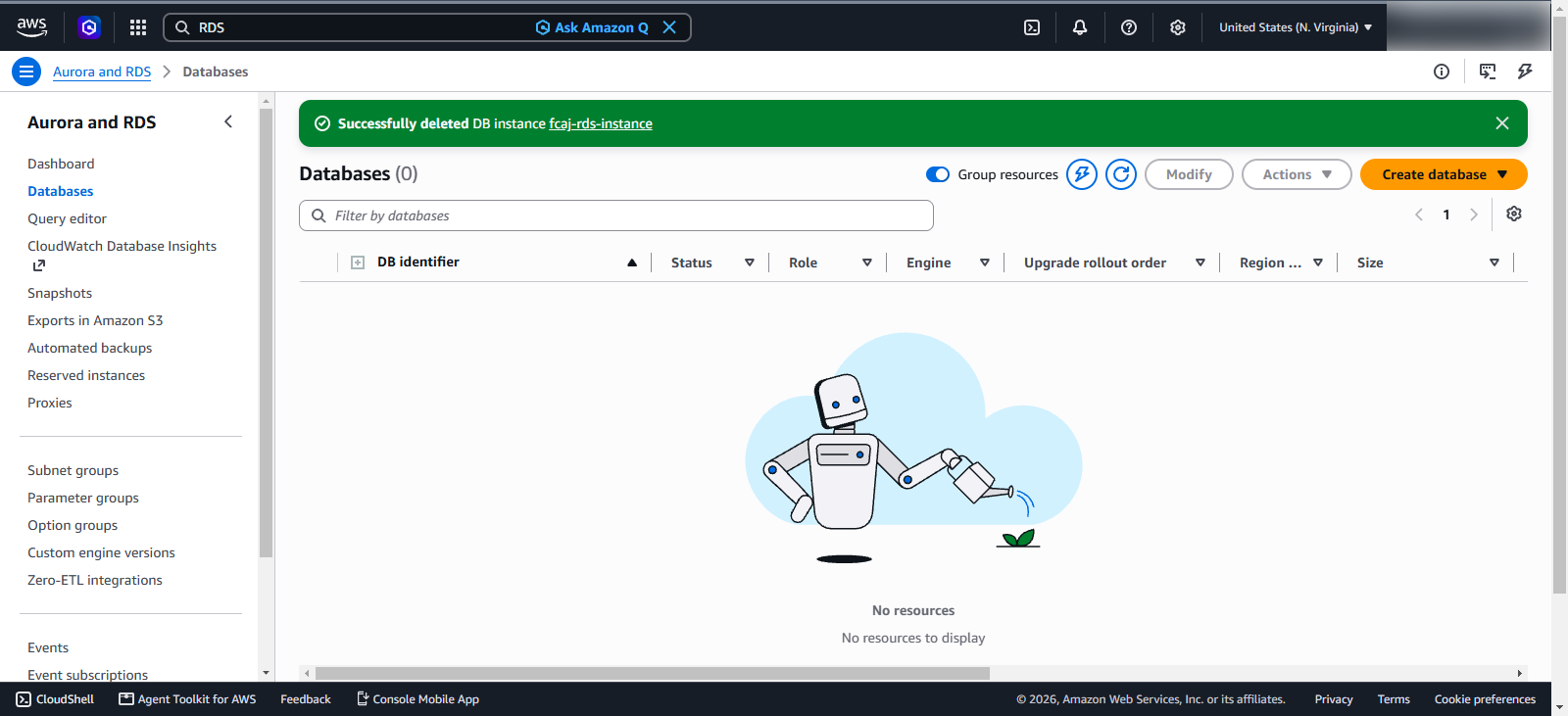
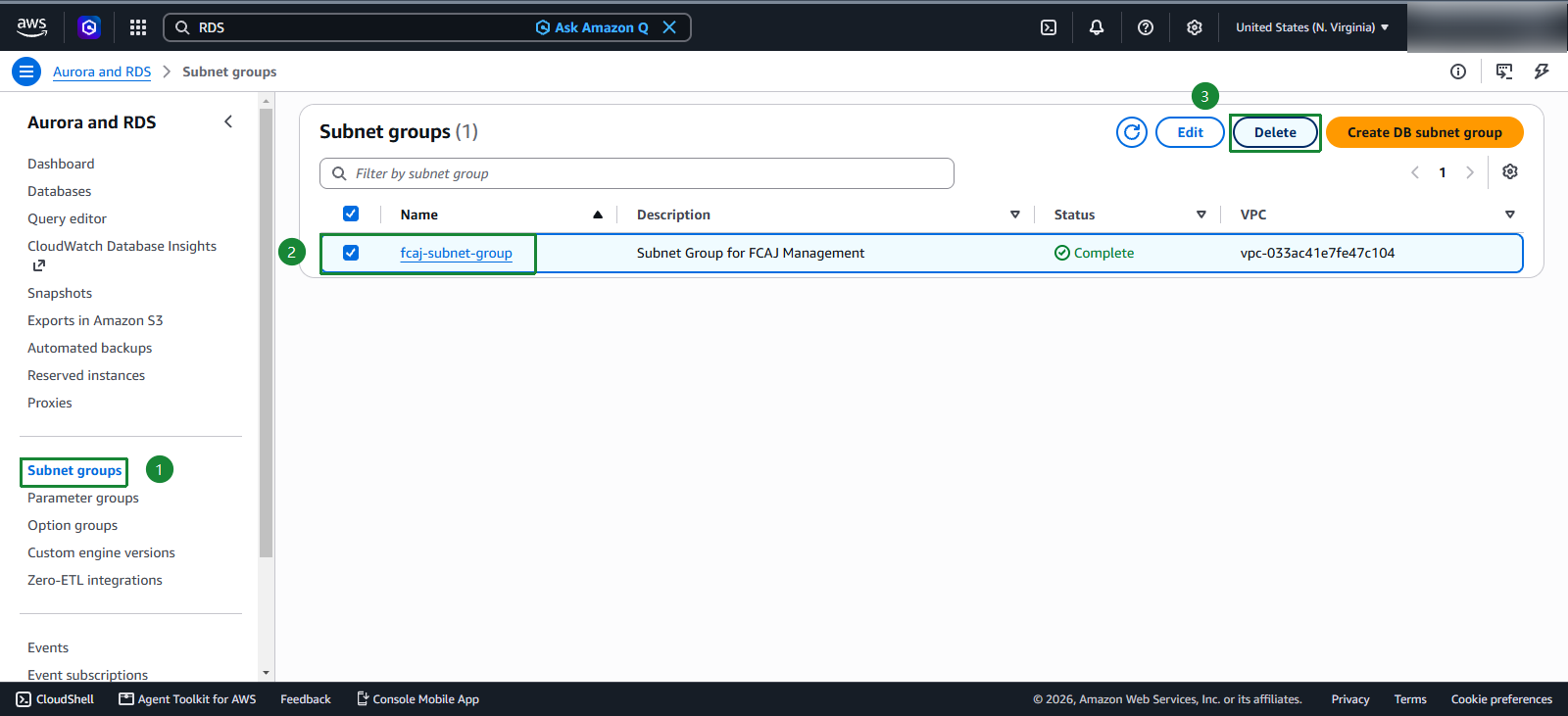
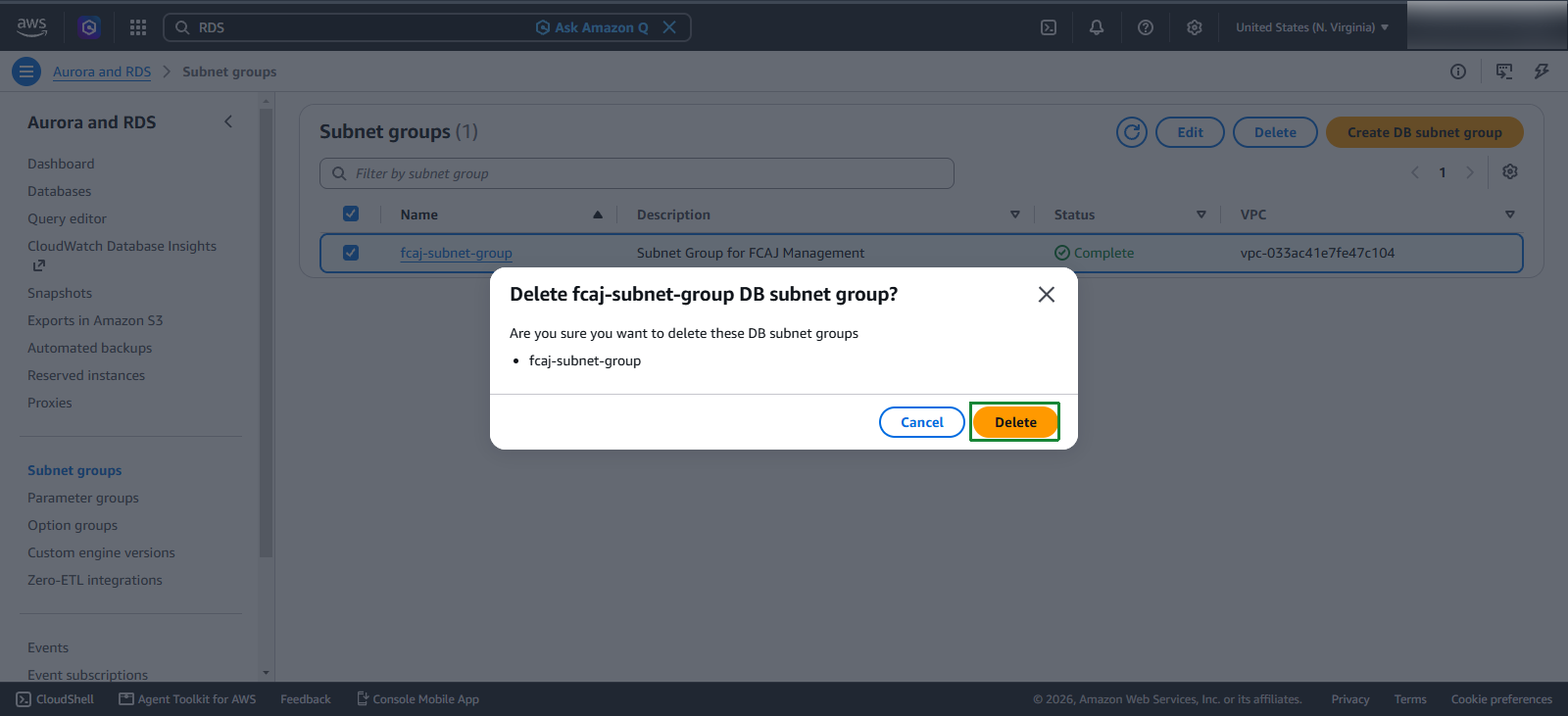
Access Subnet Groups and delete the subnet groups you created.
NAT Gateway
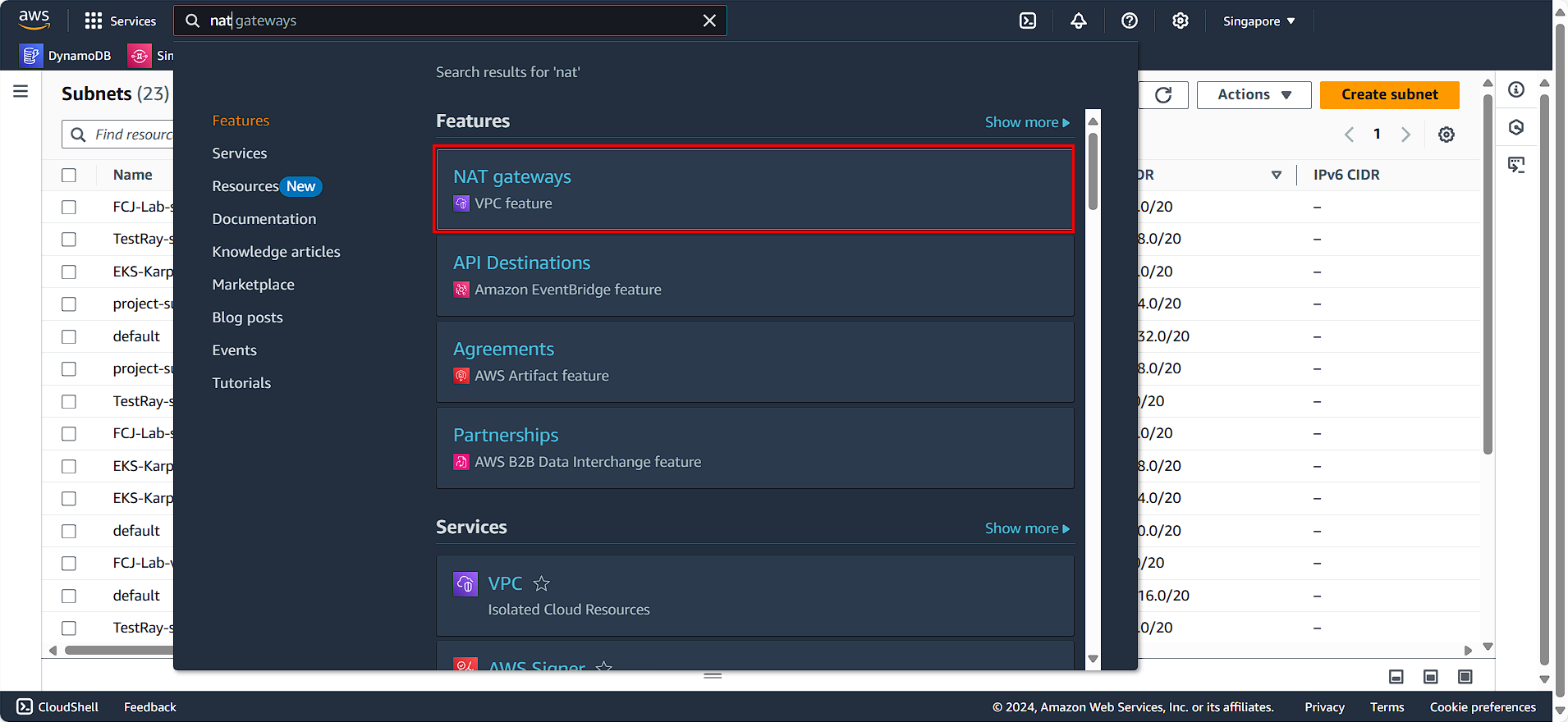
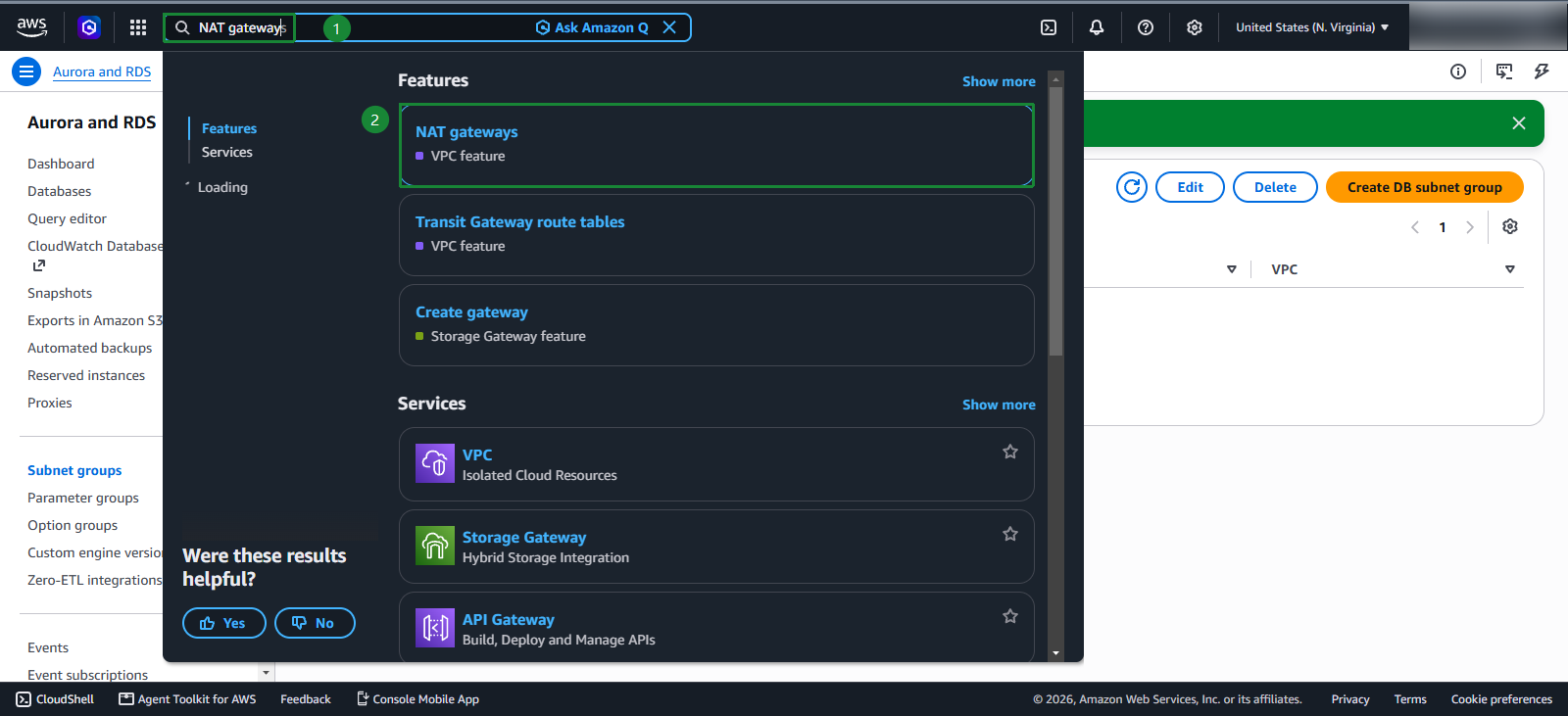
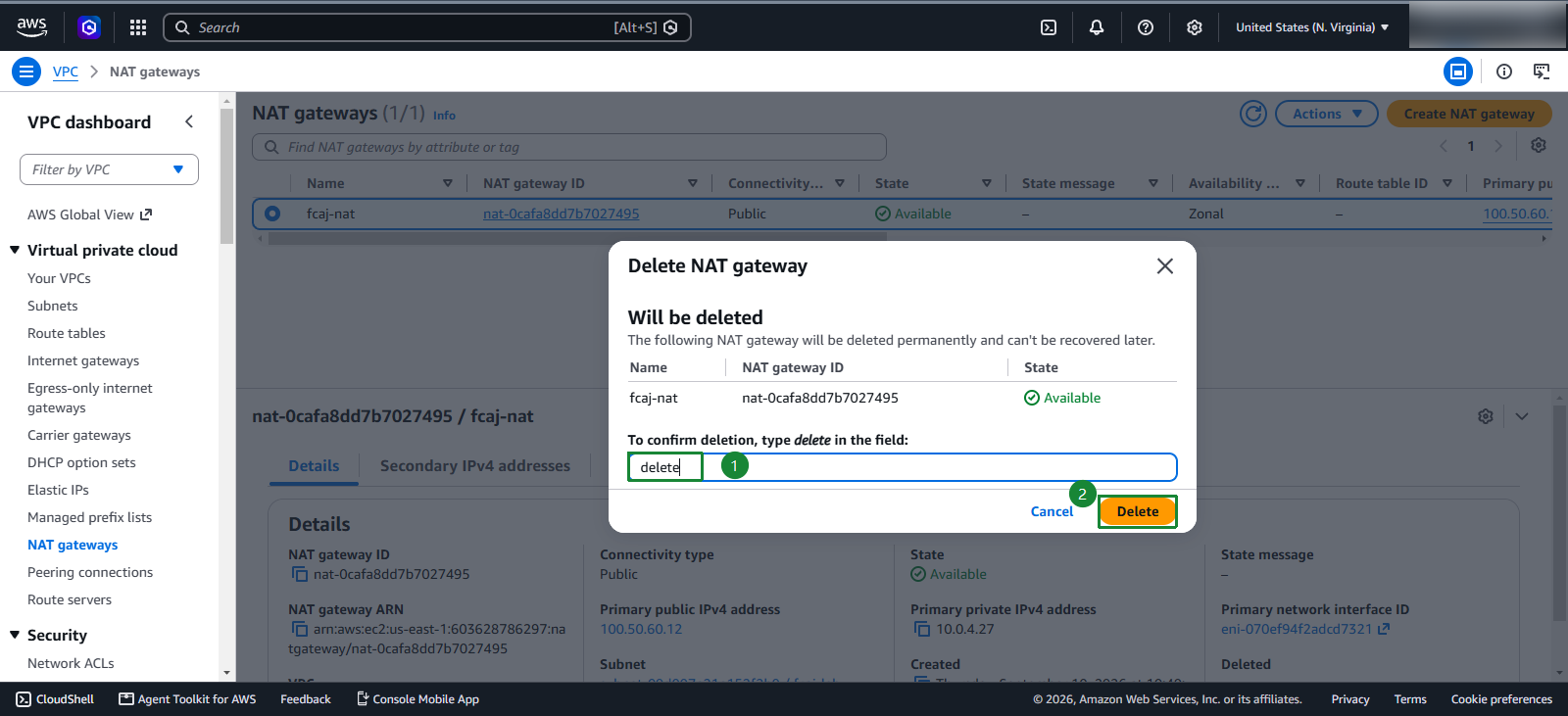
- Search for and select
NAT gateway
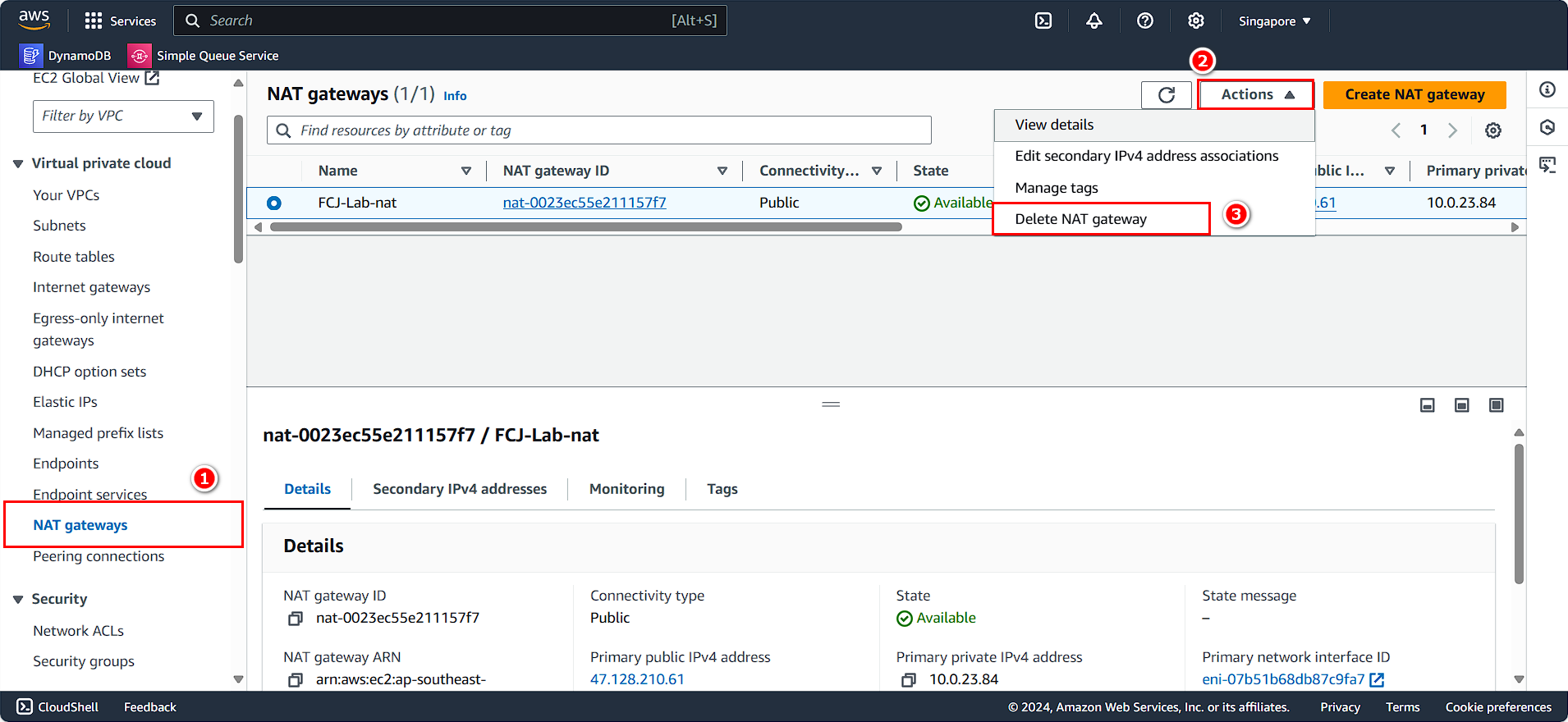
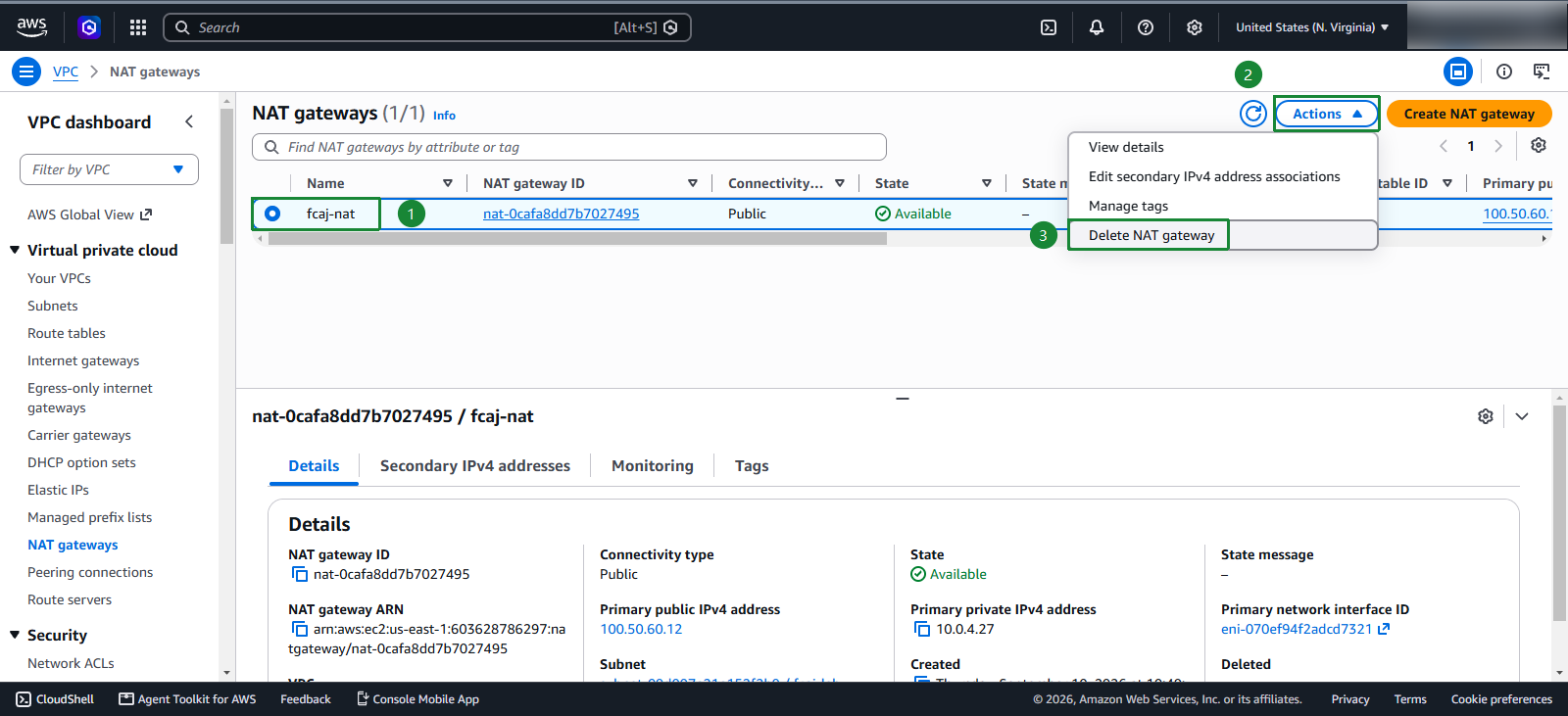
- Select the NAT Gateway we created
- Select Action
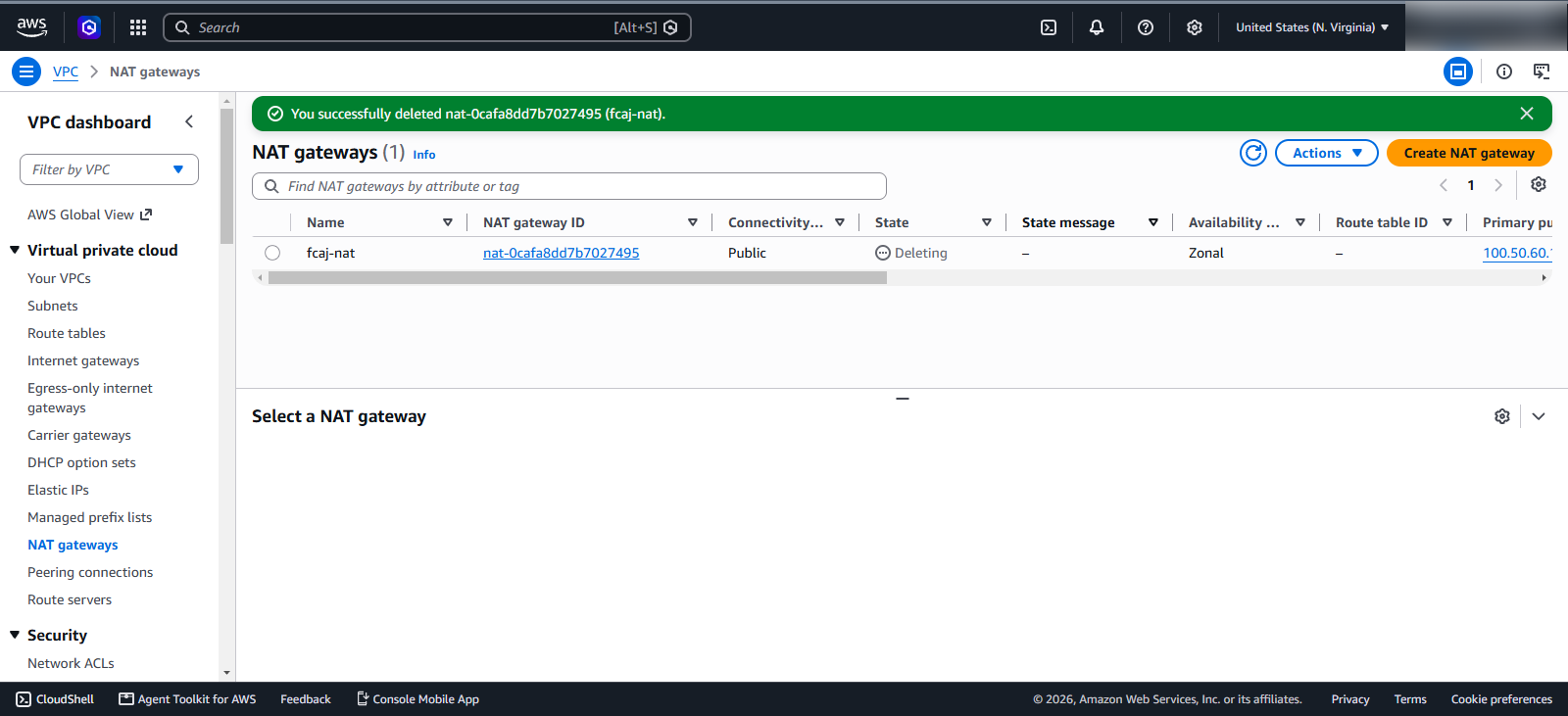
- Select Delete NAT gateway
Route 53
- Search for and select
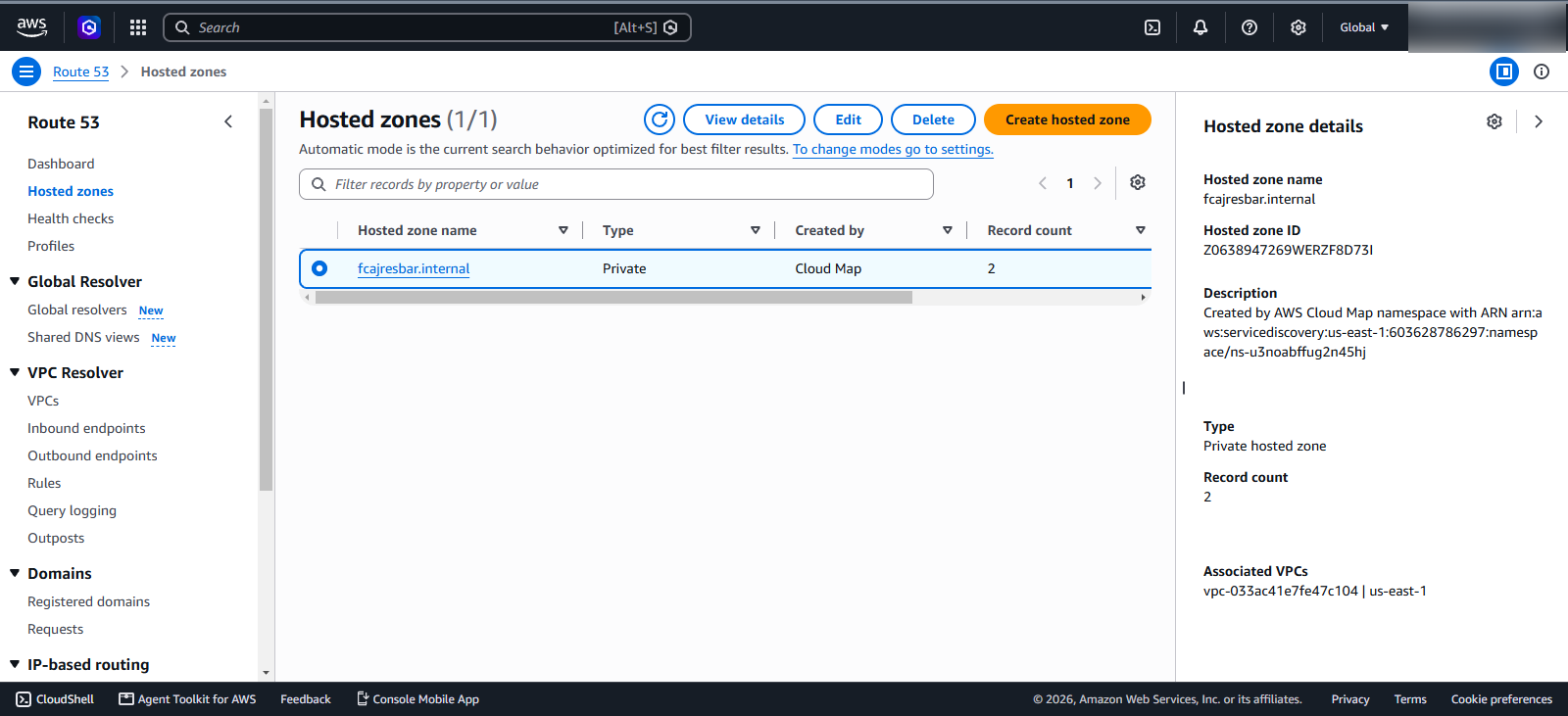
Route 53 - Select fcajresbar.internal hosted zone
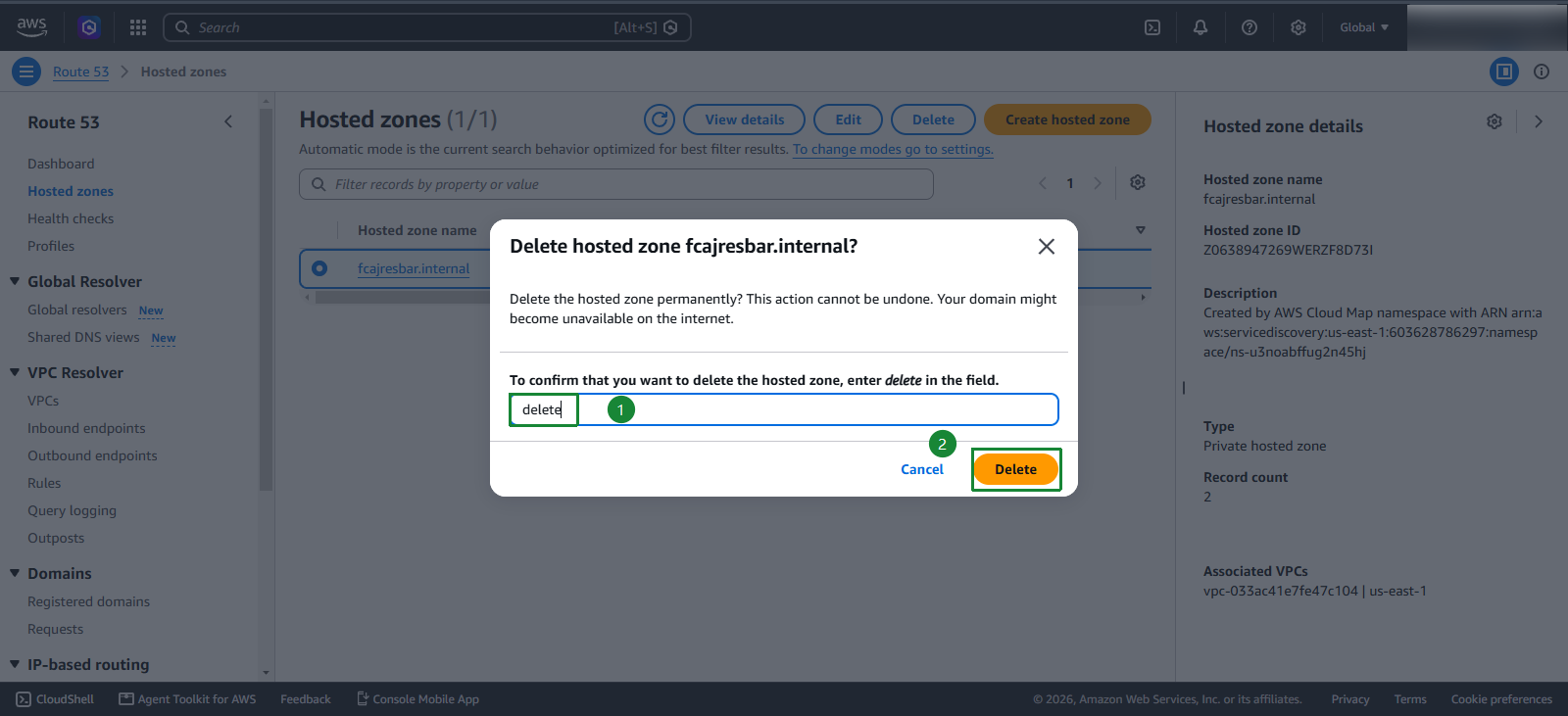
- Select Delete records
- Enter
delete - Click Delete